I love 6″ Lightning cables for connecting my iPhone to a battery pack. They are great on-the-go and allow the phone, battery, and cable to fit well in my pocket. My old cable got beat up near the connectors so I picked up this 3-pack on Amazon for $16. I’ve only ever had white Lightning cables, so the braided colors are a nice touch.
The first HackerBox of 2018 arrived and it might be my favorite since I subscribed with #0018.
As suggested in the video, I’m not going to do pricing anymore. I proved the value in these boxes is there for the $$. It’s really hard to estimate prices on these custom kits, so it’s not worth the time. Here is a list of the contents copied from the Instructable for box #0026.
HackerBoxes #0026 Collectable Reference Card
Exclusive HackerBoxes BioSense PCB
OpAmp and Component Kit for BioSense PCB
Arduino Nano V3: 5V, 16MHz, MicroUSB
OLED Module 0.96 inch, 128×64, SSD1306
Pulse Sensor Module
Snap-Style Leads for Physiological Sensors
Adhesive Gel, Snap-Style Electrode Pads
OpenEEG Electrode Strap Kit
Shrink Tubing – 50 Piece Variety
MicroUSB Cable
Exclusive WiredMind Decal
Might be cool to turn this into something for use in my garage gym.
I am preparing a post with a bunch of stuff from the previous boxes I’ve been catching up on. Maybe I’ll wait to post that until I complete this build so I can be all caught up before #0027.
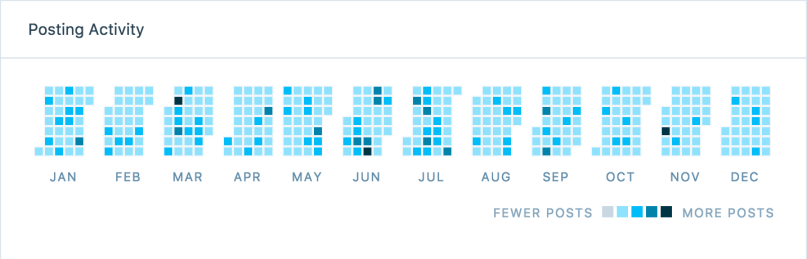
It was late in 2016 when I started getting into electronics and this summer I started buying more tools and converted most of my basement into a workshop. Here’s a recap of my 2017 posts related to making or fixing things.
Wow, I did a lot of experimenting, failing, learning, and accomplishing in my “free time” last year! 2018 should be even better when I combine the new skills I’m acquiring with my list of project ideas.
From left to right: Gretel, random guy from the audience, Little Red Riding Hood from the audience, Big Bad Wolf, Hansel, Rumpelstiltskin, Evil Queen. Not pictured is Tom Thumb who was “dead” on the floor.
It’s been too long since I posted about designing a speaker in SketchUp, but other projects moved up on my priority list between then and now. Well, over the last few days I finally made the speaker. In the end, the delay was worth it, because several of the steps were a lot easier with tools I’ve acquired over the last few months.
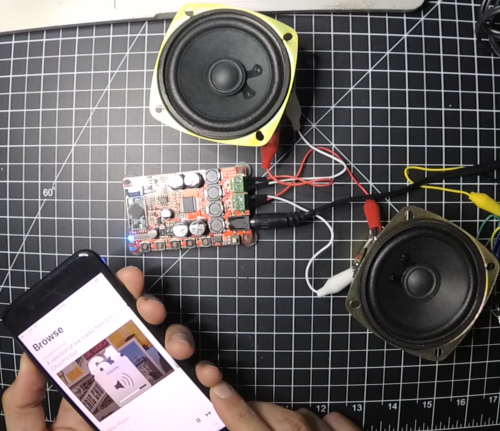
I did those tests around the same time I was designing the speaker. Several months passed before I touched any of the components again. Since I wanted to use my own buttons, switch, and LEDs I needed to figure out the best ways to connect in to various points on the board. This involved a lot of poking and prodding with a multimeter. I figured everything out and did all of the soldering and wiring prep work to help with assembly once the box was built.
I had taken some general measurements when iterating on the design, but I thought it would be a good idea to create a cardboard model before cutting any wood. This mockup of the walls was an inch too short, but it let me get an idea of what kind of space would be on the inside. Knowing that the 1/2″ plywood would use up a lot more area, I increased several dimensions and changed the angles on the 3 front pieces.
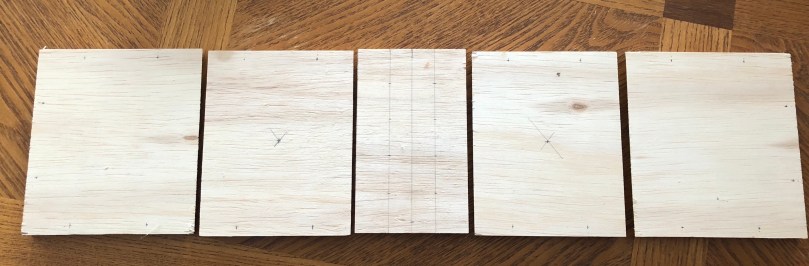
After cutting the 3 front pieces and two sides, I measured and marked all of the spots where I needed to drill holes.
Then I spent a lot of time with the drill press. There was a lot of measuring and calculating because pretty much everything going on the front face needed some kind of recess.
It was looking pretty good!
Since I hadn’t updated my SketchUp plans for the changes, it was tricky getting the correct sizes for the top, bottom, and back pieces. I ended up screwing some parts together in a step-by-step process and then making small cuts on the new pieces to inch up on the fits. At the end I had to do a bunch of sanding on the front face, which was the last piece I screwed together. It was really cool seeing the design come to life.
Time for some finishing work. I sanded edges and cleaned off all of the dust before I did a quick coat of spray paint. I wanted to try a neat technique I’d seen, so I did a bunch of sanding to rough up the paint. Then I coated everything with 2 coats of stain/poly, while doing a light sanding in between. After the first coat of stain, I unscrewed everything to apply the final coat because I wanted to make sure nothing was stuck together on the joints.
After letting everything dry it was time to work on the guts. I used the time-lapse recording option on my YI 4K Action Camera for the first time, which worked well, so here it is with voice-over to explain what I’m doing during the assembly process.
I wanted to give it a coat of Minwax paste finishing wax when I was done, but with all of the buttons and speakers in the way it would have been too hard to work around them. Should have done it before. I’m pretty thrilled with how the paint and stain combo turned out.
The dimensions ending up being 5″ tall, 10″ wide, 4.5″ deep at the sides, and 5.75″ deep in the middle. It weighs just under 4 pounds with most of that coming from the 2 speakers. It’s hard to get a sense for the size in the cropped images above, so for scale here is a comparison with a beer bottle.
I’ve been using an old Jawbone Jambox for music in my garage gym. This is so much more convenient because it plugs in and has a permanent spot. No more worrying about a dead battery or trying to find the Jambox when it’s time for a workout.
Whenever I was using the Airdyne or Ski Erg, it was hard to hear the Jambox. Judging by the test below, I should be able to crank the tunes now. I played 30 seconds of “Welcome to the Jungle” with both speakers, starting at the 1:00 mark, and increasing the volume every 5 seconds.
This summer, I got an idea to build some stuff to make an escape room for our family vacation. I finally dismantled some of the parts this week, so I figured it was time to write a post about it and at least get something online in case it’s useful to someone else. I won’t got into much detail here because I think it’s a fun process to think about how you want things to work and learn going through that if you decide to build something similar. The GitHub repo has all of the code, wiring diagrams, and documents. In the docs folder there are things to print for props, some of my notes, and the story.
First, a few lessons I learned when I watched 2 small groups of my family try to escape:
All of your clues and hints are probably twice as hard as you think.
People will break shit even if you tell them to be very careful. Hot glue isn’t the best to hold some of this stuff together.
They’ll think everything is a clue.
My room consisted of 9 different circuits.
Door Lock
Served as an alarm when telling the story, the game timer, and where participants enter the final code to escape the room. This box is the final build and I the video shows some of the early testing.
Control Panel 1
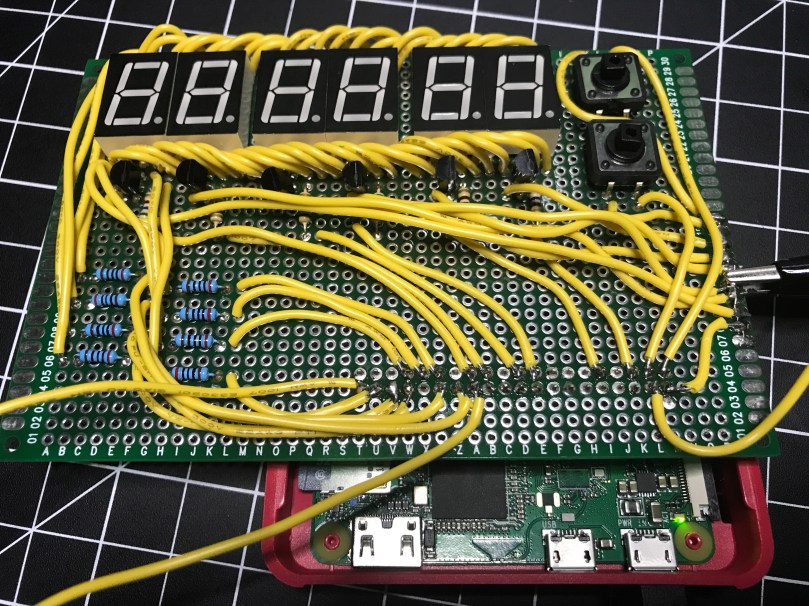
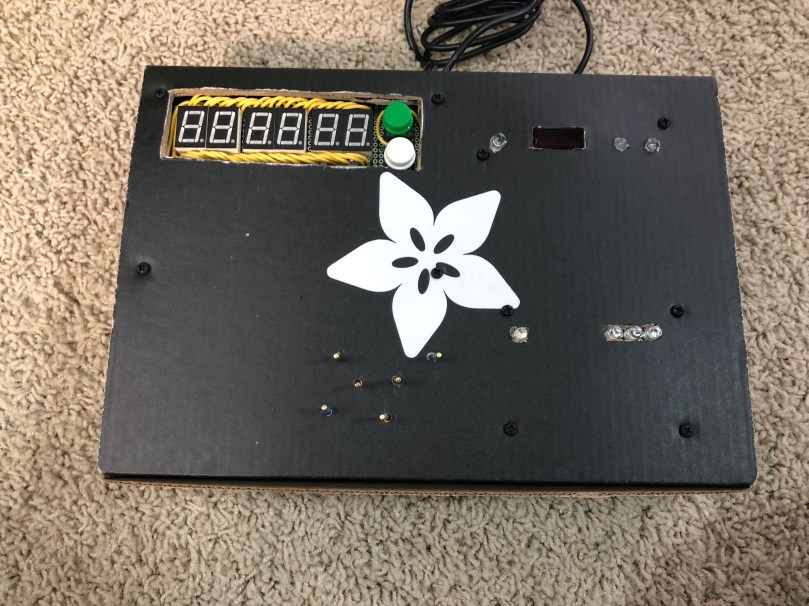
In order to get things going, a simple switch on the side turns on the first part of the game. When the correct code is entered, it flips a relay module, which then provides power to the rest of the circuits on the control panel. When I built this, I wrote posts about multiplexing 7 segment displays and solder bridges.
This box also housed control panels 2 & 3, which I talk about below.
Power Outlet Relay
I wrote a few posts about building the relay module for this. There are also plenty of guides online.
Control Panel 2
Basically some colored wires that needed to be connected in the correct order. Not that easy to see in the pictures above but it’s the bottom part of the box with the 6 standoffs sticking up out of the box, the single LED, and the group of 3 LEDs.
Control Panel 3
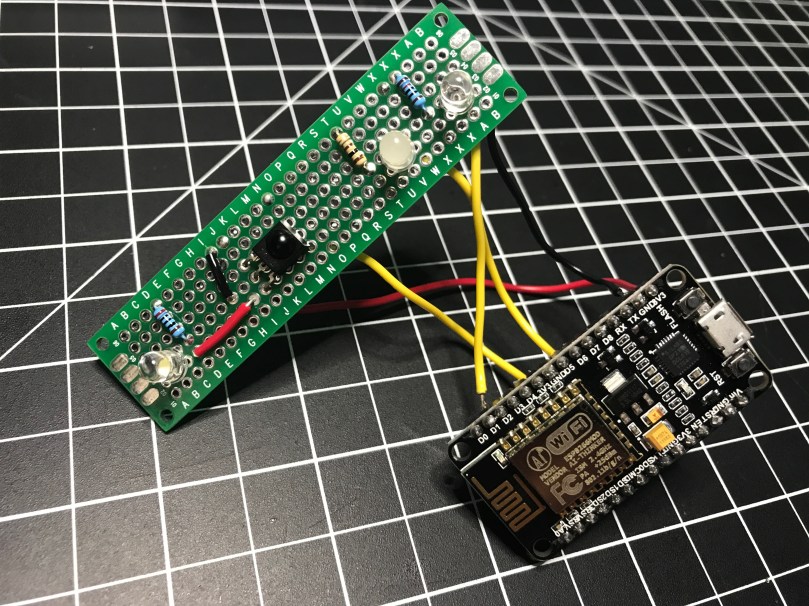
An infrared receiver. After finding batteries for an old VCR remote, when the correct button was pressed, a colored LED would blink a number of times. It’s the top right section of the box above.
Control Panel 4
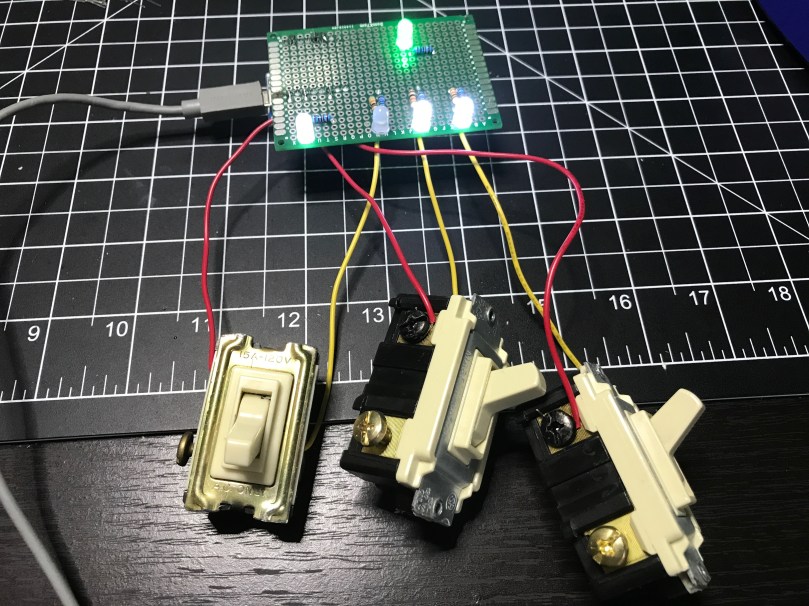
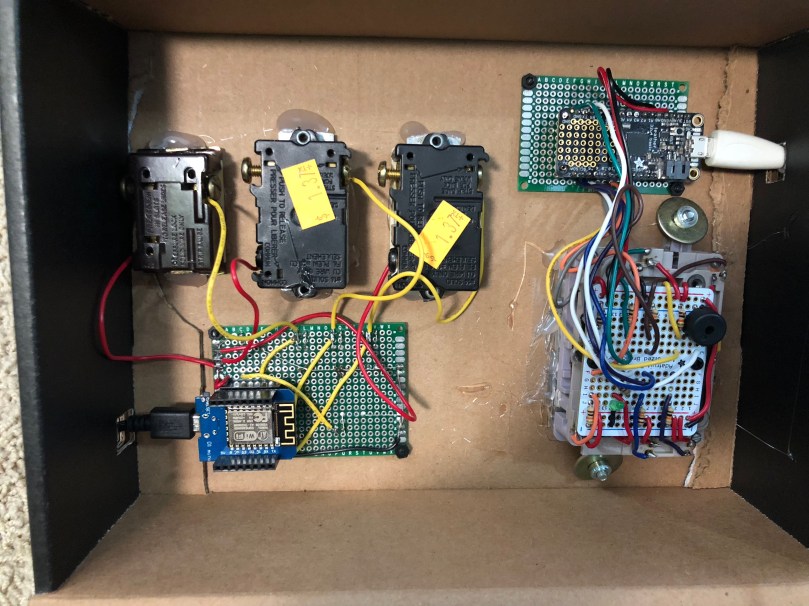
Used 3 old light switches as binary on/off. When the switches were set correctly the binary to decimal conversion gave part of the code and the color of the LED gave another part.
Control Panel 5
I used the keypad I got out of an old phone, which I wrote a 4 part series about. I learned a lot and had some fun figuring that stuff out.
This went in the same box as control panel 4.
Control Panel 6
Probably the most confusing part for participants to figure out. It consisted of:
A knob which needed to be rotated to the correct general position.
A light sensor which needed to have a flashlight (find batteries) pointed at.
A distance sensor on the side which needed to have an object a certain distance away.
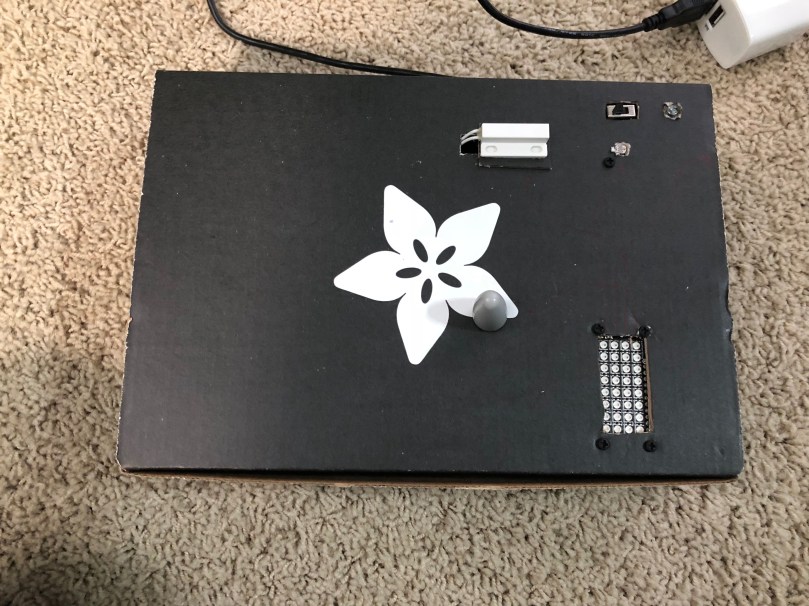
A sensor which need to have a magnet near by.
As feedback, there was an LED matrix used as a bar graph. Once a sensor was set properly the line would fill up and a buzzer would beep. When all 4 things were set correctly at the same time, the LED matrix would scroll some text across it, providing the necessary code.
Circuit Playground
Taking advantage of the accelerometer on this microcontroller, the goal here was to tilt the board in a series of directions within a short period of time. The LEDs and buzzer on the board were used for feedback. With a win, the board would give audio and visual feedback in the form of another code to be used with the door lock. The period of time was way too short for people.
The Door Code
Each circuit that provided an answer/clue was a combination of a color and a number. These needed to be matched up with the colors being in the correct order and then the numbers would unlock the door. In order to figure out the correct order, a series of index cards with cutouts needed to be arranged properly (by matching symbols in the corners of the cards) so the “windows” would show the names of colors.
Summary
If I were to do it again, I’d know that there is way too much going on here and to make it much easier. I had a lot of fun building all of the circuits, writing the code, and trying to figure out how people would interact with the different parts.
I know everything here is a bit light on details, but that’s on purpose. I didn’t even mention the other props I had in the “room” to go along with this stuff. If you decide to build something similar hopefully this stuff will give you some ideas to can run with. Leave a comment if you have any questions.
In no particular order, here are some of my favorite 2017 purchases. Links are included where appropriate.
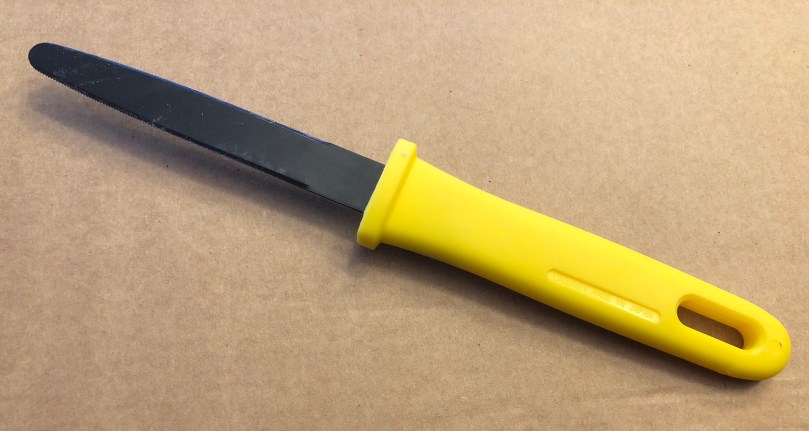
Cardboard Cutter
I’ve bought a lot of tools this year, but this might be my favorite. Works great for breaking down boxes to put in the recycle bin. Can be used for detailed work when creating models as well. Much easier to use than a utility knife. Goes for $6-7 on Amazon.
Digital Calipers
I use these all the time. You can can measure insides, outsides, and depths and switch between inches, inch fractions, and metric. I wouldn’t go too cheap, which may sacrifice accuracy. I got mine from Amazon on Prime Day and plan to pick up a shorter set as well.
HackerBoxes Subscription
I started out with an AdaBoxsubscription and later found the HackerBoxessubscription. I would say AdaBox is aimed more at beginners (no soldering required) and the components are higher quality, but HackerBoxes is usually more challenging and exciting. I also like getting a box each month, which keeps me learning more and coming back to electronics if I drift off a bit.
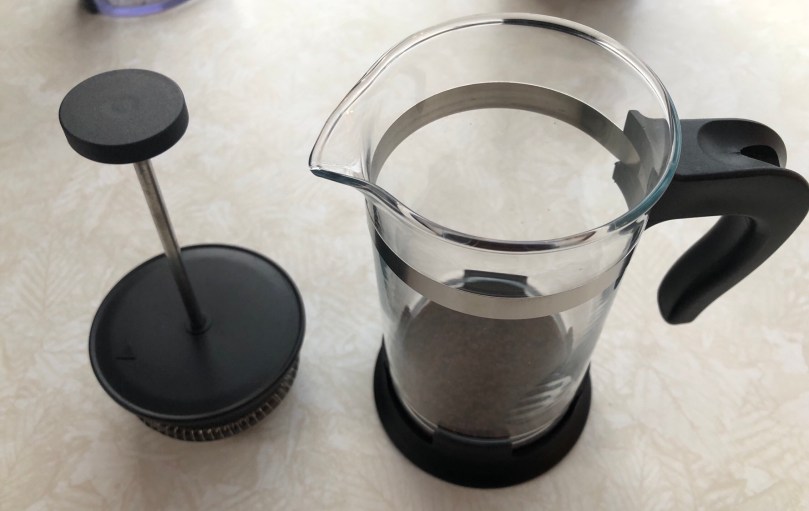
mini French Press
If you’re not grinding beans and using a brewing method similar to a French Press you’re probably settling for low quality coffee. This mini press is $8 at IKEA and is the perfect size for my one cup per day.
iPhone X
I’m still loving this iPhone. Face ID is a game changer and works really well for a first version. The user interface changes made possible (and necessary) after removing the home button are a huge improvement over previous iPhones. No regrets getting the X instead of an 8 Plus.
Oscillating Spindle Sander
I bought this from a guy (found on Craig’s List) when I went to buy his planer. I feel like I stole it when all he wanted was $50, which included 3 extra sets of sanding sleeves. Nobody enjoys sanding, so every machine that speeds up that process is worth the money.
Impact Driver
I basically stole this well, getting it with a set of several other used Craftsman battery tools. It probably come out to about $10. I was excited when I learned how to use a power drill clutch, but an impact driver does all of that automatically. Plus it pretty much eliminates slipping, so the days of stripping screws are gone.
YI 4K Action Camera
Much cheaper than a GoPro and it does all of the same stuff. I got mine (both of them) from Amazon. Yep, I said both. 😦 After I cracked my first one and replaced the screen, the crack eventually spread and the mounting threads came out.
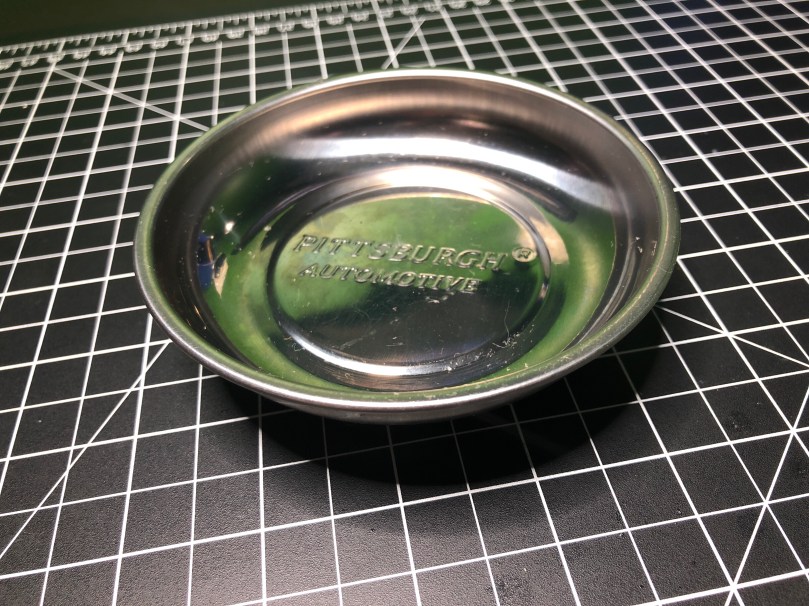
Magnetic Parts Holders
I use these in my workshop and at my hobby desk. I think I have 5 of them now, because they are that useful. The base is magnetic making it easy to attach to something and the magnetic tray is great for holding on to your screws as you work on something. They’re only $2.99 at Harbor Freight, but I haven’t paid for a single one because you can get them for free with a coupon.
Playstation Vue
A great streaming TV service with cloud DVR. I’ve been using this for a year now and don’t miss cable at all. The service has improved a lot since my free trial and the Apple TV app hasn’t locked up or skipped a beat in months.
Netflix really hyped this for the last month or two. I guess they had to when it is the most expensive movie they’ve produced.
I don’t think I’ve watched a movie with orcs, elves, and magic set in a modern-day location like Los Angeles. I enjoyed it and am glad to see they’ve already ordered a sequel.




















 Nick Momrik