Home Assistant Air Quality Monitors from IKEA Vindriktning

IKEA recently discontinued Vindriktning, their older air quality monitor.

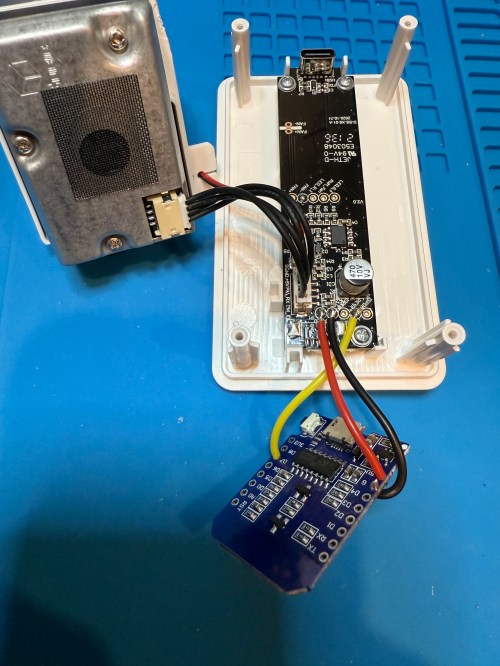
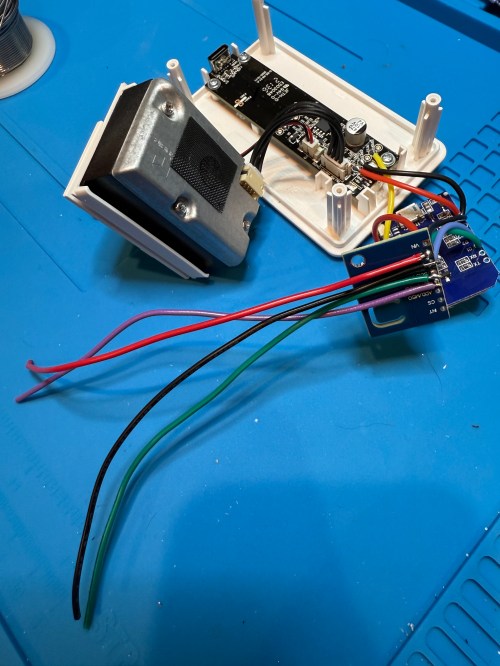
Inside the device, they put a cubic PM1006K particle sensor. I bought three for $16.95 each last year, because I’d seen people hack them by adding sensors and a Wi-Fi microcontroller to send all of the data to Home Assistant. For my modding I bought:

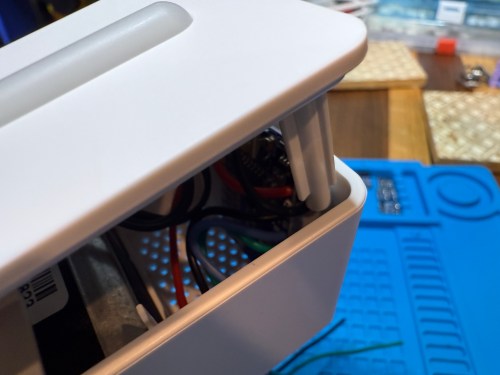
The YouTube video linked above is a great guide to follow. I didn’t connect wires to the fan or the light sensor since I had no use for them. I also didn’t stack my sensors because I wanted the BME280 to be outside of the enclosure, where it would be less affected by the heat produced by the ENS160 and D1.

Even with the sensor outside of the case, the BME280 still reads high, because it heats itself up. I actually tested different lengths of wires and placements of the sensor before realizing I was still going to have to adjust the data. An ESPHome filter made the adjustment easy, which I did individually for each unit after comparing to a mobile Ecobee thermostat sensor. This is the code from the unit for my shop.

substitutions:
  slug: shop
  friendly: Shop

esphome:
  name: ${slug}-air-quality
  friendly_name: ${friendly} Air Quality

esp8266:
  board: d1_mini

logger:
  level: WARN

api:
  encryption:
    key: 'xxx'

ota:
  - platform: esphome
    password: 'xxx'

wifi:
  ssid: !secret wifi_ssid
  password: !secret wifi_password
  manual_ip:
    static_ip: xxx
    gateway: xxx
    subnet: 255.255.255.0

i2c:
  frequency: 100kHz

uart:
  - rx_pin: D7
    baud_rate: 9600

sensor:
  - platform: pm1006
    pm_2_5:
      name: PM 2.5µm

  - platform: bme280_i2c
    address: 0x76
    temperature:
      name: Temperature
      id: ${slug}_temp
      filters:
        - offset: -3.38
    humidity:
      name: Humidity
      id: ${slug}_humid
      filters:
        - offset: 7.63
    iir_filter: 16x

  - platform: aht10
    variant: AHT20
    temperature:
      name: AHT21 Temperature
      id: ${slug}_aht21_temp
    humidity:
      name: AHT21 Humidity
      id: ${slug}_aht21_humid

  - platform: ens160_i2c
    address: 0x53
    eco2:
      name: CO²
    tvoc:
      name: VOC
    aqi:
      id: ${slug}_aqi
      name: AQI
    compensation:
      temperature: ${slug}_aht21_temp
      humidity: ${slug}_aht21_humid

text_sensor:
  - platform: template
    name: AQI Rating
    lambda: |-
      switch ( (int) ( id( ${slug}_aqi ).state ) ) {
        case 1: return {"Excellent"};
        case 2: return {"Good"};
        case 3: return {"Moderate"};
        case 4: return {"Poor"};
        case 5: return {"Unhealthy"};
        default: return {"N/A"};
      }

These resources were a huge help when I wired everything up and made changes to the YAML code:

Here is how I’m displaying the data on one of my Home Assistant dashboards.

As I was working on this project I knew I wanted a couple more air quality monitors around the house, which will be finished soon.

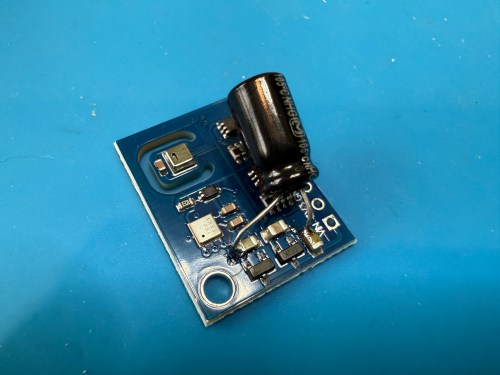
Update: I’ve had to make a small update by adding a 47uF capacitor to each ENS160 board, because they have power issues, causing the reading to stop for periods of time. My boards matched up with the right ones in the picture at that link. Here’s a picture of another ENS160 I modified, since it was a tight squeeze to made the modification on the devices I posted about here with everything already wired up. I also realized I was powering these through the 3V3 pin instead of VIN, so I fixed that.
I’ve also improved the display of the data on my dashboard by using mini-graph-card.

A Shop Safety Cabinet for PPE

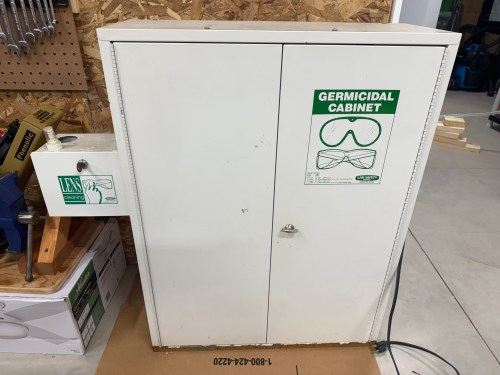
I’ve wanted some type of cabinet in my workshop for PPE and earlier this year I saw a cool cabinet that I thought might be perfect. Fast forward to the new house, the wall, and a new shop (post coming soon), so when I saw the Facebook Marketplace listing again I jumped on it.

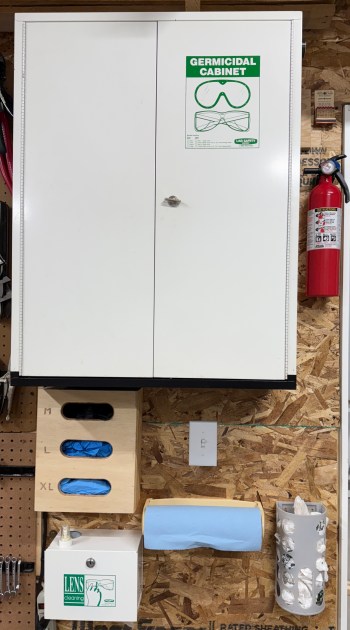
Aren’t the graphics great on those green stickers? I only paid $25 for this Sellstrom Model 2000 Germicidal Cabinet. A new one is currently 51% off on Amazon, which brings it down to $599 and replacement UV light bulbs cost over $100! This unit had some rust, like it had been sitting in a puddle, but otherwise it barely seemed used. The light bulb still works and so does the timer pictured below, which can be set to run for up to 5 minutes. You can also see the UV light bulb on inside the cabinet, through that tiny window.

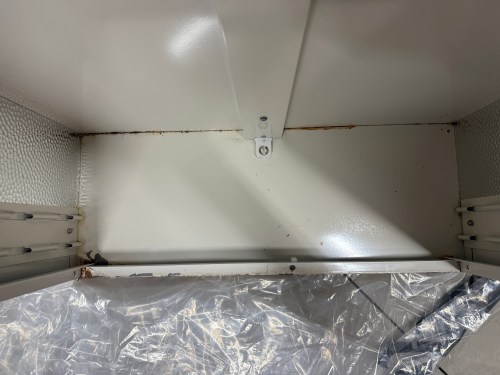
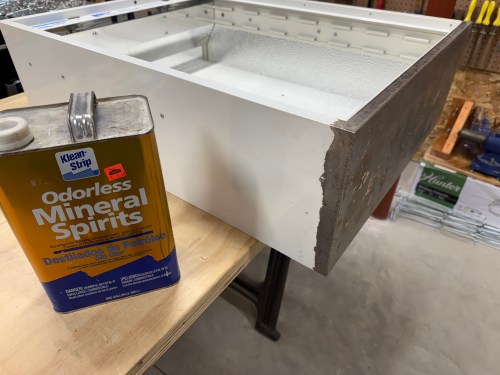
I used a razor blade to scrape as much of the rust off as I could and then used a sanding block. I cleaned the areas with mineral spirits and masked them off with painter’s tape. The bare metal got a coat of rusty metal primer.

The few inside corners were painted with a non-matching white, which nobody will see. I painted the bottom exterior area with some black, which turned out great. I hung the cabinet near the door and surrounded it with my glove dispenser and other safety stuff.

Table Saw: Fence and Wings

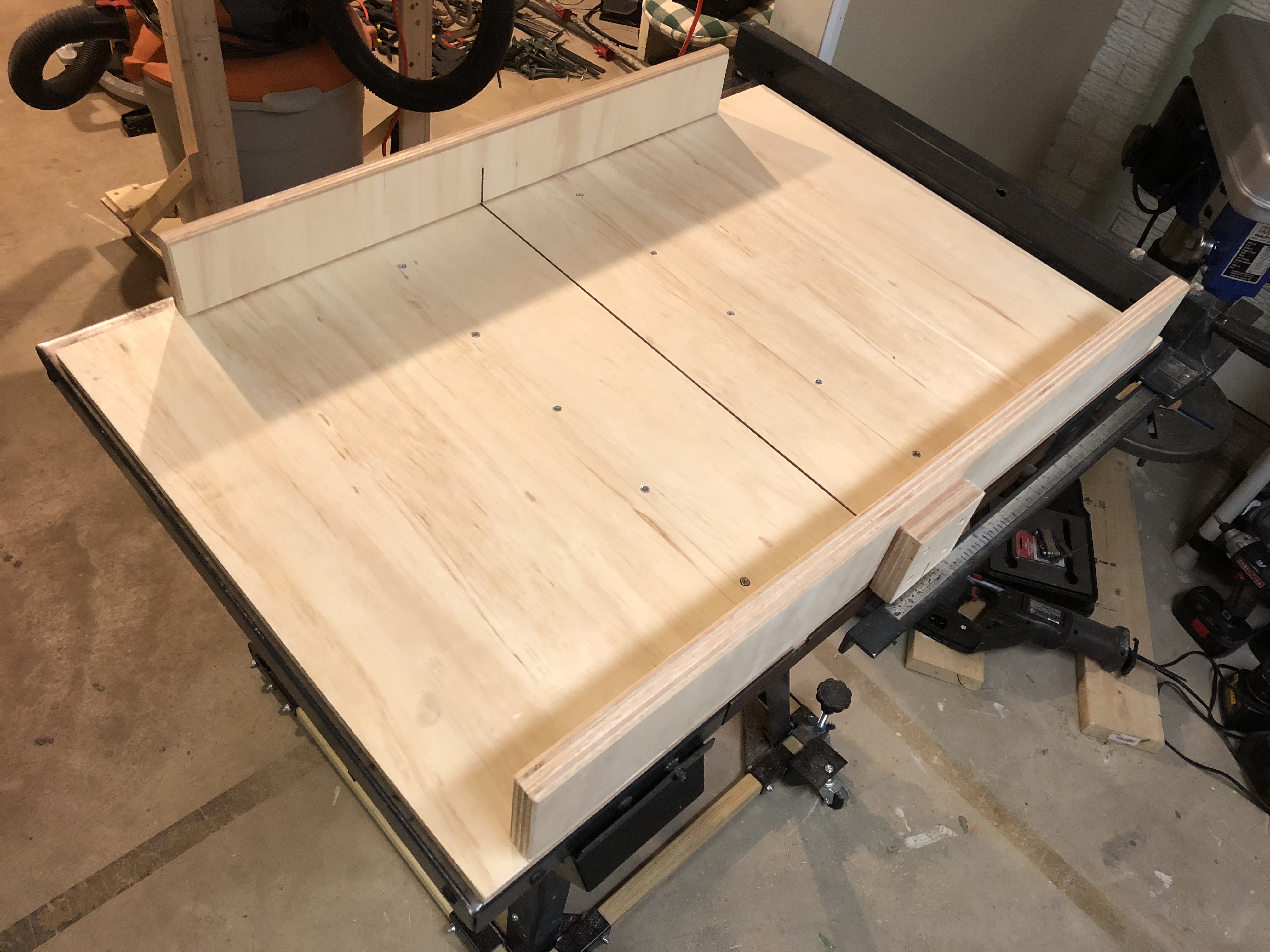
It took me several more weeks to get to it, but the table saw upgrade I mentioned in my previous post is complete. I installed a new fence and built custom wings. These are huge improvements to the saw!

The road to get here was a bumpy one though. The fence is the 30″ 36-T30T3 made by Delta and it goes for $200. I ordered one from Amazon, which came banged up with holes in the box and missing parts. They sent a replacement and it was the same problem, so I returned both. Lowes sells the fence for the same price, so I ordered one and had it shipped to the store, hoping their delivery system would take better care of the box than UPS. It worked out and I received a complete box of parts.

I’m not going to go in to detail on the installation because it’s different depending on the type of saw you have and there are several YouTube videos and articles out there. My saw is a Craftsman 113.298032, which required some new mounting holes. Some people drilled in to the cast iron top, but I went the other way and drilled new holes in the fence rails, which I think is a much better way to go.

I made my wings using oak flooring for the sub frame (1 1/2″ tall) and 1/2″ laminate finished panels from Menards. Here are some pictures I took through the process.

New Table Saw Switch

Now that I’ve been in my workshop again, it’s time for some table saw upgrades I’ve been wanting to do. The bigger project I had planned for yesterday couldn’t happen because of part damaged during shipping, so I went with the easy one. Here’s the old switch on my saw.

It worked fine, but I wanted something cooler and safer, so I ordered one from Amazon for about $13. The hardest part was finding an electrical box to would work with the location where I wanted to install the switch. Then I built a simple scrap wood box around it and wired everything.

The START button is recessed and you really have to push it, so there is almost no chance of accidentally turning on the saw. The STOP paddle is a big target and at knee height, which will make it easy to turn off the saw without moving my eyes or hands if an operation becomes dangerous.

Concept2 Firmware Upgrade

When I went to program my first workout on the new rower the other day I realized it didn’t have the option for setting an Undefined rest period like my Ski Erg and the rowers at the gym. Turned out the firmware on this PM3 monitor was 7 versions old. It was easy to upgrade using a free utility provided by Concept2. The hardest part was finding an old USB cable for connecting the monitor, but luckily I have some for Arduino boards.

Microwave Upgrade

I was given a “newer” microwave and installed it yesterday. Here’s the before and after…

When I took the old black one out the original receipt (complete with the buyer’s full credit card number!) was still attached to the power cord. It was purchased in 1995 and still worked well, but the control panel was ready to fall off because several tabs were broken. The stainless steel of this other one matches my fridge, which is nice. The receipt was also with it and it was purchased in 1999. Not much newer, but in really good condition. It’s a nice boost from 850 to 1,000W and the inside is roomier. Each of these microwaves cost around $350 in their day and you can get a brand new one for half that now.

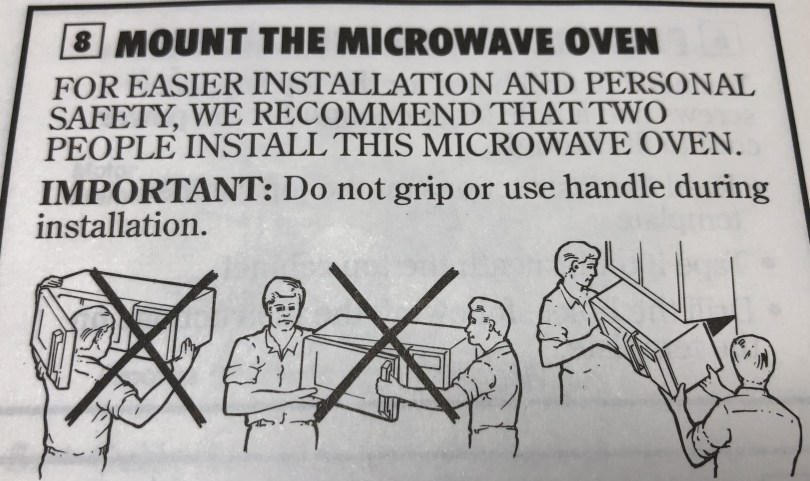
They obviously made these safety instructions before CrossFit was around, because I was able to install it by myself.

img_2148.jpg

I don’t have to think as much about efficient button pressing because I can start 30 seconds, one minute, two minutes, or three minutes all with a single press. It also has a button for adding an extra 30 seconds at a time, which is much more useful than the one minute adding on my old machine.

Of course I wasn’t just going to toss the old microwave in the trash. I took it apart and salvaged a bunch of goodies.

I got fans, motors, lights, capacitors, temperature sensors, a huge transformer, and the control panel which has a lot of useful relay circuitry.

Upgrading a Used Table Saw – Part 3

Following up on part 2 of upgrading the used Craftsman table saw (model 113.298032).

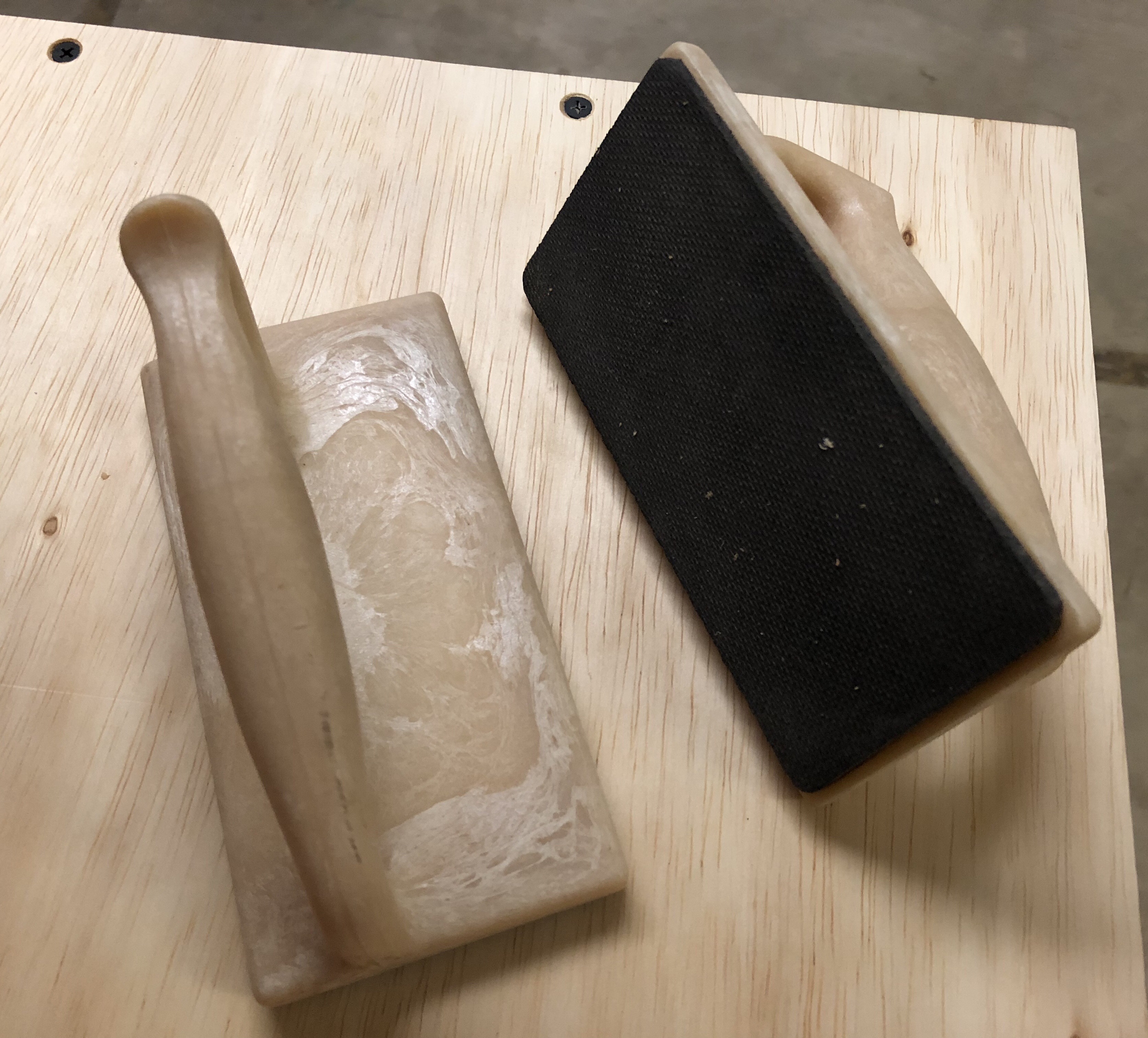
I found a couple of push blocks for $1/each at an estate sale. These will probably come in handy more for a router table when I build one and if I ever get a jointer.

After organizing all of my hand tools, I had floor space back and was able to spend some time building this weekend. I made a cross-cut sled, following most of the instructions from a build by The Wood Whisperer.
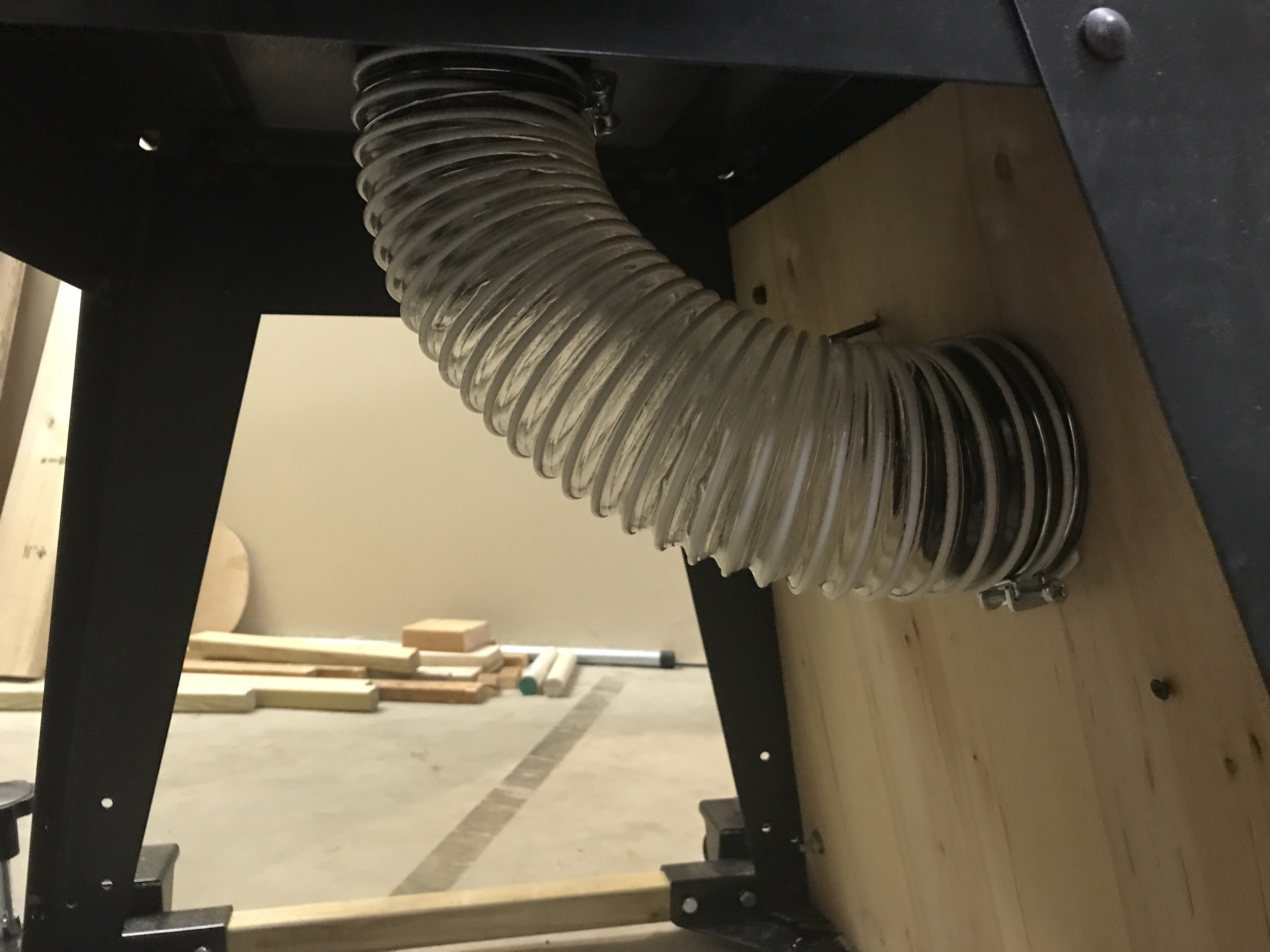
table-saw-cross-cut-sled.jpeg

Since I had extra pieces of the oak runners already cut to size I made a mini sled too.

The sleds will make it easier and safer to use the saw. I already used the large sled to cut the pieces for the mini sled and then during the mini build I used it to cut the block that covers the blade when it goes through the back. Really handy accessories!

I gave a good coat of paste finishing wax to the table saw surface, miter slots, fence, rails, and the bottom of both sleds. Everything slides really well now.

I didn’t like how sketchy it was cutting the long thin runners, so I moved this push stick up in priority on my project list so I’ll have it the next time I need it. Figured I might as well make two because they’ll get chewed up over time.

Made some adjustments to the side storage to put the push sticks in each reach at the front.

Added a platform underneath and felt dumb pretty dumb doing it. At first I cut a sized piece before realizing there is no way to get it in there without removing the saw from the rolling base, which I definitely was not going to do. I ended up ripping the piece in half and screwing in a couple of supports down the middle to connect the two sides. I may store my circular and jig saws here too.

Upgrading a Used Table Saw – Part 2

I’ve done a lot more to my used Craftsman table saw (model 113.298032) since the upgrades in part 1 of this series.

To go along with building my dust separator, I needed a way to connect it to the table saw. I used a dust hood ($8), 4″ hose ($20, with plenty extra for future uses), hose clamps (2x $1.29), 4 in.- 2 1/4 in. adapter ($1.78), and some scrap wood.

While I was grabbing parts from Menard’s I grabbed a push stick (yellow-orange in picture below) for $2. Eventually I’ll make one or two other versions on my own to use with different cuts or sizes of wood. Since I had to add the insert on a side for the dust hose, I add some places to hook stuff. I’ll probably add something similar to the other side of the stand and maybe put in a bottom for more storage space.

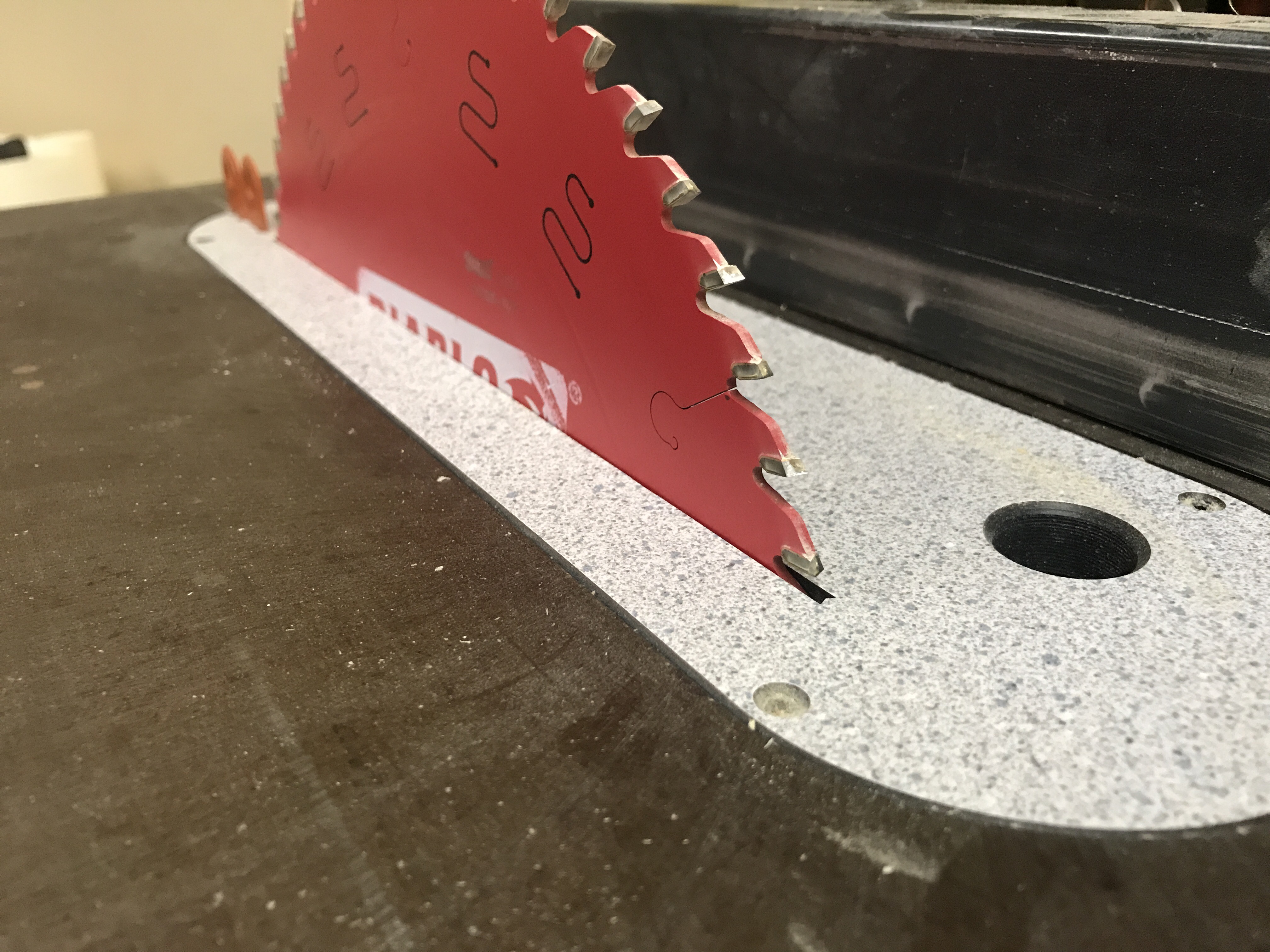
I grabbed a nice Diablo 60 tooth blade ($34) from Amazon, a zero clearance insert ($34), and a splitter kit ($35). After installing the blade, I tuned up all of the alignments on the saw following tips from parts 1 and 2 of a YouTube guide. Once everything was aligned properly I was able to install the insert and splitter. The combo will help prevent tearout, not give space for pieces of wood to fall down into the saw, and help prevent kickback since this old saw doesn’t allow a riving knife. You can never be too safe on these machines.

In part 1, I mentioned fence customizations. The plan there was mainly based on reviews I read about this saw before buying it. Many people said the fence was junk. After aligning everything, making sure to move the fence from the T end (not the end by the blade), and using the saw for a bit, I think it’ll work just fine for me.

At an estate sale I found a miter gauge that actually fits my slots. I bought a digital angle gauge ($15), which not only helps to make sure the blade is aligned properly with the table, but will allow accuracy when setting angled cuts.

Check out part 3.

Upgrading a Used Table Saw – Part 1

I found a used Craftsman table saw (model 113.298032) on Craig’s List last weekend. Most of the saws I’d been watching had significant rust and this one was in good shape, so I paid $125. I have a lot of ideas to improve the functionality of this saw and utilize it for the space in my workshop, so this will be the first in a series of posts.

Original image from the Craig’s List ad.

The power cord had exposed wire and a bunch of places wrapped in electrical tape. I paid $5 for a 10 foot extension cord from Harbor Freight, cut off the end I didn’t need, and wired it into the switch.

The belt had a little nick in it, which you can see on the right side of the picture. Probably would have been fine, but I wanted to replace it. After reading a tip, I went to Auto Zone and they easily matched up the belt with something in stock ($10).

The metal on the bottom of the stand was bent all over the place, making the casters virtually useless. It was like trying to push the saw down a bumpy dirt road. Harbor Freight sells an awesome mobile base kit, which was about $32 after a 20% off coupon. All of the reviews said it works better than the name brand kits which cost twice as much or more.

You have to supply your own wood for the frame, so I bought four 2x2x42″ exterior deck balusters, for $0.97 each. The instructions call for 1 1/4″ square material, but if you know lumber measurements, the 2×2″ is way off. The fit was snug and took some convincing with a rubber mallet, but these pieces worked great.

Rolls around nice and smooth now. Easy to lock in place too.

Future upgrades will include dust collection, fence customizations, a guide sled(s), a router table, and zero clearance inserts.

Read about more upgrades in part 2.