Here’s my Kingdom in Super Mario Run, with each area organized by color of course. The game has been rough on the user experience, especially with the requirement to always be connected to the Internet. Seems to be improving though. It’s a fun game with challenges and unlocks that keep you replaying. I wonder if the people complaining […]
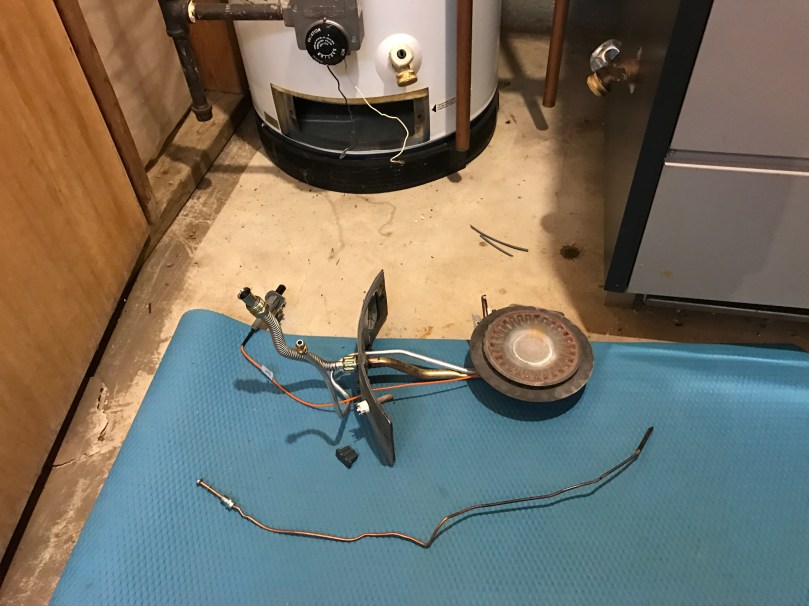
I didn’t expect to be tearing open my water heater today, but it was not fun taking a cold shower. Looks like a new thermocouple is all I need. I had to do the same thing to my boiler a year or two ago.
Update: Spent $13 at Home Depot and the water is heating up.
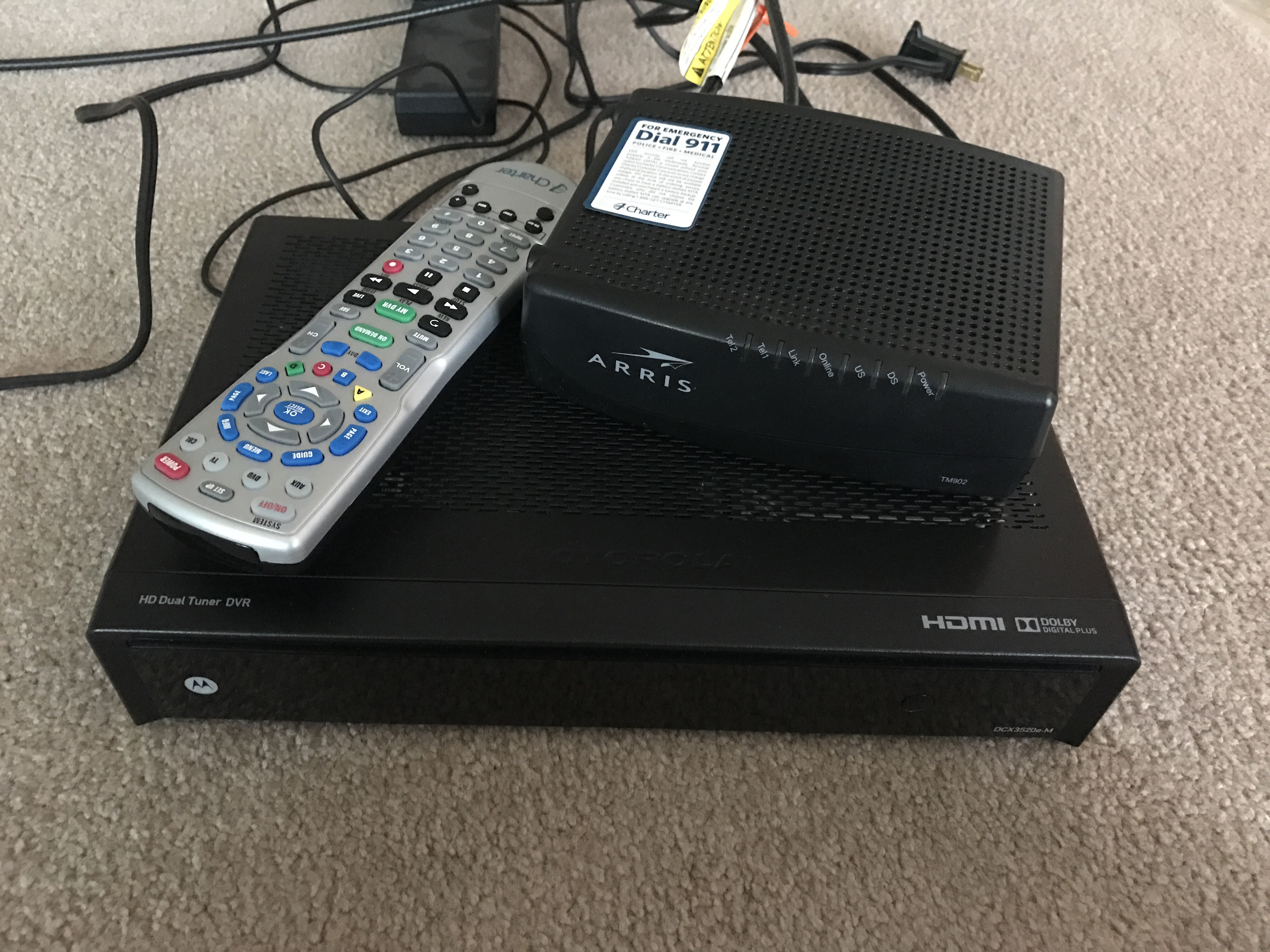
I just got home from returning this equipment to Charter.
I watch my share of TV shows and I’ve used a DVR since 2005 for just about everything. I really dislike cable TV as a service though. They get you in the door for your first year and then jack up the price unless you call and haggle with them every year. No matter what you do you’re forced to pay for a bunch of stuff you don’t want. They give you the illusion of value with hundreds of options when most of us probably only ever use 10-15 channels.
I’ve been keeping my eye on services like Sling TV and hoping Apple might be able to shake up the market with a new product/service. Several weeks ago my friend Casey shared a link to DIRECTV NOW, a new streaming service similar to Sling. Looked promising. Then I remembered skimming over Dustin’s post about replacing his TV service. I did some research and had a chat with him to learn more. Sounded even more promising.
I installed the PlayStation Vue app for Apple TV and signed up for a free 7 day trial. During that week I tried to use the Vue service wherever possible. I watched Walking Dead through the cloud DVR feature. I watched SportsCenter on ESPN. I watched the Red Wings Fox Sports Detroit. I was impressed. The interface is an entirely new way to watch and browse channels without having to fight through a bunch of garbage. A huge advantage Vue has over DIRECTV and Sling is the cloud DVR feature. It’s works basically like On Demand, but for anything broadcast on the channels in your package.
Playstation Vue – Core Slim package ($34.99/mo)
One of the things holding me back from a streaming TV service had been sports and Vue seems to deliver just fine with several ESPN channels, Fox Sports Detroit, Golf, and the Big Ten Network.
The one issue pretty much all of these streaming services have is ABC, CBS, and NBC, but you can these for free with an over-the-air antenna. Losing out on DVR functionality would have been a deal breaker, but I learned about Tablo from Dustin’s post. You need an antenna, one of their DVRs, their digital guide service, and an external storage device. Sure beats renting equipment from Charter and paying their ridiculous fees.
All of this meant I’d be able to use my AppleTV for everything… Netflix, YouTube, Playstation Vue, Tablo, HBO NOW, and Showtime Anytime. Really hoping the new TV app on AppleTV (yeah, confusing naming!) will eventually tie everything together.
This week I finally made the move. I already had an AppleTV ($149), but ordered the other equipment:
Setting it up was easy, though I need to adjust the antenna location to get a better NBC signal. The Tablo system is good enough (not impressed) and hopefully they’ll be improving the software soon. I continue to be impressed by the quality of service provided by Vue, which I’ve been using for a month now.
What does this all mean in terms of dollars? This is a summary from my last Charter bill…
Spectrum TV – $76.97
Spectrum Internet – $51.99
Spectrum Voice – $19.99
Other Charges – $6.05
Taxes, Fees, and Charges – $4.80
Total – $159.80
I don’t even have a landline phone in my house to connect, but somehow it makes everything cheaper. That’s the shit I’m talking about with Charter and I’m glad to be done with. Here is how my new monthly services break down…
Charter Spectrum Internet – $59.99
Playstation Vue – $34.99
Showtime (via Playstation Vue) – $8.99
HBO NOW – $14.99
Tablo Guide – $4.99
I’m confident we’ll be seeing major TV changes in the next few years, otherwise I’d pay for the Tablo Lifetime subscription of $149.99. I’ll only subscribe to Showtime and HBO when Homeland, Game of Thrones, and Westworld are airing new seasons. So although the total here would be $123.95, over the course of the year my monthly average will probably be $105-110. In less than a year the equipment purchases will pay for themselves.
Mom loved browsing without ads so much during a recent visit she asked me to make a Pi-Hole server for their network. I still can’t believe how much faster browsing is. Great time to grab a Raspberry Pi Zero during Adafruit’s sale.
I’ve heard enough “2016 is the worst year ever” talk based on the deaths of famous folks. As we age, famous people we’re familiar with are going to keep dying. They get a year older each year like the rest of us. This is how life works. If you think 2016 was “bad,” wait until 2017 or 2018.
You’ve never met these people. You’ve never talked to them. You have no idea who they were in real life. You didn’t have lunch plans with them on Saturday. When you need advice, you won’t wish they were still here for you to call. Stop being so fucking dramatic because someone famous died. Your life won’t change at all.
Honor their life. Remember their work. Celebrate their contributions.
With the first three, my host naming lacked imagination. I called them pizero, pi3b, and pizero2. Boring! I decided to start naming them alphabetically, after actual types of pie. As pictured above (left to right) the host names and what I’m doing are:
apple: always up on my network, running Pi-hole (awesome!), Homebridge, and Home Assistant (which I still need to configure).
The theme for this week’s WordPress.com Daily Post Photo Challenge is Path. As I think back on 2016, my sabbatical stands out the most. Having 3 months off work allowed me to focus on time, which might be our most important, yet undervalued, resource. Once time is gone, it’s gone. Also an appropriate theme as I turn 37 today.
The first program I remember “writing” was on a TRS-80 connected to a TV for the display and a cassette tape recorder for the disk drive. The language used was BASIC. I did nothing more than copy the code out of a book. It made bars of different color appear on the screen. Fancy stuff! I was probably 8-10 years old if I had to guess.
I don’t remember touching a computer much after that until we had WordPerfect, the Oregon Trail, and Where in the World is Carmen Sandiego in one of my middle school classes. I did try writing a few choose your adventure type things on a TI-86 calculator in high school, though I mostly used it to store formulas and notes for cheating on tests.
I didn’t really get into writing code until I switched my major from Accounting to Computer Science in the first month of college. I wish I’d been more interested in those earlier years.
Everybody in this country should learn how to program a computer… because it teaches you how to think.
–Steve Jobs
While browsing at Toys”R”Us to buy gifts for my nieces, I prefer to find something in the learning or creative sections because they get plenty of toys from everyone else. My mom had picked up a book of mazes for me to get Kennedy (6), because she’d been really into them lately. When I saw the Code & Go™ Robot Mouse Activity Set I was excited and didn’t hesitate to put it in my shopping cart.
Today I sat down with Kennedy and showed her how it worked. It took her a few mazes to get the hang of separating steps, but before long she had the hang of it and was even able to do her own form of debugging when there was a mistake. Here she is programming and testing card 9 after planning it out. I think this was the first one she did on her first attempt.
Like any good programmer, by card #16 she wanted to do away the planning stage and directly input her program. It worked out, but the 17th maze was long and complex. After having to start from scratch three times, she realized the planning stage was useful.We played for over 3 straight hours! After finishing all 20 cards, it was time to design her own mazes.
Yesterday I had introduced her to ScratchJr on the iPad.
With ScratchJr, young children (ages 5-7) can program their own interactive stories and games. In the process, they learn to solve problems, design projects, and express themselves creatively on the computer.
I showed her around the app and she seemed to be having fun. I’m curious to see if she’ll use the app on her own and start building stories.
I think it’s a shame programming isn’t a core class in schools yet. It opens so many doors and will only be getting more important. Writing code and making a computer do what you want makes math fun and really does teach you how to think because you have to break things down and learn about logic.
Unfortunately many adults think it’s too late to learn to write code. It’s not.
The first thing many of us write in a computer language is called a Hello World program because the goal is simply to make the words “Hello World” display on the screen. Browse through Hello World Programs in 300 Programming Languages to see how simple many of them are.