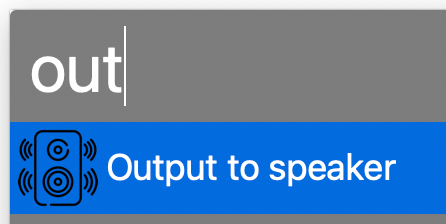

When playing music I usually change my office MacBook’s sound output to a Sonos speaker, which is an AirPlay device. Sometimes the connection freezes and I have to reset output my default device and back to the office speaker. I wanted to automate both of these processes, so I found an AppleScript as a starting point. I modified it and created an Alfred Workflow with a keyword trigger. Here’s my version of the AppleScript. Feel free to modify it for your own use.
	-- This script can be used to set/reset the sound output

	-- Two devices because sometimes the AirPlay device loses connection
	set myDevices to {"LG UltraFine Display Audio", "Office"}

	tell application "System Settings"
		-- sometimes it is already open to Sound, which causes an error
		quit
		delay 0.2
		activate
		delay 0.2

		tell application "System Events"
			tell process "System Settings"
				delay 0.4
				set theWindow to first window
				delay 0.4
			end tell

			keystroke "Sound"
			delay 0.5

			tell application process "System Settings"
				tell its group 2 of scroll area 1 of group 1 of group 3 of splitter group 1 of group 1 of window "Sound"
					tell its radio button 1 of tab group 1
						click
					end tell

					delay 0.3

					tell its scroll area 1
						try
							set theRows to (every row of outline 1)
						on error error_message number error_number
							--display dialog "Error: " & the error_number & ": " & the error_message buttons {"OK"} default button 1
						end try

						repeat with myDevice in myDevices
							set device to myDevice as string

							set found to false

							-- Sometimes the device isn't listed yet, so delay and retry
							repeat 10 times
								repeat with aRow in theRows
									try
										if name of static text 1 of group 1 of UI element 1 of aRow is equal to device then
											set selected of aRow to true
											set found to true

											set volume without output muted
											set volume output volume 10 --100%

											exit repeat
										end if
									on error
										--display dialog "Error setting output sound to " & device
									end try
								end repeat

								if found = true then
									exit repeat
								end if

								delay 0.5
							end repeat
						end repeat
					end tell
				end tell
			end tell
		end tell

		quit
	end tell
Updated on November 28, 2023 to work with macOS Sonoma 14.1.1.
Updated on March 13, 2024 to retry multiple times if device isn’t listed yet.
Updated on March 21, 2024 to reset volume per device, since the OS remembers the last volume of each device.
Updated on October 8, 2025 to work with MacOS Tahoe 26.0.1.
 Nick Momrik
[…] Set Sound Output via AppleScript […]
LikeLike
I am trying to use this script to change to a specific audio output device in Sanoma called “Mytek Brooklyn DAC+” and create a second script to switch to another audio output device called “Scarlett 2i2 4th Gen”. I keep getting a series of errors saying not defined. These devices are not wireless so they are stable and I do not need the code to retry if it does not work the first time. Any ideas?
LikeLike
You could try increasing some of the delays. Depending on your system, the interfaces may not be loaded yet.
LikeLike