A couple of weeks ago I learned what the adjustment dial (called the clutch) on a power drill does. I’ve had a DeWalt power drill for about 15 years and never understood how to use this feature; I always thought it was a speed change. I felt pretty dumb when I found out while watching the video below (which should start at the correct spot). Using this has already been a game changer!
Tag: tools
Upgrading a Used Table Saw – Part 1
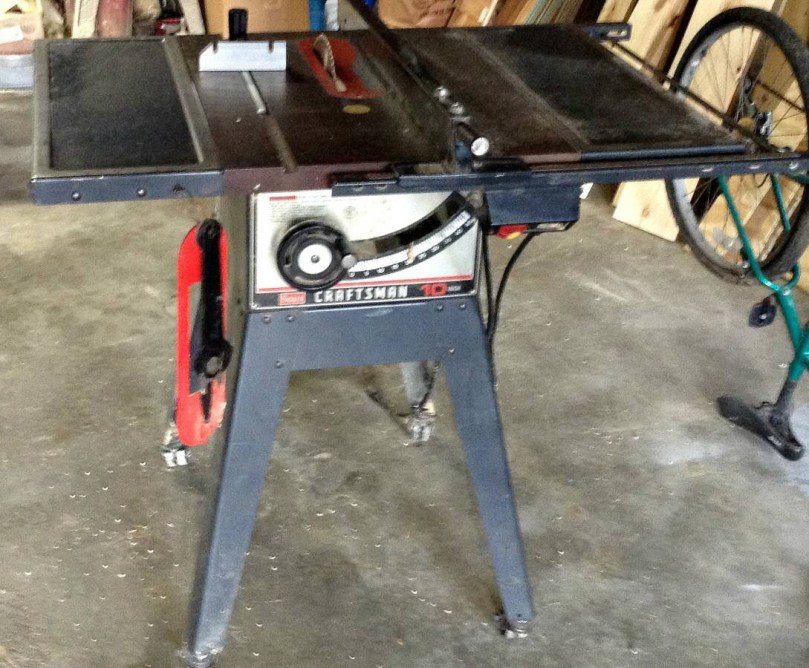
I found a used Craftsman table saw (model 113.298032) on Craig’s List last weekend. Most of the saws I’d been watching had significant rust and this one was in good shape, so I paid $125. I have a lot of ideas to improve the functionality of this saw and utilize it for the space in my workshop, so this will be the first in a series of posts.
The power cord had exposed wire and a bunch of places wrapped in electrical tape. I paid $5 for a 10 foot extension cord from Harbor Freight, cut off the end I didn’t need, and wired it into the switch.


The belt had a little nick in it, which you can see on the right side of the picture. Probably would have been fine, but I wanted to replace it. After reading a tip, I went to Auto Zone and they easily matched up the belt with something in stock ($10).

The metal on the bottom of the stand was bent all over the place, making the casters virtually useless. It was like trying to push the saw down a bumpy dirt road. Harbor Freight sells an awesome mobile base kit, which was about $32 after a 20% off coupon. All of the reviews said it works better than the name brand kits which cost twice as much or more.
You have to supply your own wood for the frame, so I bought four 2x2x42″ exterior deck balusters, for $0.97 each. The instructions call for 1 1/4″ square material, but if you know lumber measurements, the 2×2″ is way off. The fit was snug and took some convincing with a rubber mallet, but these pieces worked great.


Rolls around nice and smooth now. Easy to lock in place too.
Future upgrades will include dust collection, fence customizations, a guide sled(s), a router table, and zero clearance inserts.
Read about more upgrades in part 2.
Resurrect a “Dead” Power Tool Battery
Ever had a “dead” power tool battery that wouldn’t charge? It may not have been dead-dead. Some chargers have a safety feature that prevents trying to charge a battery completely out of juice. I was able to bring a Craftsman power tool battery back from the dead using a trick I found in the comments on a YouTube video. Sometimes it pays to read the comments.
This battery was part of a used Craftsman cordless tool set I practically stole. The set was a battery charger, small circular saw, reciprocating saw, nice case for those 3, drill/driver, nailer/stapler, and 2 batteries. Everything is in excellent condition and I only paid $30! The original sticker price on the box for the nailer alone was $80.
How To Cut A Picture Frame To Size Easily
 Under the box lid of a Sears Craftsman 45° miter cut-n-clamp set, which was produced in the 1960s.

- Measure the width of the picture. (X in inches)
- Measure the width of the molding. (Y in inches)
- 3 Add twice the molding width (2Y) to the picture size (X) then subtract 0.5.
- This will give you the length to cut your molding. (L in inches)
Then you can do the same thing for the opposite dimension if your picture isn’t a square.
Used Tools
I’ve been wanting to get more tools so I can do different projects with wood. It’s a lot cheaper to start out with used tools, especially as I learn. If I use certain tools a lot and find I need an upgrade, then I’ll fork over cash for new.
On a Saturday I hopped in the car and drove all over Saginaw looking for garage sales. There was no plan, other than to follow every sign I saw. I bought and bargained for a few things and then when I went home to eat lunch I found a big community garage sale about 25 minutes away. Off I went!
I probably hadn’t been to a garage sale in over 20 years. It was a lot of fun searching and it was interesting to see how different the items were from one house to the next. I was really hoping to find a table saw, band saw, and drill press, but no luck on any of the 3. I did make a good haul though.
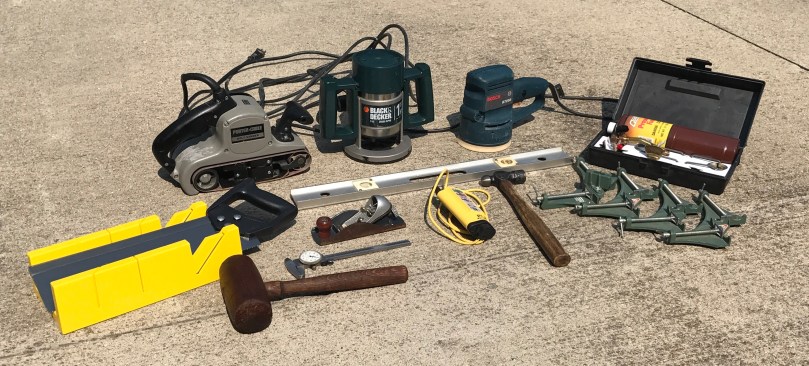
The saw and miter box combo was brand new in the box, but most of the items needed some love. I sanded, stained, and waxed the wooden mallet and hammer handle. You can’t really see from this picture, but they both turned out great. The biggest tasks were taking apart the two sanders for a thorough cleaning because they were full of sawdust. I also disassembled the router but it wasn’t nearly as bad.
What gems have you found at garage sales?
Hobby Desktop
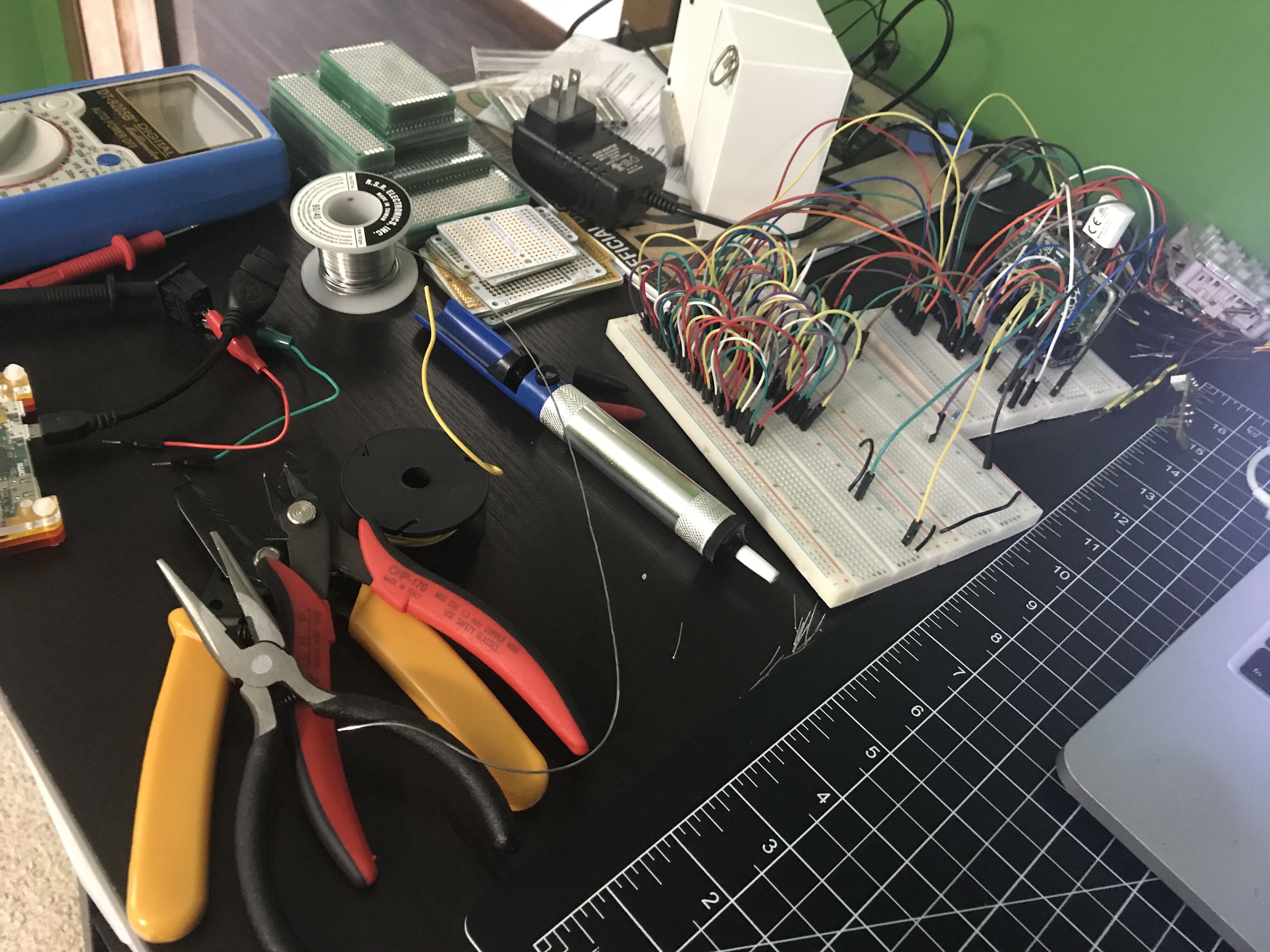 There’s a lot happening on the left side of my hobby desk.
Electronics Engineering ToolKit
Electronics Engineering ToolKit is a useful iOS app if you’re messing around with electronics. I think I paid $6.99 to upgrade to Pro, which unlocks all of the formulas, reference material, and tools.

I recently posted Using a 555 Integrated Circuit. There are many ways to use these 555s. To get a sense of the power of this app, it has 10 tools in its 555 Timer IC group! Here’s a look at the Monostable operation mode. Each tool in the app has a great info panel like this one, describing what it does.

The tool itself gives 2 inputs where you set your resistor and capacitor values and it calculates the time for you.

It provides a circuit schematic where the R (resistor) & C (capacitor) values are updated instantly, based on you input values. This schematic doubles as a simulation, where it really gets cool. You can tap on the button to see how the circuit reacts. In this case, the LED turns green (ON) for 2.42 seconds and then turns off.

I wired up the circuit to try it for myself. Worked exactly as expected. I even triggered my live circuit and the simulation at the same time and the LEDs turned off simultaneously.

This is just one example of many useful things you can do in the Electronics Engineering ToolKit app, especially with the Pro upgrade. Not only can you favorite (as shown at the beginning of this post) the tools you find most useful, but the app also has a great search feature.
You can find similar tools for specific formulas and uses around the Internet, but I haven’t come across anything where it’s all in one place with an easy to use interface like this. Perhaps the best web site I’ve found is Basic Electronics Tutorials and Revision, which is a bit higher level in the way their descriptions.
 Nick Momrik