5v Relay Module – Part 3

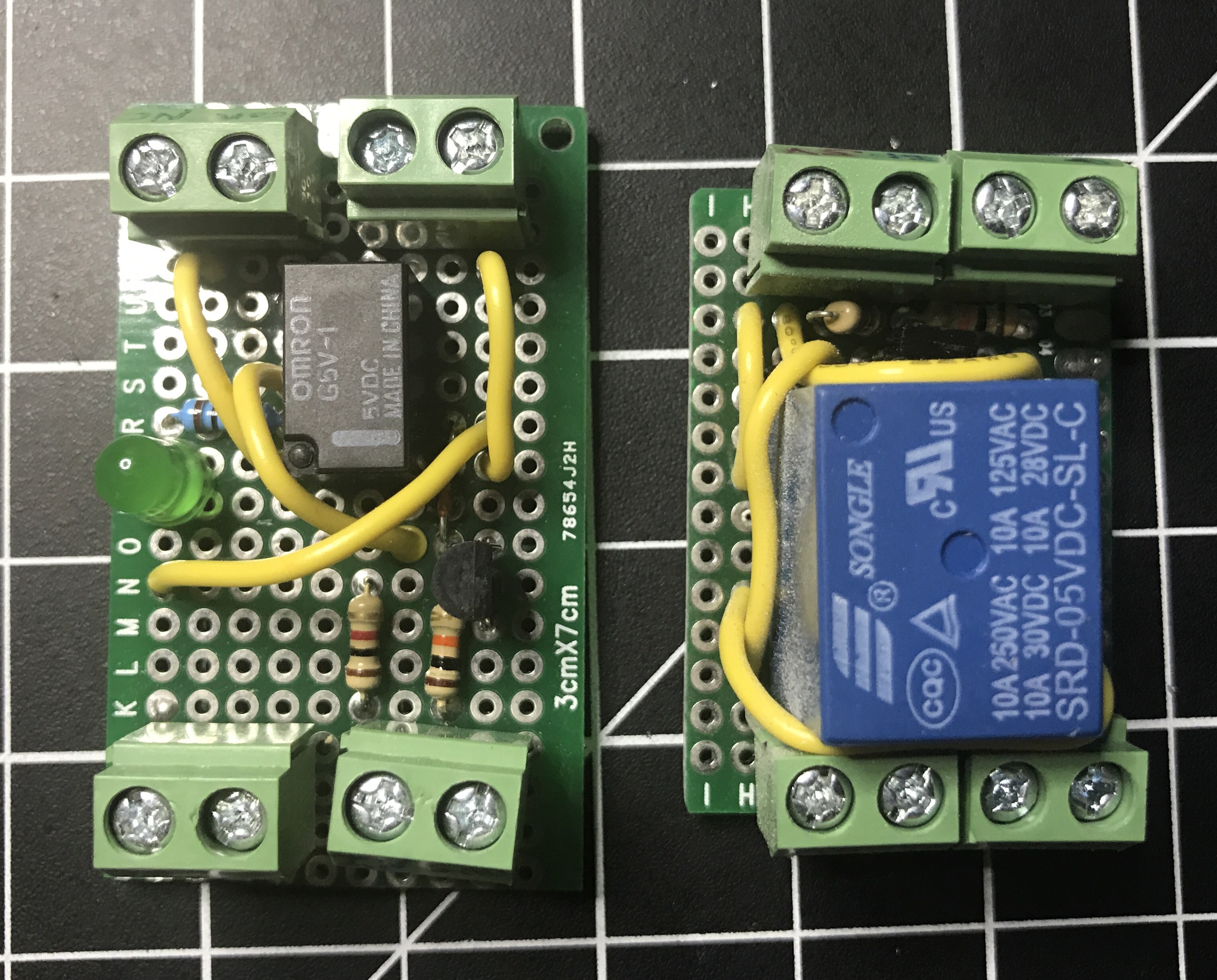
I had no plans for a part 3, but in part 2 of this series, I mentioned how I messed up the wiring several times when I was assembling the module. Instead of fixing it at the time, I started from scratch since I had extra parts. Well, I made some time to disassemble the non-working module and build a new one. I quickly set up a prototype on a breadboard to make sure I didn’t make the same mistakes and then I soldered it all together on a permanent board. Was smooth sailing, even with squeezing everything in as much as I could.

Now I have a two different spare relay modules, depending on power requirements, when I need one for a project.

Sound Card Oscilloscope

Earlier this year I came across an old Make post about building your own oscilloscope. I messed around with it a little bit at the time, but I didn’t have the necessary potentiometers, so I set it aside. Then the topic came up again when the tutorials accompanying HackerBox #0018 made use a 3.5mm audio breakout module and some PC oscope software. So in my next Digi-Key order, I got the pots I needed and I picked up some cheap test leads on Amazon. It’s several months later, but I got around to building my own sound card oscilloscope.

First, a couple of notes…

You’ll definitely want to read through the Make post to get familiar with the project. As mentioned in their guide, there really isn’t any good oscope software for the Mac like there is for the PC. With Audacity, which is what I used, at least you can see the signals in wave form.

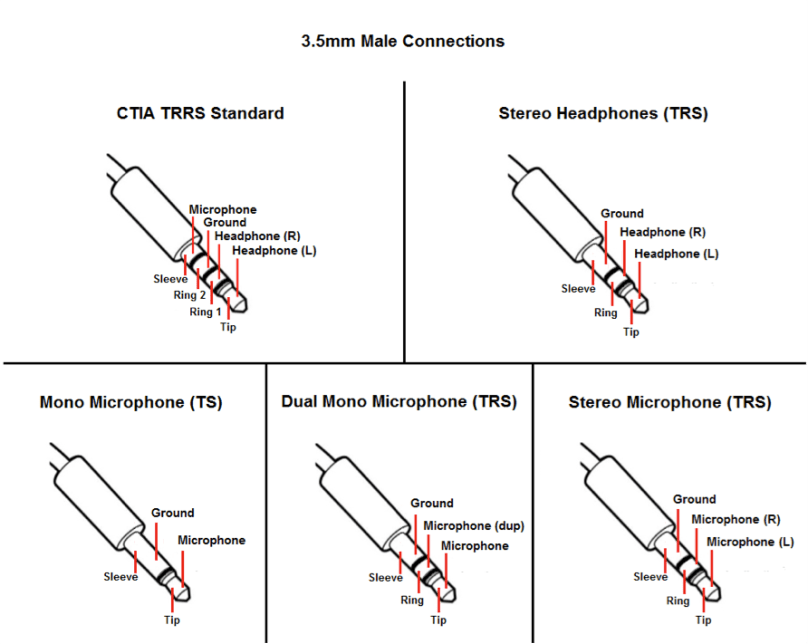
I spliced an old audio cable. There are several different styles of 3.5mm connectors, but if you’re doing 2 channels, you’ll want to make sure you your cable has the tip, ring, and sleeve.

3.5mm-Male-Connections.png
Source: blog.audio-technica.com

A lot of MacBooks only do mono microphone input. Several Mac bummers in this build! It wasn’t easy, but I found a USB adapter on Amazon that does stereo mic input (most of them only do mono). It’s pricey at almost $30 for something I’m not even sure I’ll use after this build.

Enough of that, on to the build…

I added the LEDs to my build as a visual reference a signal was coming through, but they can be left out, just like in the Make build. If you’re interested in the Fritzing I showed in the video, head over to sound-card-oscilloscope on GitHub. Whenever I’m soldering up a final project I prefer to have the Fritzing for reference instead of looking at my prototype, which typically has a lot of extra wires hanging around. Having a nice clean diagram helps me from making mistakes.

I also found another guide on a site called Home DIY Electronics, which I didn’t end up following.

If you have any questions or build your own version of this, let me know in the comments.

HackerBox #0021: Track My Hack

The latest HackerBox came yesterday, which is about a week earlier than expected. Unfortunately I saw the Instructables guide and know the contents, so an unboxing video would have been uneventful. Since this box doesn’t have a ton of individual items I thought I’d do a quick value lookup.

  • HackerBox reference card – $1 (estimate)
  • HackerBox sticker – $3 (estimate)
  • 6″ PCB ruler – $4.68
  • Half-size breadboard & jumper wires – $6.09
  • MicroUSB cable – $5
  • GY-273 Three-Axis Magnetometer – $3.77
  • MicroSD Card Reader Module – $7.98
  • RobotDyn Arduino Nano V3 – $6.99
  • NEO-6M GPS module with integrated antenna – $12 (couldn’t find the same module)
  • 16GB MicroSD card – $9.49
  • MicroSD card adapter – $9.99

Prices are from Amazon. Several of these items are cheaper if you buy packs of them, but I used all single item prices. I’m sure HackerBoxes gets discounts buying in bulk and some of the items are definitely knockoffs, like the SD card. Total cost of putting together this box on my own would run about $69.99 from my quick searching. Good value for my $44 subscription.

I don’t have any of the Arduino Nano style microcontrollers, so I’m looking forward to seeing how it compares to other boards. I’ve messed around a little bit with the accelerometer (Three-Axis Magnetometer) on Circuit Playground Classic, but it will be neat to have a standalone module. The GPS module is the coolest part of this box. Would be neat to make something for the car or for running. I’m starting to accumulate quite the collection of breadboards and jumper wires.

HackerBox #0020: Summer Camp

I managed not to look at any spoilers before HackerBox #0020 arrived, so I recorded a video when I opened it and talked through the items, trying to figure out what the theme was.


So, yep, it’s a badge inspired by the badges for Def Con (I had seen this story a week or two before, which HB shared as a hint on their Facebook page). Due to vacation, it was a couple of weeks before I was able to put this thing together. Hope you enjoy all of my mistakes in the assembly video. 🙂

There is a lot more to think about when recording what you’re doing and trying to keep talking throughout. I think it was an improvement over the video I did for the 5v relay module though. I really need to build a tripod or overhead mount of some kind so the GoPro is more stable. I may look into a newer GoPro as well with better battery life and a screen.

More details about the badge and demo code provided by HackerBoxes can be found on the Instructable page for this box. My customized demo code is in a hackerbox0020-demo repo on GitHub.

Update: I’ve updated my demo code to have examples of how to use the SD card that is on the back of the TFT.

5v Relay Module – Part 2

A couple of weeks ago I built a 5v relay module, but realized the relay wasn’t sufficient for my needs. So I had to order a heftier one that could handle more than 0.5 amps of current.

I was under a time crunch and couldn’t wait for a 5 or 10 pack, which had longer shipping times, so I had to go with a set of 2 for $5.99. These are basically the same relays used in all of the manufactured modules you can buy for less than $5, especially if you buy multiple units.

I set up my GoPro overhead and talked through the build process of my new relay module. It was not a smooth process, because I finally messed up my wiring, which I’d been so proud of hitting a 100% success rate on first attempts when putting together circuit boards. I not only messed up, but I realized my mistake, and then fucked it back up after thinking I was right the first time.

I forgot to take any good pictures of the completed relay module this time around, so here is a blurry screenshot I grabbed from the video, showing the original relay module, the non-working version (which I’ll eventually fix up), and my final version. Similar to whenever I screw up and lose a bunch of code, I made it a personal challenge to turn out my best work on the redo. As you can see, my final version saved a lot of space.

relays

Now that I’ve created my own relay modules, I won’t do it again unless I have specific requirements. Buying the same thing already made is a lot more time effective. It was fun and a great learning experience though. Here’s what the wiring diagram looks like spaced out on a breadboard. There isn’t much to it.

fritzing-relay-no-led

You can grab Fritzing files over on GitHub. Two things that helped me out a lot with this build were a video Homemade 5V Single Channel Relay Module Shield For Arduino, PIC, AVR and an article Turn Any Appliance into a Smart Device with an Arduino Controlled Power Outlet. Between finishing my build and writing this post, I also came across Arduino Controlled Power Outlet on Electronics Hub, which is a neat site with a lot of great circuits and tutorials.

There also ended up being a part 3 to this.

Wire Loop Game

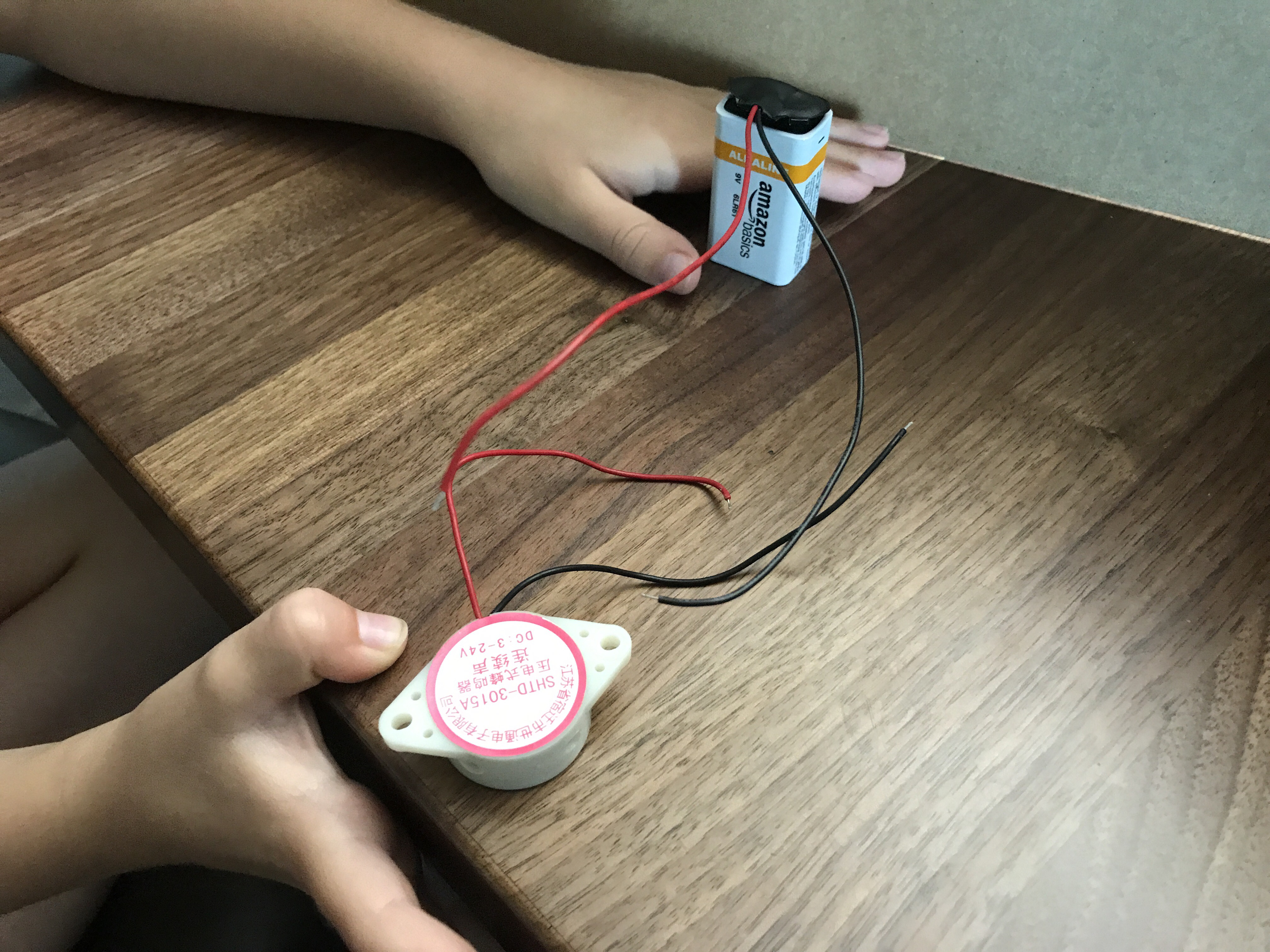
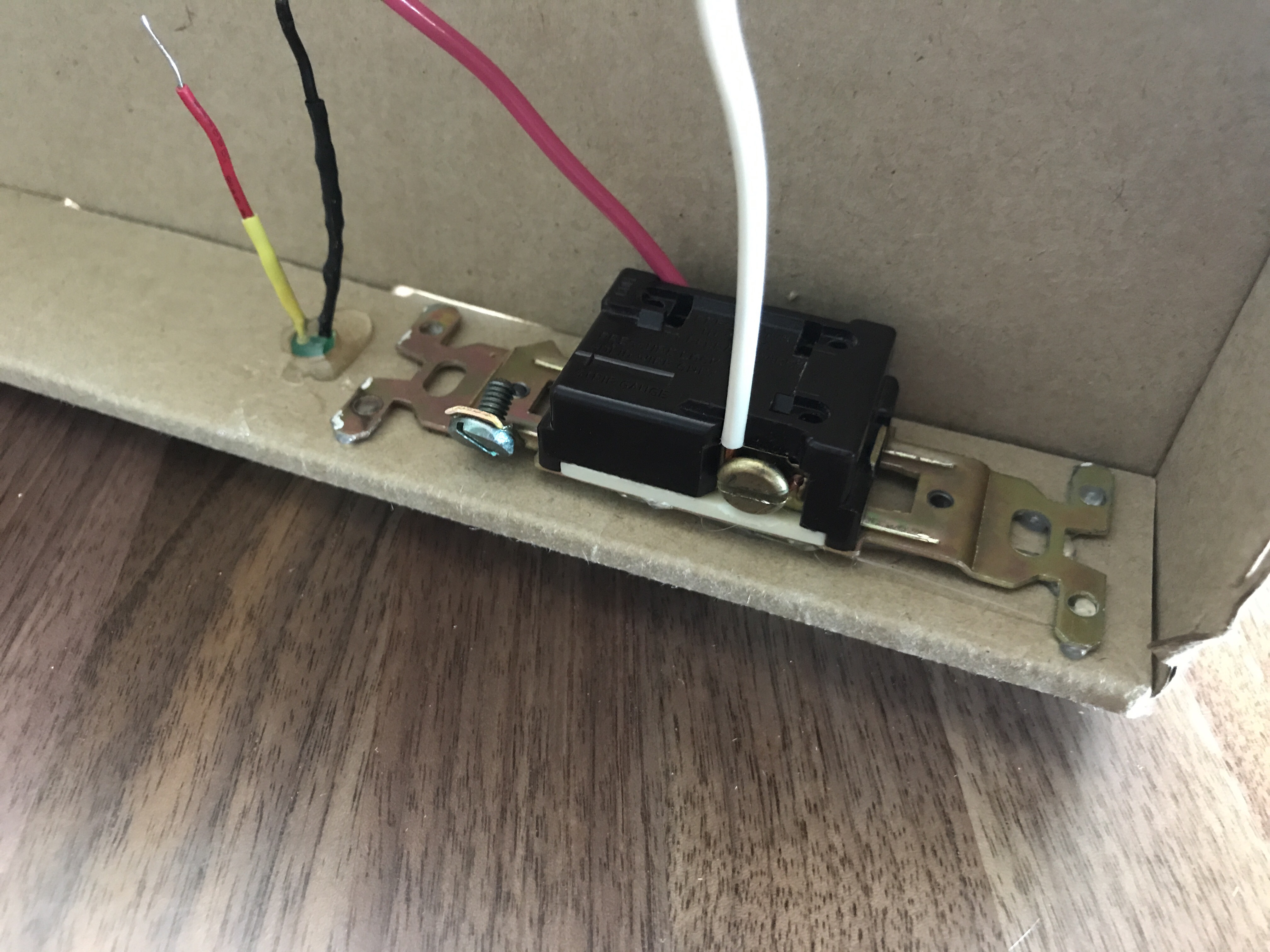
Kennedy and I made a wire loop game, using some basic cheap electronics.

  • 9v Battery
  • Buzzer
  • Old light switch
  • LED
  • Various wires
  • Nuts and bolts
  • Electrical tape
  • Wire screw caps
  • Cardboard box

The initial wiring and cutting of the box took more time than I figured and she started to lose interest until we got around to the top. We did this all on-the-fly, but there are plenty of tutorials (like one on Instructables) you can follow.

​​ ​

A Quick Multimeter Fix

The last couple of times I went to use my multimeter, it wouldn’t read voltages or do a continuity test. I didn’t really need it at those times, so I set it aside. Well, I needed it tonight to diagnose something causing problems in a circuit, so it was time to figure out what was wrong.

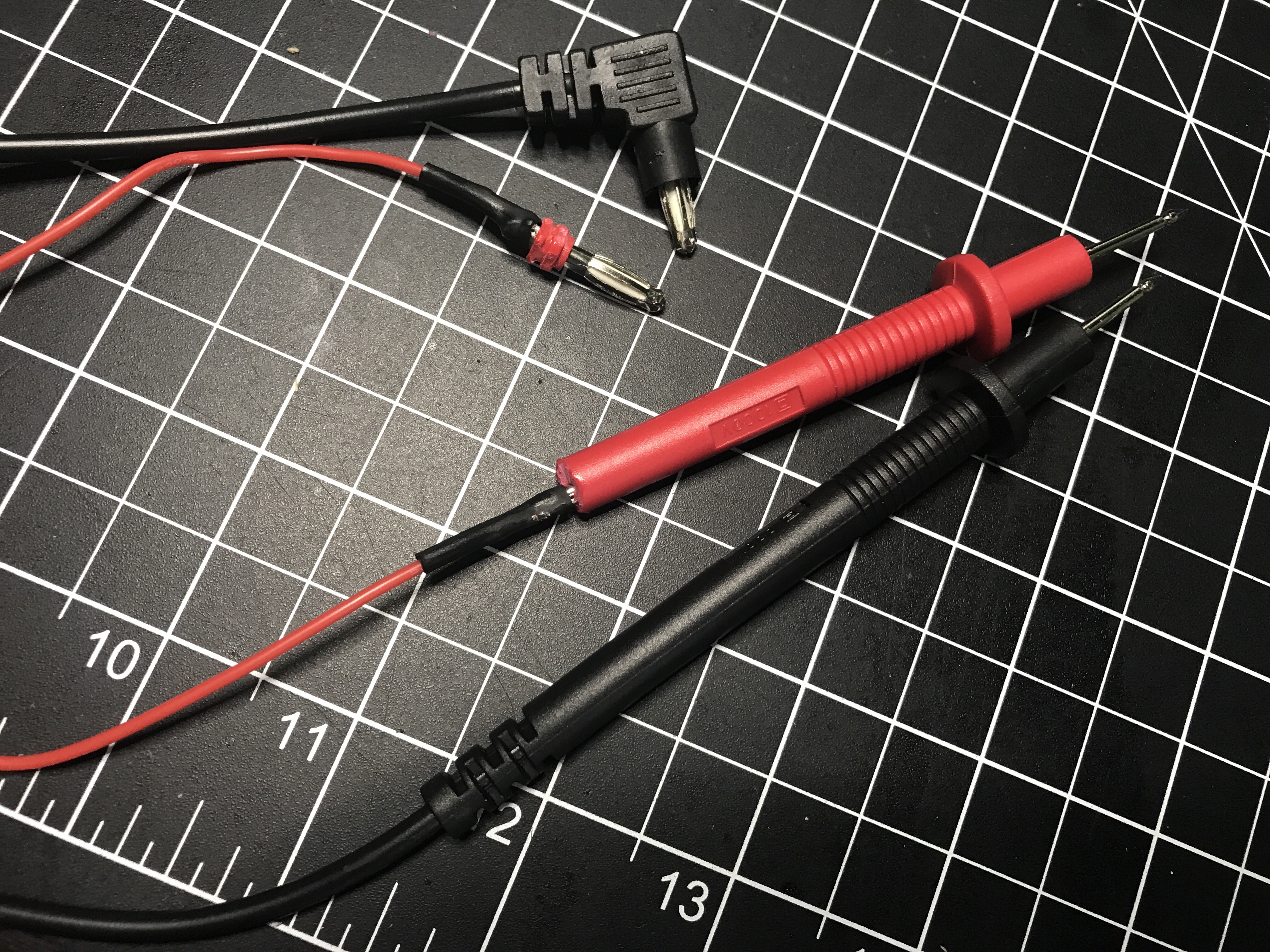
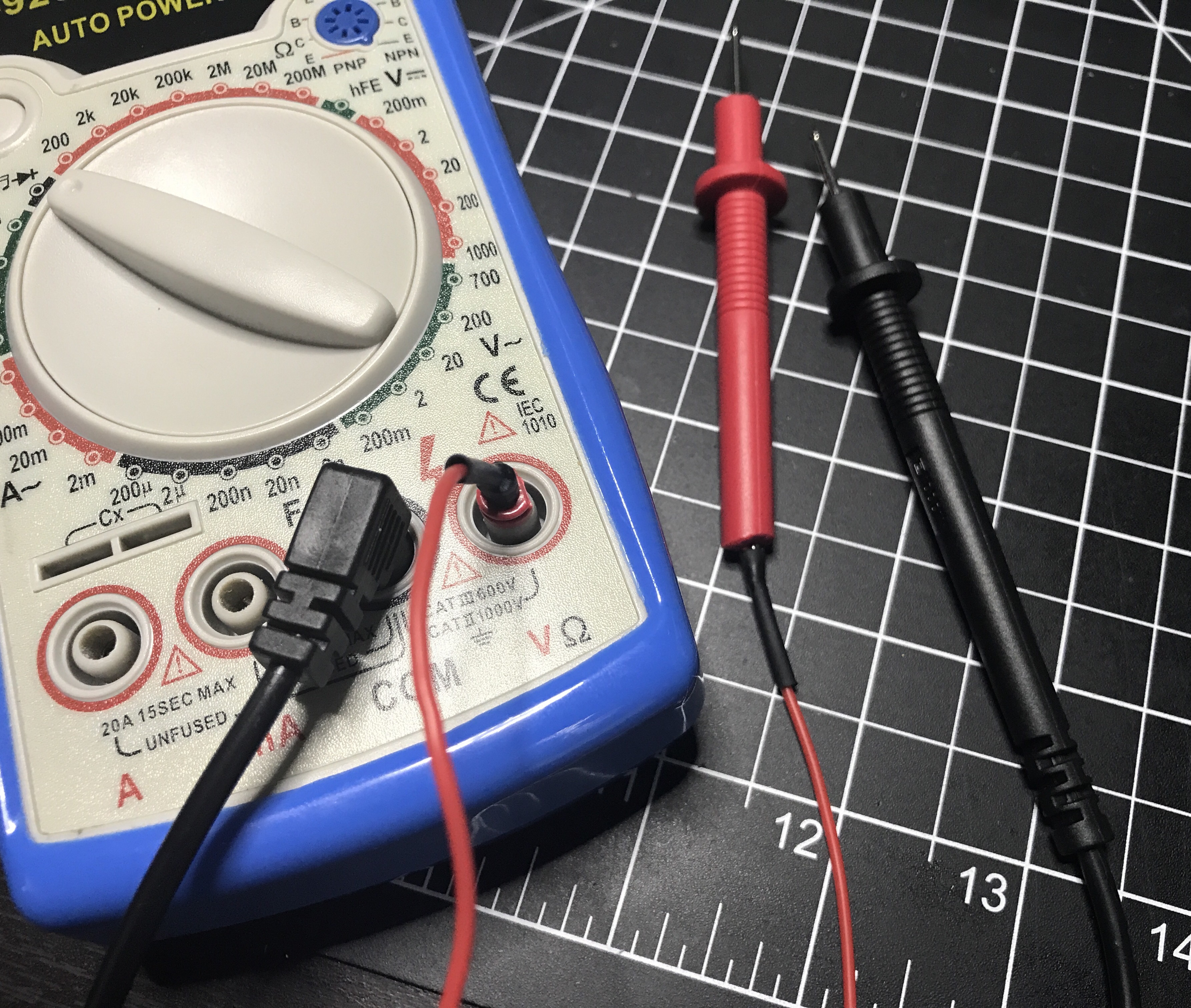
After unscrewing the back of the multimeter and looking inside, I noticed there were contacts where each of the cables plug in. I got out some alligator clips to use as test leads and the device worked fine. Then I did continuity tests on the cables and the red one failed.

It was time for some surgery so I hacked the ends off. The wire inside was so small and fragile that it had pulled apart from the probe’s end. I cut a new cable using some silicon wire I bought last week since it’s really flexible compared to the wire I use to build circuits. Soldered the ends back on, put some heat shrink tubing over the connections, and I’m back in business!

AdaBox004

I received the latest Adafruit AdaBox last Thursday and made this unboxing video.


As you may have guessed, AdaBox004 has a music theme. I’m excited because I’ll be using several of these parts in my current project. I need to finish it before the weekend so I guess I better get my ass in gear.

When you lay it out, this one seemed a light compared to the first 3 AdaBoxes, so I added up prices from the Adafruit store. It came to $73 without factoring in the empty white box for making a custom project enclosure, collectible “Boomy” pin, SD card, Make volume 57 signed by LadyAda, and free shipping. Probably about a $90 value for $60 as a subscriber, which is worth it. The $25 Music Maker FeatherWing with the $20 Feather HUZZAH really drove up the price, limiting what else could be included.

If you enjoyed the music in the video, it was released by Adafruit’s in-house musician to go along with this box. Check out “ADABOX004” on SoundCloud. BartleBeats also has a full album I’ve been listening to a lot while working at my hobby desk. “Frequency” is available on SoundCloud or via iTunes.

Next up… this morning I received the tracking info for HackerBox #0020. Note that AdaBox uses a 3 digit identification system, while the HackerBox uses 4 digits. The difference between a quarterly and a monthly subscription I guess.

5V Relay Module – Part 1

You can buy all sorts of 5V relay modules on Amazon for as little as $3-4 (probably even less if you get really cheap). They even sell boards with multiple relays if you need to switch more than one thing. Since I had all of the necessary parts I built my own. Yesterday I finished the board, because I had to do something before National Week of Making ended.

It worked great switching power from a 9V battery, but the real test was hooking it up to mains power. Electricity gets a lot more dangerous at 120V! It was a little scary plugging everything in and flipping the input, especially after reading so many warnings online, but there were no sparks.

Tester shows the wiring is correct.

I need to pick up a plastic outlet box to house everything so it’s safer with the exposed soldered circuit board in there; I don’t know what I was thinking when I bought a metal one. I’ll publish a more detailed post this weekend when it’s complete.

Update: I realized the relay I used in this module can’t handle the amount of current I need, so I ordered a different type of relay and will be making a new module. I’ll take the opportunity to make a more compact design as well. I did shrink this one a bit and cut off some of the board. I’ll save this module in case I ever need it for a project.

Check out Part 2.