Swapping an AC Adapter Cable

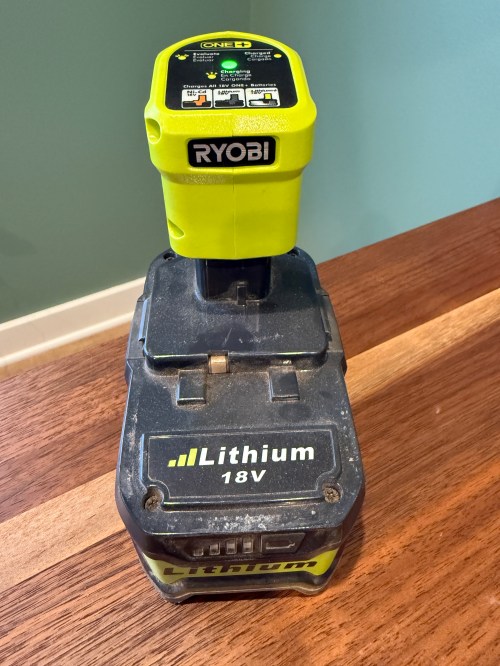
I was given a replacement AC adapter for an Acer laptop, which isn’t compatible with the Dell Optiplex micro PC I wanted to use it with. The output is close enough to work, so I looked for an adapter to convert from the 5.5×1.7mm connector used by the Acer to 4.5x3mm used by the Dell. I couldn’t find an adapter anywhere! I did however find a pigtail adapter on Amazon for about $8 I could wire in. Here’s the original connector and the new cable.

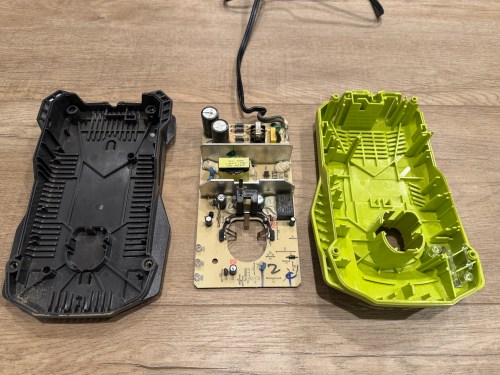
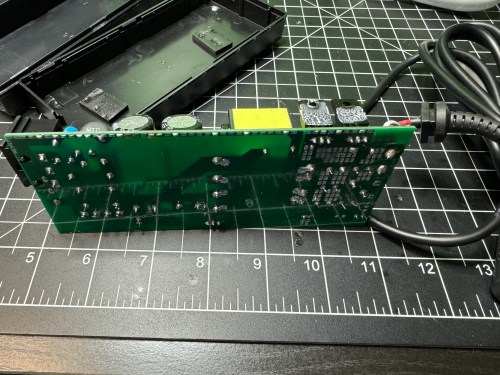
I opened up the power brick.

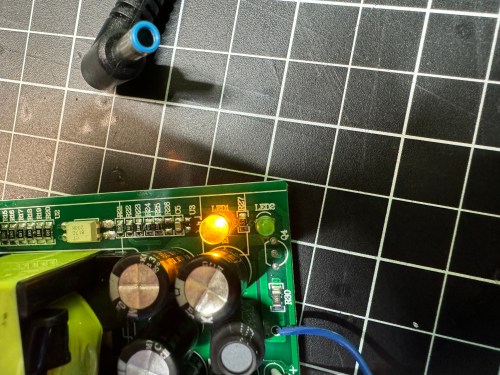
Then I made sure to test the output voltage and the polarity of the wires and connector with a multimeter. I noticed an unused spot for LED1 on the circuit board, so I figured I’d see if connecting a second LED would provide some other status indicator.

All it seemed to do was take over and disable LED2. So I removed it and left the original green LED. I desoldered the original cable, which only had positive and ground wires. The board had a spot with an S, which I assume means “signal,” so when connecting the pigtail, I soldered the blue wire there.

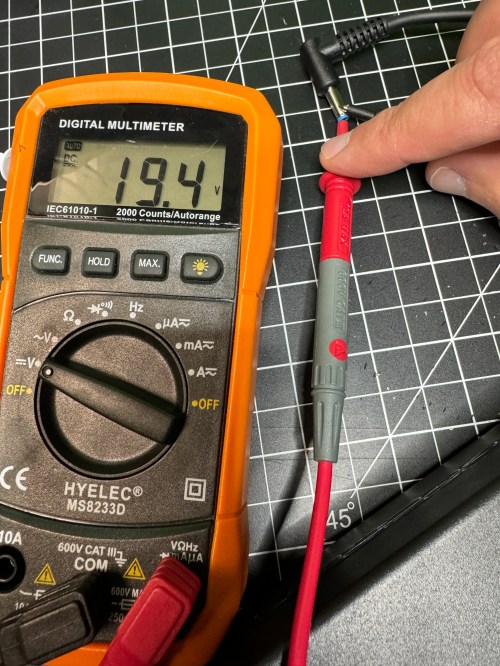
I checked the voltage on the new connector and it was as expected.

I plugged in the Dell and everything seemed to work. I cleaned the old thermal paste off the 3 components that screwed to a big metal heat sink and put on new paste. When I went to close everything I realized the black wire was too short, preventing the cable from reaching the hole in the power brick. I had to solder on a short extension and cover it with shrink tube.

Tucked everything back in the power brick, snapped it together, and it’s good to go.

Boldport: PissOff

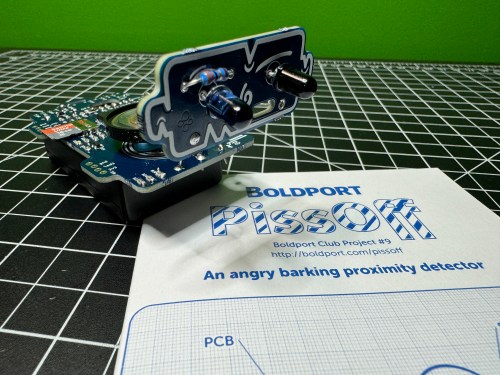
PissOff was project #9 of the Boldport Club, which was before my membership, but I bought it in December of 2018 with my credits when the club closed. I recorded an unboxing video on February 21, 2021 and I guess I ran out of time for the build. The project sat on my shelf for almost three more years before I finally assembled the circuit, which ended up being five years after ordering it!

The kit created a proximity sensor via IR and combined it with annoying noises. With so many surface mount components, this was one of my most challenging electronic soldering builds. I really struggle when an IC has a lot of pins. At one point I tried some other solder and realized what I’d been using was junk, so it went right in the trash.

I screwed up the placement of a couple of SMD capacitors, but caught myself soon enough to remember which ones needed to be exchanged. The other mistake I made was swapping locations between the IR phototransistor and diode, which I didn’t catch until testing. After putting them in the correct locations, everything worked!

Here’s a 8x speed run of the unboxing and some footage of Ninja’s testing.

Useful links:

Alphard Club Booster V2 and a DIY Rack/Shelf

I prefer to walk golf courses. It’s great exercise, gives me time prepare for shots as well as reflect, and it’s faster than riding. I bought a Clicgear 3.0 three wheel cart in 2011 and with some minor fixes over the years it’s worked great.

I’m not getting any younger and I want to keep walking as long as I can, so I’ve thought about a motorized push cart. Then I came across the Club Booster V2 by Alphard (save $50!), which converts your own push cart into a motorized one. The reviews were awesome so I ordered a refurb unit for $647. Here’s my first test after assembly.

I was impressed, but the dragging front wheel while turning didn’t work very well, so I quickly ordered the Swivel Conversion Kit for $89. The kit replaced the front wheel with an axle where the original back wheels mounted to make it a four wheel cart with a swivel front. It makes a huge difference for maneuverability and stability.

By the time I finished my first nine holes I felt very comfortable controlling it. I’ve played two 18 hole rounds and this upgraded cart let’s me play faster and leaves me fresher for the back nine. I’m surprised how much energy I save not having to push the cart. I’m thinking about doing a detailed review post.

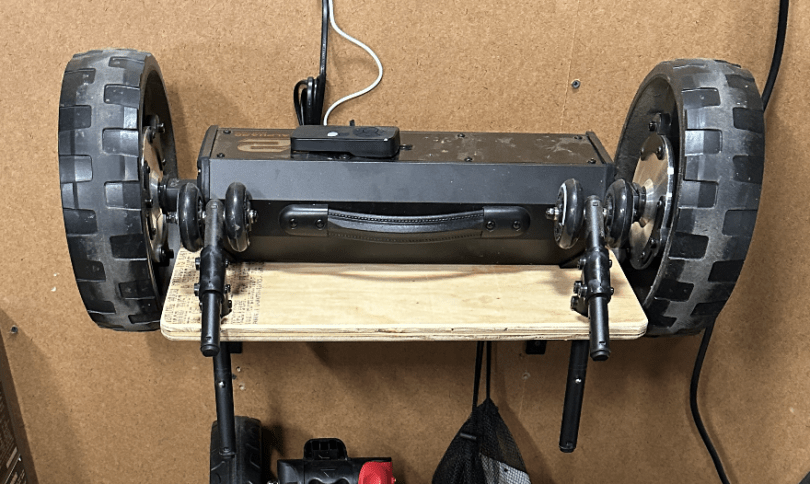
There were two problems though. The parts took up too much floor space in the garage and looked messy. I also forgot to take the wheelie bars for the first round I played.

I needed some type of rack to keep things organized, help me remember to grab everything, and make changing easy. I thought about having slots for the axle or something to prevent the unit from falling to the floor. After cutting a piece of plywood and laying things out, I realized a simple shelf with holes for the wheelie bars is all I needed.

Just what I needed. I love a quick build.

With a motor this is a vehicle for my golf clubs, so it needed a name. I’ve been struggling to think of anything, so I asked ChatGPT.

Those are some good ones and I chuckled. Brandi’s idea was to call it R2-D2, but I don’t like reusing a specific name. I like the style, so I settled on CB-V2 since the unit is like my own droid.

Update on the Milwaukee M12 Heated Jacket Fix

Last month I wrote about some failures with Brandi’s Milwaukee M12 Heated Jacket and the higher capacity battery they sent is working great for her. I ended that post with sort of a prediction…

I might end up getting a right angle jack to help with the strain relief. We’ll see how this holds up.

Yeah…

It hadn’t failed, but was heading that way. I didn’t help that I don’t have any heat shrink large enough to go over the end of that barrel jack. I ordered a pack of right angle barrel jacks from Amazon and soldered the wires in.

Didn’t work. The jack wasn’t long enough or the wrong size to make a good connection to the power source. I wish I had checked connections before soldering the wires on. I ordered a different style of jack in two sizes, 5.5 x 2.1 mm and 5.5 x 2.5 mm.

The 5.5 x 2.5, on the left, turned out to be the correct size. After confirming (multiple times) the positive and negative sides of each connection I slipped on some heat shrink, soldered the wires to the jacket, and blasted flames at the heat shrink.

The right angle is a much better connection because of how the battery sits in the jacket pocket and the extra length will help with strain relief. I feel better about having a soldered connection as well. It’s a win all around.

Milwaukee M12 Heated Jacket Failures

B got a Milwaukee M12 heated jacket over Thanksgiving to wear in the coolers when she’s at work.

The pocket where you connect the batter is on the back left, which is an awkward position. In less than two months the wire frayed by the barrel jack.

The exposed wires caused a short in the M12 Power Source, which is the red plastic shell that connects the battery.

The part was dead in the water and gives an error status. What terrible designs in the jacket’s wiring and the power source. Luckily, the battery does have fault protection and still worked. I checked the item on Milwaukee’s web site and other people had the same problems. After leaving a review, it looked like Milwaukee reached out to them. So I left my own review with a picture of the wire…

My partner got the jacket less than 2 months ago. The wire frayed by the connector causing a short, which appears to have killed the power source. I read 12.5v out of the battery just fine, but nothing from the power source. Terrible design in the jacket and with no protection in the power source. I can fix the connection and barrel jack on the jacket without an issue, but not much we can do about the power source.

Their social media team sent me an email the next day…

We are sorry to hear you are experiencing some issue with your M12™ Power Source! As a one-time courtesy, our team would like to assist with a replacement!

About a week later they emailed me again, with a return label to send them both the battery and the power source and they sent us replacements. Kudos to Milwaukee for sending the new version of the power source and a 3.0 Ah battery when the previous one was 2.0 Ah. B will be happy about the extra battery life.

By the time we got both items it was exactly three weeks after I had left my review. I isolated the wires with some cardboard between them so I could make sure the jacket worked with the replacements. It was a success, so I separated the two sides of the wire, tested which side came from which part of the jack, and then cut it off.

I stripped back insulation, put shrink tube around each wire, connected a new jack, put shrink tube around both wires, and gave it a couple wraps of electrical tape.

I might end up getting a right angle jack to help with the strain relief. We’ll see how this holds up.

RasP.iO Breadboard Pi Bridge

The Breadboard Pi Bridge is a neat way to connect the Raspberry Pi to a breadboard for prototyping. I preordered this kit in March of 2019 from RasP.iO after I’d seen Alex Eames release some cool kits there before. It shipped less than two months later, but it took me until February of 2021 to assemble it. Then it sat on the shelf until now when I finally did the testing and put together the video.

The build was simple with only having to solder some headers to a circuit board. I look forward to using this when I make some projects based on Pis.
DIY Wall Sconce/Light

I’ve started to remodel the kitchen and we’re getting all new lights. This one almost never gets used and is in a weird spot, but it had to go.

We determined something like this is generally called a sconce, so naturally went searching for a replacement on Amazon. We found this farmhouse steampunk light we really liked.

I knew I could very easily make something similar. I picked up 3/4″ pipe pieces and a lamp socket from Menards, along with some metallic hammered spray paint.

I used some sandpaper on the end of the light socket (bite for the bonding), wired it up, screwed the pipe pieces together, and attached the light socket to the pipe with epoxy. Then I did several coats of spray paint. I also did some matte clear coat, which I think was after this picture was taken; I wanted to knock down the shine.

We picked out a piece of pallet wood, of course.

After we picked out our new kitchen faucet, which has some bronzed edges, I ended up grabbing some bronze metal paint, which I used on some of the edges, though it’s subtle and hard to see here.

I reused the bolt from the previous light, and put it all in place to figure out where to cut the board.

Then I drilled holes for screws and the mounting bolt. I had to route out some of the back side to make room for the circuit box and brackets sticking out of the wall. I guess I forgot to take a picture. I painted the screw heads and bolt and touched the edges with bronze.

I love how it turned out and can’t wait to see what it looks like after the walls get painted though.

Pallet Wood Art/Shelf With a Hidden Dimmable LED Light

When I first had the idea to do pallet wood walls in the living room, I wanted to create some type of art piece for the wall opposite the TV. I stumbled across this shelf on Etsy when searching for pallet wood art.

After getting rid of my old recliner and lamp (as part of the living room updates) I quickly realized a light was needed for the new loveseat. I thought it would be cool to integrate a light in to my shelf and as a bonus it would be hidden. It would be a fun challenge to work on. Here are the last models I had mocked up in SketchUp before starting on the build.

Some of the inspiration for the light came after watching someone create a reading lamp by using quad row LED strips. I ordered a roll of the LEDs (quite expensive), a power supply, and a board to use as a dimmer. After doing some testing and reading more of the specs, I ended up getting a much beefier board to handle 10 Amps. I was also melting some of the insulation on cheap electronics wires, so I also grabbed a spool of 18 gauge wire.
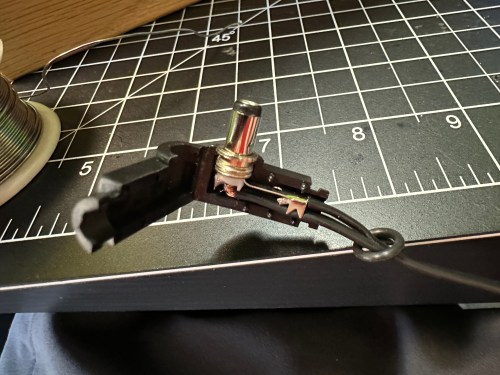
This initial testing was done using a very simple limit switch, but those are only rated for very low currents and would quickly burn up with the requirements of the LEDs. It took some searching, but I finally found a limit switch that said it could handle 10 Amps of DC. The big controller board for the dimmer and this much bigger limit switch introduced some new challenges to my build.

We picked through the wood leftover from the walls to find an assortment of pieces to use for the backer.

I played around with the arrangement, shortened the length of some boards, and ran everything through the planer to get an even thickness. Then I stained five of the boards and glued the pieces together in several steps.

To make the pull-out part of the shelf I started with a piece of plywood. I cut up scrap sheet metal I’d saved from the drop ceiling light fixtures I removed from my shop several years ago. This would be used behind the LEDs so any excessive heat they produced wouldn’t burn in to the plywood or create a fire hazard. I screwed the metal to the plywood and used some white spray paint on it.

I cut scraps of wood for sides and a divider. Then I cut some slots through them, using the table saw, where the light covers would slide in. I also made a face for this piece, leaving it oversized for now. I attached the sides and front face with glue and pocket hole screws from what will be the top side.

I bought two 10-inch full extension drawer slides and attached them to the top. I filled the pocket holes with plugs and wood filler. Sanding would be done later.

Perhaps the most nerve-wracking step of the project was cutting and positioning a scrap piece of 2×4 to the backer boards. This will hold everything together and allow me to attach the surrounding pieces of the shelf. Thankfully I remembered to cut one end short before glueing and screwing (from both sides) it in place. This is where the dimmer knob and board went. I cut a scrap piece of wood (later replaced with thinner plywood) to prop it up a bit so the knob would be easier to handle.

I put a straight bit in my trim router and cut a channel down the back of the longest backer board. This will be where the power cable runs down and behind the loveseat. It’ll never be seen, so I wasn’t concerned with how it looks.

Next I milled up some boards and glued them to make the top and bottom of the shelf. I tinted clear epoxy with black paint and filled in some holes. I also milled and cut a couple of pieces for the sides of the shelf.

I trimmed all of those to the sizes I’d need. Then I cut rabbets in the sides so the edges of the top and bottom wouldn’t be seen and there would be more support. To fit properly around the dimmer switch I had to notch out some areas and drill a hole for the knob shaft.

I was able to do a dry fit and then had to make a bunch of adjustments to make everything fit better. After a shitload of sanding I stained one coat of Red Mahogany.

The next morning I was able to glue and pin nail the bottom and left side to the backer. The top and right will be screwed in place in case I need to take things apart to troubleshoot or replace the electronics.

After giving the stain several days I masked off the dimmer board and used my paint sprayer to apply four coats of water-based poly.

The next day I put in the LEDs and switch, wiring everything up. I had to make one more piece of wood that would trigger the switch when the “drawer” was pulled out.

I painted the wires white. A bit of hot glue was used to keep them in place and provide strain relief. I also used hot glue down the back side to hold the wire in the groove.

The final step was to figure out where to cut in keyhole slots.

This turned out to be a bad idea. The shelf was just too heavy. So I drilled all the way through the cross beam and drove two long lag screws through and in to the studs.

We picked up some cool pieces at the Freeland Antique Mall for decor.

Here’s a night comparison which shows how bright the LEDs can be.

This video shows everything in action.

This project ended up being a lot more work than I expected. I’m really happy with the results though and we now have a one-of-a-kind piece in our living room.

We got a blackout top down bottom up shade made from SelectBlinds for the window, which came in over the weekend. They’re really easy to install. Now the living room is complete and I can focus on the kitchen remodel.

We bought an old milk can at an antique mall for the corner of the room too.

If you’d like the plans, you can download the SketchUp file on GitHub.

Boldport: Pease-out

Pease-out was project #32 of the Boldport Club. This kit is kind of boring one, since it’s main purpose is a tribute to Bob Pease, an expert analogue designer. Adjustments to the potentiometer change the output frequency of the LM331, which can be observed by the flashing LED.

It was a simple build and removes another project from my todo list.