Unboxing – HackerBoxes #0023: Digital Airwaves

I was able to avoid spoilers on this month’s HackerBox again, even though something happened with my shipping over the weekend. It arrived Monday instead of Saturday like it was originally scheduled.

Unique box. I’m excited to go through the Instructable for this box and learn some stuff about antennas and WiFi. The PVC pieces and copper wire are for making a custom antenna, which will be fun. I checked my box of goodies to see which WeMos board I had recently bought and it was the Mini Lite. I think I have one of each of their tiny boards now.

I tried to come up with a value for the box again. All prices are from Amazon (with my Prime account) unless noted.

  • HackerBoxes #0023 Collectable Reference Card – $1 (estimate)
  • USB Wi-Fi Interface Device with RT5370 Chipset – $5.89
  • WeMos D1 Mini Pro-16 – $5 + 1.81 shipping (AliExpress)
  • WeMos I2C OLED Shield – $4.50 + 1.58 shipping (AliExpress)
  • WeMos ITX to SMA Antenna Coax – $4.95
  • Exclusive PCB Yagi-Uda Antenna Kit – $5 (estimate)
  • Exclusive CPVC Yagi-Uda Antenna Kit – $1 (estimate)
  • SMA male to RP-SMA male Coax Adapter – $5 (estimate)
  • Mini Tripod with Shoe Mount – $7.79
  • USB Extension Cable – $3.35
  • MicroUSB Cable – $4.16
  • Exclusive Yagi-Uda Antenna Decal – $1 (estimate)
  • Exclusive Digital Airwaves Iron-on Patch – $2 (estimate)

This was a hard box to price out, so there are a lot of estimates. I didn’t see the PCB antenna anywhere and the parts for the PVC antenna are obviously DIY. The random bag of connectors doesn’t seem to be from a kit of any kind. There was also another antenna in my box not on this list. So I’ll add another $10, which all adds up to $64.03.
I Switched From VideoPress to YouTube

Several weeks ago I decided to stop using VideoPress (an Automattic video service) for video uploads and switched to YouTube. Here’s a quick list of reasons why:

  • Larger uploads.
  • Fewer upload failures (none yet).
  • Easier sharing.
  • Privacy options.
  • Better quality.
  • Descriptions with links and comments.
  • The channel and playlists.

The only thing I can think of that I’m losing is direct access to the original file. I couldn’t think of a single instance where I needed to go back and get my original video file though. I haven’t actually checked on YouTube, so it might be there.

Cutting a Cove With a Table Saw

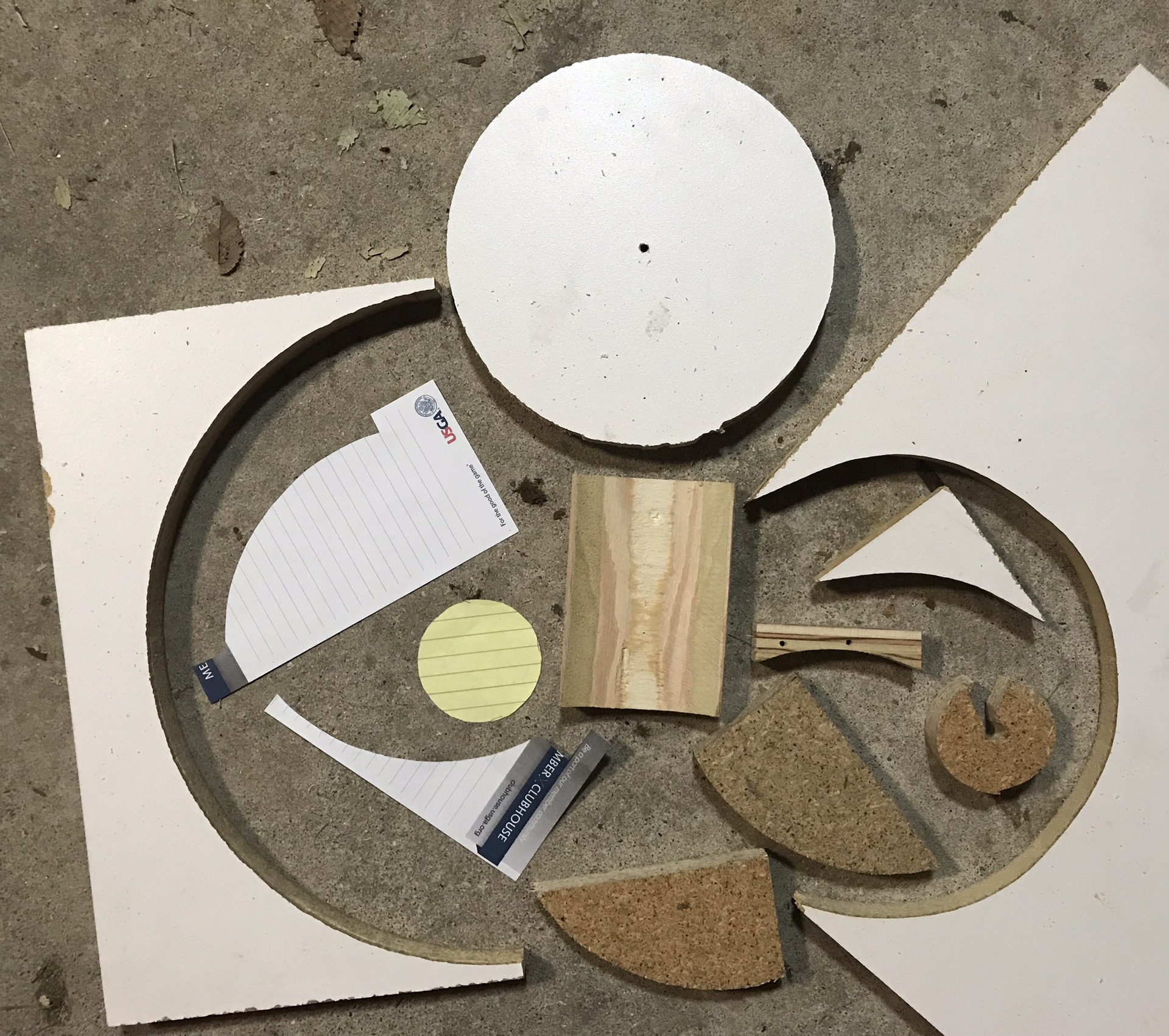
I needed to fit a piece of wood up against the seam of a cylinder I created by rolling a sheet of polycarbonate. Remembered seeing of video of someone cutting coves with a table saw, so I found some simple instructions.

I didn’t need to be very precise for my use so wasn’t concerned with my guides having a little wiggle room. Worked great for what I needed. I love learning new stuff! New skill in the toolbox.

Upgrading a Used Table Saw – Part 1

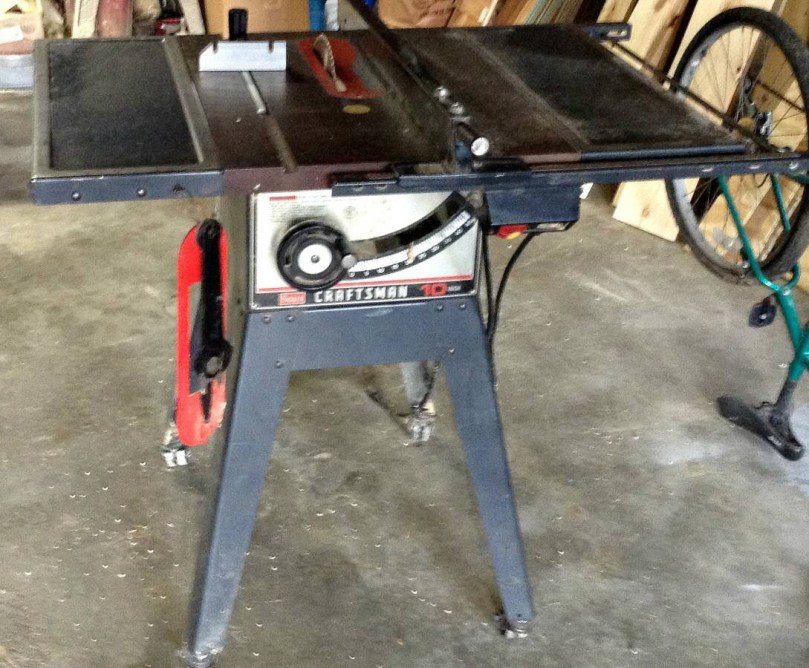
I found a used Craftsman table saw (model 113.298032) on Craig’s List last weekend. Most of the saws I’d been watching had significant rust and this one was in good shape, so I paid $125. I have a lot of ideas to improve the functionality of this saw and utilize it for the space in my workshop, so this will be the first in a series of posts.

Original image from the Craig’s List ad.

The power cord had exposed wire and a bunch of places wrapped in electrical tape. I paid $5 for a 10 foot extension cord from Harbor Freight, cut off the end I didn’t need, and wired it into the switch.

The belt had a little nick in it, which you can see on the right side of the picture. Probably would have been fine, but I wanted to replace it. After reading a tip, I went to Auto Zone and they easily matched up the belt with something in stock ($10).

The metal on the bottom of the stand was bent all over the place, making the casters virtually useless. It was like trying to push the saw down a bumpy dirt road. Harbor Freight sells an awesome mobile base kit, which was about $32 after a 20% off coupon. All of the reviews said it works better than the name brand kits which cost twice as much or more.

You have to supply your own wood for the frame, so I bought four 2x2x42″ exterior deck balusters, for $0.97 each. The instructions call for 1 1/4″ square material, but if you know lumber measurements, the 2×2″ is way off. The fit was snug and took some convincing with a rubber mallet, but these pieces worked great.

Rolls around nice and smooth now. Easy to lock in place too.

Future upgrades will include dust collection, fence customizations, a guide sled(s), a router table, and zero clearance inserts.

Read about more upgrades in part 2.

2 Kinds of People: Calendar Week

The site 2 Kinds of People is one of my favorites. While doing some calendar work recently I thought of my own example, though I don’t have the design skills to come up with beautiful graphics.

There are people who use a Sunday to Saturday calendar week.

sun-sat.png

Then there are those of us who put the weekend at the end where it’s supposed to be.

mon-sun.png

Which kind of person are you?

Resurrect a “Dead” Power Tool Battery

Ever had a “dead” power tool battery that wouldn’t charge? It may not have been dead-dead. Some chargers have a safety feature that prevents trying to charge a battery completely out of juice. I was able to bring a Craftsman power tool battery back from the dead using a trick I found in the comments on a YouTube video. Sometimes it pays to read the comments.

This battery was part of a used Craftsman cordless tool set I practically stole. The set was a battery charger, small circular saw, reciprocating saw, nice case for those 3, drill/driver, nailer/stapler, and 2 batteries. Everything is in excellent condition and I only paid $30! The original sticker price on the box for the nailer alone was $80.

Link Dump – 2017/09/25

Designing a Speaker in SketchUp

I’m going to build a bluetooth speaker for my garage gym using an old set of computer speakers. I thought it would be good to plan it out in a 3D model first, so I learned how to use SketchUp by following their great video tutorials. As I’ve learned new tricks and thought of different ideas there have been several design iterations.

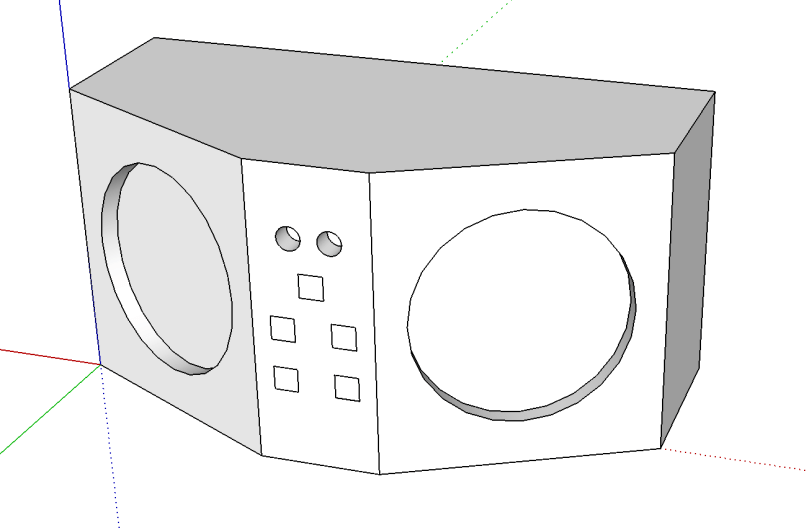
bt-speaker-garage-v1-model.png
Version 1

This first attempt was a very rough idea using paper-thin walls or basically one solid piece, depending on how you want to think of it.

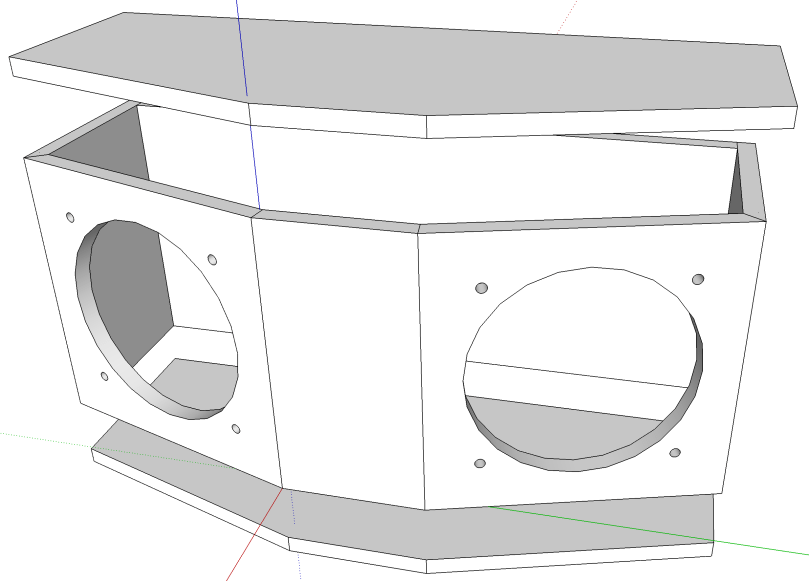
bt-speaker-garage-v2-model.png
Version 2

I was thinking I could build the box out of 1/4″ material. I set the thickness of the walls, properly created each side of the box as a separate piece, and separated the lids.

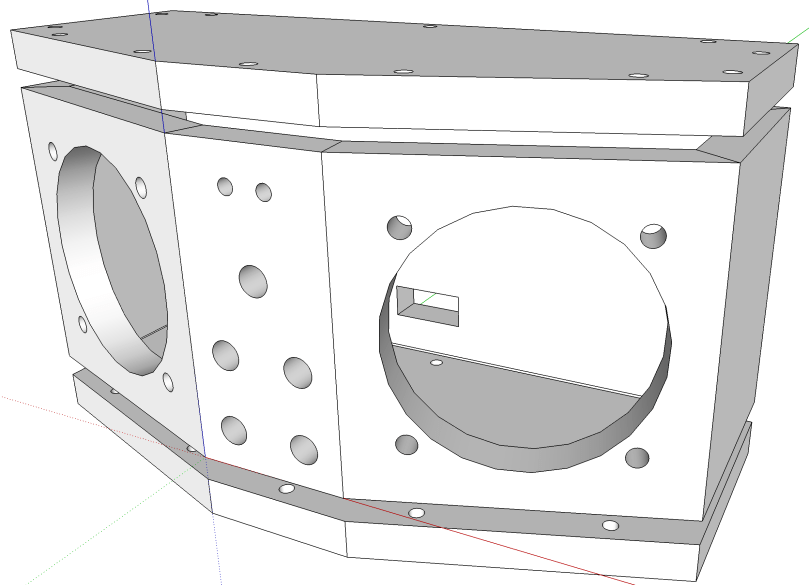
bt-speaker-garage-v3-model.png
Version 3

I realized using 1/4″ material wouldn’t give me much room to drive screws into, so I increased to 1/2″. I added speaker mounting holes and the lids were given holes where screws will hold the pieces together. The holes in the middle front section will be where LEDs and buttons go. The square hole in the back wall (which will probably be changed to a small circle and maybe moved to a side) is for the power cord.


bt-speaker-garage-v4-model.png
Version 4

I realized if the lids were sitting on the top and bottom of the sides, you’d be able to see the ugly edges if I use something like plywood. So I increased the height of the walls and shrunk the lids to fit inside. There is a row of screw holes all the way around the top and bottom of the side walls, which will attach everything to the lids. I forgot about the on/off switch, so I added another hole on the front.

This is the first time I’ve attempted any 3D modeling and it’s been a lot of fun. Before I start working with wood, I’ll probably create a cardboard model to make sure the components fit inside. The dimensions are roughly 4.25″ deep, 9.5″ wide, and 5″ high.

All of the SketchUp files are in a bluetooth-speaker-design repo on GitHub if you want to use any of them.

Head over to Making a Bluetooth Speaker to see how the build turned out.