I’ve completed my first week of 4 Hour Body. Read 4 Hour Body: Before I Begin for more information. It wasn’t the best week to start because I was on the road most of the week, but I stuck very close to the diet. I started the week at 193.9 lbs and 19.4% body fat.
Day 1 – Sunday, January 16, 2011
After weighing in, I did swings with a 50 lb kettlebell (3 sets of 25), 10 myotatic crunches, and 10 cat vomits. These exercises were a lot harder than I expected, especially the kettlebell swings.
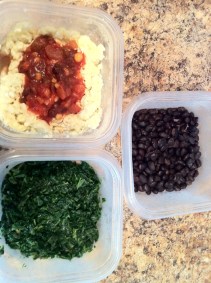
Breakfast consisted of black beans, spinach, and egg whites with one whole egg topped with southwest salsa. The egg and salsa mixture was very good. The beans and the spinach were OK, so I need to find a way to put some excitement into them. I didn’t eat soon enough after waking up, so I’m going to switch to one weigh-in per week because I need to wait at least 30 minutes after getting out of bed to get consistent body fat numbers on the scale.
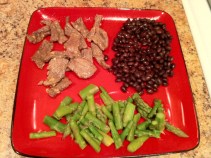
For lunch I had turkey breast slices, a small avocado, peas, and a lettuce and tomato salad with homemade vinaigrette. The sodium content in the turkey is terrible, but I wanted to eat it instead of throwing it away. While golfing, I had a small thing of trail mix at the start of the back 9. Walked a little over 5.5 miles on the course. Dinner was black beans, asparagus, and garlic stir-fry beef. Had a glass of red wine at night.