How is the L.A.B. DF3 Putter?

J.J. Spaun, who won the U.S. Open yesterday, has the DF3 in his golf bag, so this seems like the perfect time to write about the time I’ve spent with mine. Spaun, who switched to the DF3 at the beginning of the year, was second in the field for strokes gained putting and gained over 10.5 shots with the flat stick!

His putting accounts for 64.5% of the 16.31 total strokes he gained on the field, which is impressive. SG came from datagolf.com. I believe this is the first major win by someone using a L.A.B. putter and surely won’t be the last.

I’ve had my DF3 for two months now and I love it. The first two and a half weeks weren’t great though, because I wasn’t using the putter correctly. After some research and experimentation I made changes to my stance and grip. My feel has been brilliant since.

I’d always played traditional putters in the middle of my stance, as I suspect most people do. This shaft is different because it’s offset behind the club face. You have to line up with the ball quite a bit forward in your stance, otherwise the face is open at impact. Here’s a video from the L.A.B. Golf talking about it for the DF 2.1.

Another change that really helped me was adjusting my grip. I had to lighten the pressure applied with my hands so the face can properly square itself up. I also slid my right hand more underneath the grip to limit its influence on my putting stroke. I used their suggestion of the thumbs off drill to get some feel for it and figure out what was comfortable for me.

Then it was a lot of practice, focused on start line. I got this idea from a Lou Stagner thread on Twitter/X. When I practice, I hit 10 putts at a distance of about 10-11 feet and I use the Putting Thing from WhyGolf with all gates set to level 2.

I only ever putt 10 at a time and I record each session. Since I got the putter, I’ve done this 94 times, so I’m struck almost 1,000 practice putts like this. In order to get the passing grade the ball and putter can’t touch any of the gates. I don’t even care what the ball does at the cup. It’s all recorded in a spreadsheet and the chart below shows revolving 100 putt blocks. For example, the first bar includes the first 10 times I played a practice session, the second bar is practice sessions two through 11, and so on.

The last low point under 50%, was right before I made the changes. It was a steady rise from there as the bad sessions fell out of the last 100 attempts and then I’ve consistently been around 80% or better.

There is more pressure and less than perfect conditions on the golf course though. How am I doing there? I grabbed some putting data from my Shot Scope account. To keep comparisons similar I filtered to rounds at the Sawmill Golf Club, my home course. Here are my 2024 stats, using my previous putter, the Odyssey Red Ball.
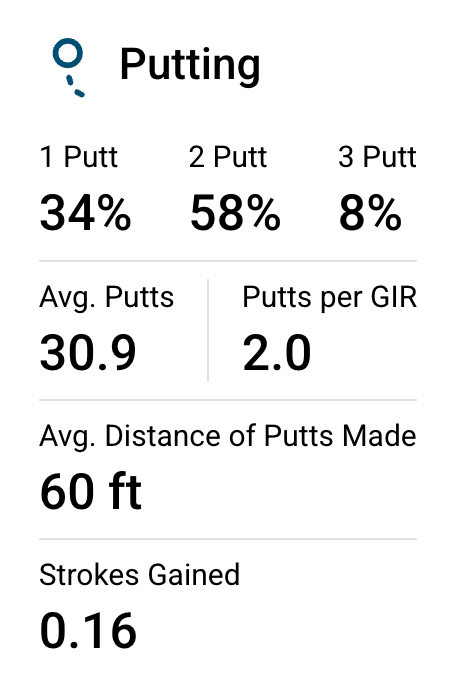
Not too bad. I actually gained strokes compared to the average 10 handicap golfer. Here are my stats since May 6th, 2025, when I figured out how to use the DF3.

I’m not making a bunch on my first attempt, actually down 1%, but I’m three putting less than half as much and I’ve gained an extra 1.12 stokes per round. I also pulled the stats for the same 2024 period of dates.

A massive 2.51 strokes better on the greens in 2025 for the same date period.

My start line is better from the lie angle balance technology and practicing with Putting Thing. My distance control is also a lot better from the Directed Force (DF) technology, which is more forgiving on off-center hits.

Date Period3+ Feet Short0-3 Feet ShortWithin 3 Feet0-3 Feet Long3+ Feet Long
202413%27%75%48%12%
2024 (May 6 – Jun 16)8%22%76%54%16%
202513%22%81%59%6%

I was unable to limit the data in this table by course, so it’s not as good of a comparison and I believe impacts the shortest putts the most because I struggle getting the ball to the hole on slower greens at other courses. Even so, I’m getting 5-6% more putts within three feet of the hole and fewer are racing past.

Can you see why I love this putter? Of course it won’t be everyone’s weapon of choice, but I suspect many people who give up on theirs don’t understand how to use it properly or put in quality practice time.

Golf Simulator: Thoughts After 3+ Months

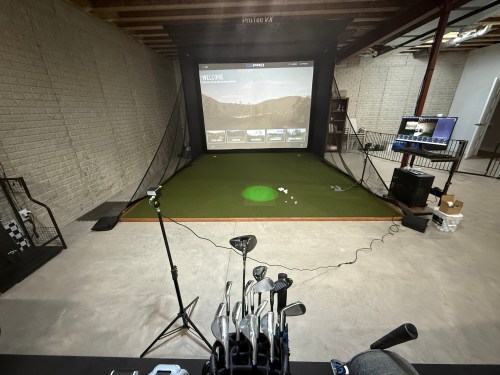
I finished putting up the golf simulator at the end of December and I think three+ months is a pretty good period of time to have some thoughts about everything. In case you missed it, check out my serious on the build:

How much have I really been using it? Initially, not as much as I’d hoped. I’d say I was getting downstairs for 3-4 days a week. Over the last several weeks, especially after getting outside for a quick nine holes, I’ve gotten the itch to play, so I’ve been putting in more time to get ready for the 2025 season. I’ve been able to get on the golf sim 5-6 days a week.

The PC

The computer has been great and no complaints on that build. I can always upgrade memory if I need to. The mouse kind of sucks, so I may switch to a wired one. I do regret not getting a larger monitor, especially with the additions I mention later.

The Environment

The enclosure is holding up well and all of the padding is great; I’ve only had a handful of bad ricochets. The screen does show ball marks (only noticeable if the projector is off), but that may be my fault for using balls too long and initially using some balls with logos or a little marker on them. The turf is holding up well and I don’t see any wear marks where we stand. The hitting strip is really good too and I haven’t felt any wrist or elbow pain at any point. I feel like I can tell when I hit a fat shot, so it doesn’t seem like the club is bouncing up in to the ball for a better shot.

The Other Electronics

The projector has been fine. There are better ones, but I’m not sure the extra cost is worth it yet, because prices will come down on the higher level 4K ones. I couldn’t be happier with the ProTee VX launch monitor paired up with the GSPro software. My yardages are consistent with what I’d expect on the golf course and I’ve had very few shots get missed. ProTee in frequently updating their software and there are so many new courses being updated and released for GSPro every week.

This review may sound like a broken record with everything being so great, but I think that’s due to how much research I did.

Updates

This week I added swing cameras for front and down the line views. Luckily I ordered this stuff from AliExpress before the tariffs kicked in:

They just came in, so I haven’t had a lot of time with them, but so far the cameras are a sweet addition. I need to do some cable management.

I’m working on some fixes and it’s great to be able to check my positions after each swing.

I may sign up for lessons on Skillest, but I’ll see how these fixes go first.

In the Future

I started planning to build a cart for the sets of clubs we bought at an estate sale. Hopefully I’ll make progress soon, because I’m getting tired of looking at them lined up along the wall.

I also want to build a control box with a bunch of buttons I can press with a club so I don’t have to use the keyboard and mouse during a round. That’ll be a fun project combining electronics and woodworking.

Building a Basement Golf Simulator: The Environment

A couple of weeks ago I wrote the first post in this series about putting a golf sim in our basement, which focused on the PC. This post will focus on the environment.

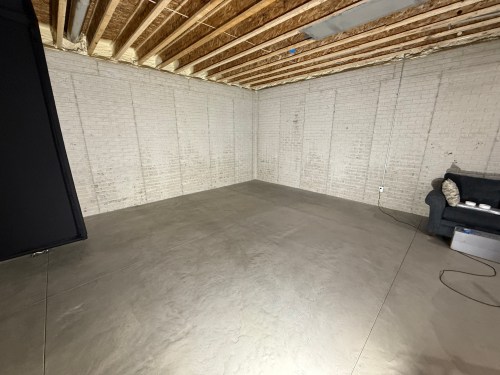
When we built our home, we did 10 foot basement walls, knowing we’d be putting in a golf sim. This gave us about 9’8″ from the concrete floor up to the joists, which is plenty of room for me to swing every club in my bag.

Back in April, during a Masters sale, I ordered the SIG12 Golf Simulator Enclosure and Side Barrier Netting from The Indoor Golf Shop. By following their setup video, it was very easy to put together. Later in the process, I used a hairdryer to smooth out the wrinkles and fold lines, though I’m not sure it helped much.

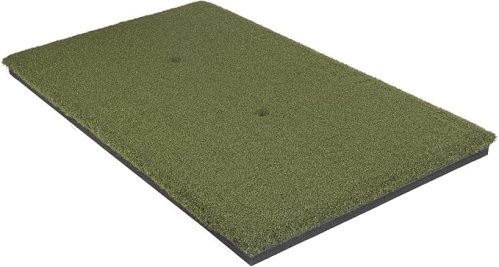
The next thing I got was the hitting strip, which is one of the most important aspects of a sim because you want it to hold up for a long time, while protecting your wrists. I bought The Original Country Club Elite based on the price and reviews. The strip is 20×36″ and just under 1-3/4″ thick.

After knowing the thickness of the hitting mat, I could focus on the mats and turf to surround it. I did a lot of online searching and didn’t find many recommendations, which was surprising. A Reddit thread pointed me to the ProGrass ProPutt at Lowe’s and they ship a 8×8″ sample only $1!

It felt nice and from what I’d read, a face weight of 50 oz was good for this type of use. I took the sample over to Menards and compared it to their 44 oz.

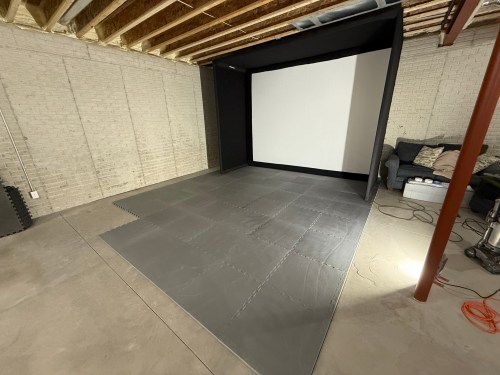
The choice was clear, so I made an order at Lowe’s for a 13×15′ piece. To create the base and a cushion under the turf I ordered 1″ thick puzzle mats from Amazon.

Quickly after we put together the enclosure and got a feel for the space, we decided to rotate to the adjoining wall.

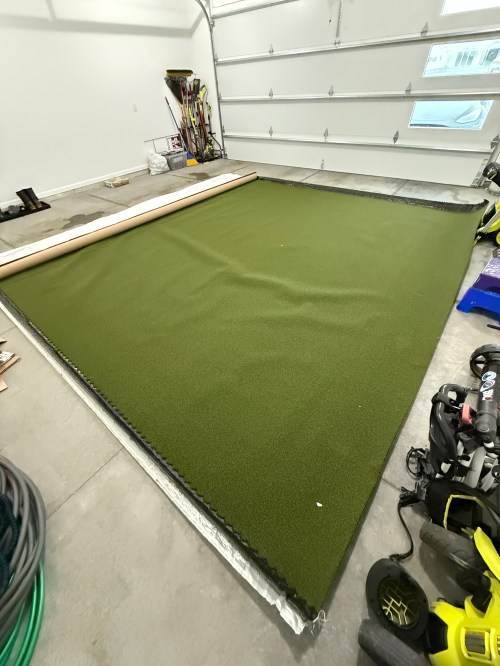
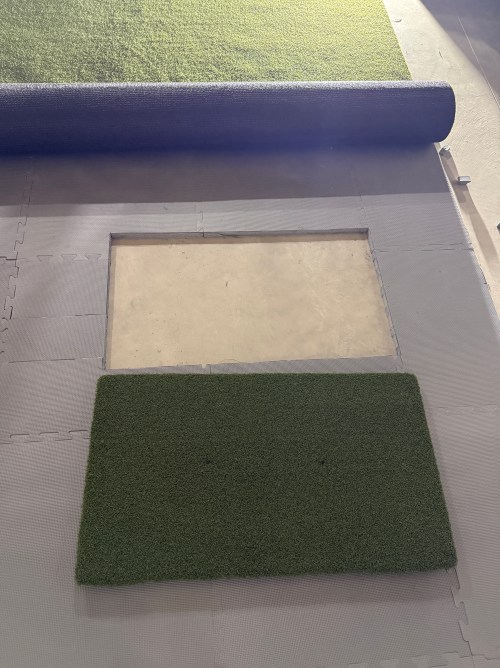
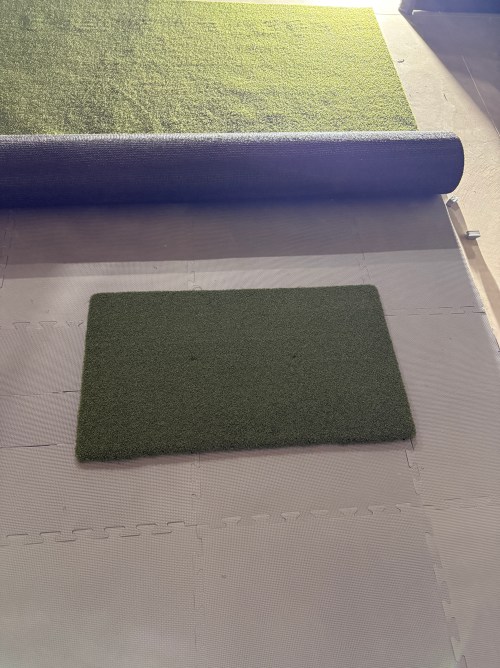
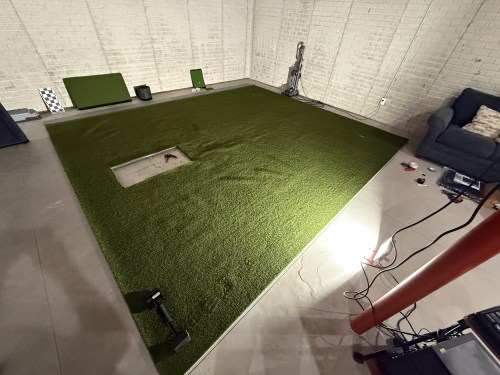
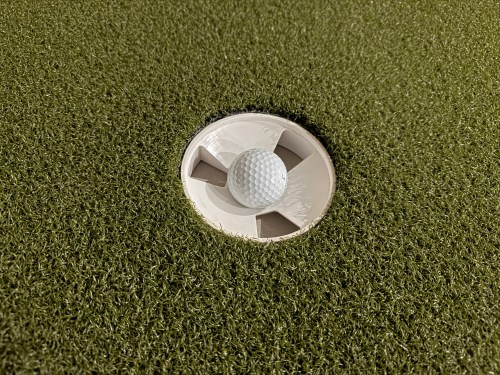
The turf finally arrived and I trimmed off the factory edges and cut the width to 13 feet. After hauling it to the basement I cut out the locations for the hitting strip and a couple of 1.5″ shallow putting cups. The cups were actually too tall, so I shortened them to 1-1/8″ on the table saw. Cutting the holes in the turf was nerve-wracking. Too tight and the turf bubbles around the thing you’re inserting. Cut too much of the turf, making it too loose, and you can’t go back. I bought a carpet knee kicker for stretching out the turf to remove the wrinkles and bubbles.

Brandi was a big help with the turf. I’ve never done any carpet work, so I’m amazed at the level of flatness we achieved. I’m pretty sure neither of us has a future career as a carpet installer though. I had some good carpet tape for the edges, that we ran out and the light duty stuff I picked up from Menards was useless, so I ended up buying more of the good carpet tape from Amazon.

I filled the sandbags and installed the side netting.

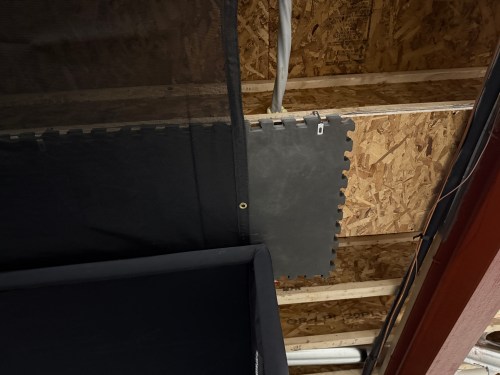
To help protect the ceiling from sky balls and prevent anything from going through the heating ducts, I screwed OSB over the duct and 2 layers of old puzzle mats. I also bought a 10×12′ mesh tarp from Harbor Freight and mounted it a couple of joists in front of the enclosure and draped it across and over the back.

I’m curious to see how the tarp holds up, though hopefully it rarely gets hit by a golf ball. If it works, it was a cheap solution.

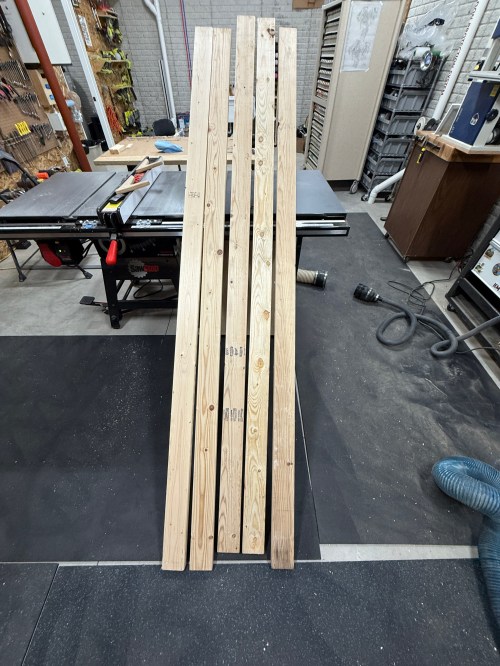
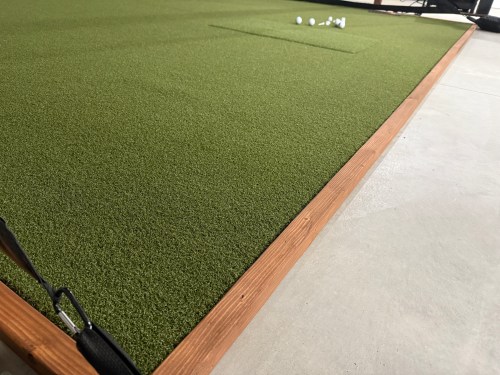
To protect the edges of the turf and hide the base mats, I built a border out of 2x4s ripped down the middle and stained it.

Everything I mentioned was $3,800 and brings the total to $5,650. The third post in this series covers the other electronics and everything else.

The Practice Manual

I’d been itching to read The Practice Manual: The Ultimate Guide for Golfers to help me improve where I spend my time with driving range sessions.

This book was a much slower and tougher read than The Four Foundations of Golf. The majority of the book focuses on how we learn and theories. I kept getting tempted to skip some of these chapters to get to the good stuff. I pressed on, hoping all of the pieces would fit together and make the read worth it.

Unfortunately a lot of the practice ideas felt much more suited to practice time on a simulator where you can measure distances and accuracy. Those are very difficult to measure on a driving range. Having a sim at home would also make it much easier to have short practice sessions of 15-30 minutes. In order to do that at the driving range requires well over an hour to pack up the vehicle, drive to the course, get range balls, loosen up, practice, and drive home.

On page 365 of 385 I was surprised to read the following.

…this book is aimed at aspiring tour players, as well as coaches who are teaching players who spend their lives on the practice rounds.

Quite different from the back cover stating, “The book everyone has been waiting for” and “If you love golf, you will love this book.”

As I read more and more of the book, I got the feeling it was not written for typical amateurs. Had I known this, I wouldn’t have bought it. I do not recommend reading it. The information I found most useful in the book was presented in The Four Foundations of Golf, which I believe would benefit every amateur golfer.

Quarterly Maker Box #MKR08 by Adam Savage Part 2

In part 1 I said there would be more to come as I worked on the projects in the box, so here we go. The first project’s instructions were titled “How to Draw Essay” which consisted of Adam describing some of his experience with sketching and then giving several tasks.

Step 1 consisted of filling 5 pages of the notebook by drawing cylinders. It gets you thinking in 3 dimensional space. This was a neat exercise. I tried to draw different cylinders to keep it interesting.

In step 2, the exercise was to draw things from life. I couldn’t tell you the last time I tried to do this. I felt accomplished when a sketch was recognizable (though you may disagree on that!).

Am I ever going to work as an artist? No. Every one of us can be an artist in our own way at our own level though. It’s fun to put ideas on paper and a good skill to practice. Definitely helps with making things when you can see that idea in your head on paper.

There was a time growing up when I wanted to be an artist. Maybe a lot of kids have a bit of that feeling when going through those early creative stages. Apparently I missed out on the gene my Papa Momrik had that was also passed on to my Uncle John, because they both had some talent. I never turned out to be any good at drawing, but I still have those creative juices and try to use them in my own ways.