Home Assistant Air Quality Monitors from IKEA Vindriktning

IKEA recently discontinued Vindriktning, their older air quality monitor.

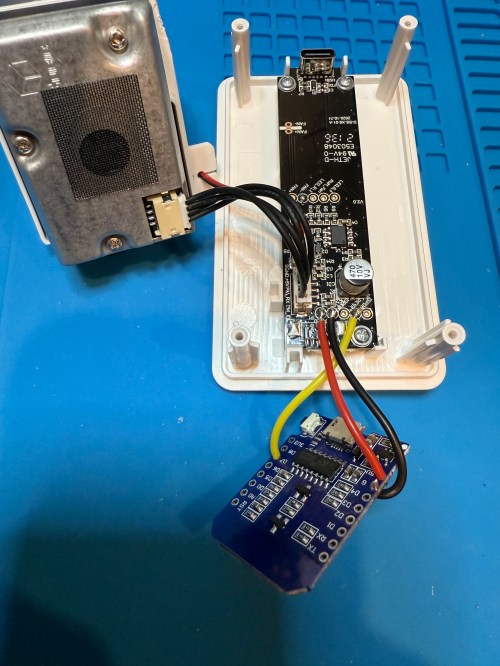
Inside the device, they put a cubic PM1006K particle sensor. I bought three for $16.95 each last year, because I’d seen people hack them by adding sensors and a Wi-Fi microcontroller to send all of the data to Home Assistant. For my modding I bought:

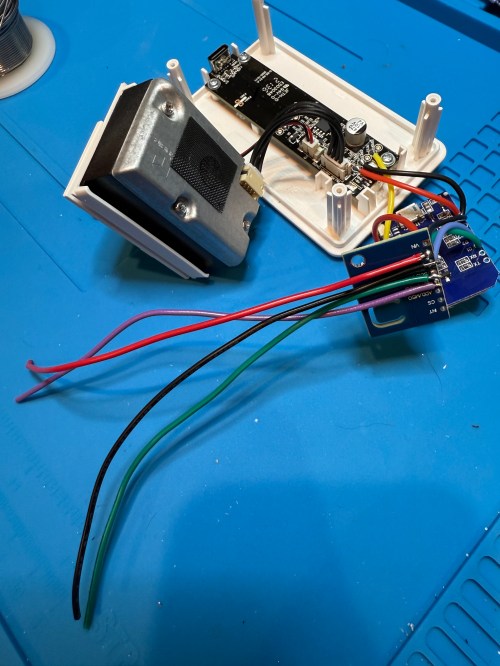
The YouTube video linked above is a great guide to follow. I didn’t connect wires to the fan or the light sensor since I had no use for them. I also didn’t stack my sensors because I wanted the BME280 to be outside of the enclosure, where it would be less affected by the heat produced by the ENS160 and D1.

Even with the sensor outside of the case, the BME280 still reads high, because it heats itself up. I actually tested different lengths of wires and placements of the sensor before realizing I was still going to have to adjust the data. An ESPHome filter made the adjustment easy, which I did individually for each unit after comparing to a mobile Ecobee thermostat sensor. This is the code from the unit for my shop.

substitutions:
  slug: shop
  friendly: Shop

esphome:
  name: ${slug}-air-quality
  friendly_name: ${friendly} Air Quality

esp8266:
  board: d1_mini

logger:
  level: WARN

api:
  encryption:
    key: 'xxx'

ota:
  - platform: esphome
    password: 'xxx'

wifi:
  ssid: !secret wifi_ssid
  password: !secret wifi_password
  manual_ip:
    static_ip: xxx
    gateway: xxx
    subnet: 255.255.255.0

i2c:
  frequency: 100kHz

uart:
  - rx_pin: D7
    baud_rate: 9600

sensor:
  - platform: pm1006
    pm_2_5:
      name: PM 2.5µm

  - platform: bme280_i2c
    address: 0x76
    temperature:
      name: Temperature
      id: ${slug}_temp
      filters:
        - offset: -3.38
    humidity:
      name: Humidity
      id: ${slug}_humid
      filters:
        - offset: 7.63
    iir_filter: 16x

  - platform: aht10
    variant: AHT20
    temperature:
      name: AHT21 Temperature
      id: ${slug}_aht21_temp
    humidity:
      name: AHT21 Humidity
      id: ${slug}_aht21_humid

  - platform: ens160_i2c
    address: 0x53
    eco2:
      name: CO²
    tvoc:
      name: VOC
    aqi:
      id: ${slug}_aqi
      name: AQI
    compensation:
      temperature: ${slug}_aht21_temp
      humidity: ${slug}_aht21_humid

text_sensor:
  - platform: template
    name: AQI Rating
    lambda: |-
      switch ( (int) ( id( ${slug}_aqi ).state ) ) {
        case 1: return {"Excellent"};
        case 2: return {"Good"};
        case 3: return {"Moderate"};
        case 4: return {"Poor"};
        case 5: return {"Unhealthy"};
        default: return {"N/A"};
      }

These resources were a huge help when I wired everything up and made changes to the YAML code:

Here is how I’m displaying the data on one of my Home Assistant dashboards.

As I was working on this project I knew I wanted a couple more air quality monitors around the house, which will be finished soon.

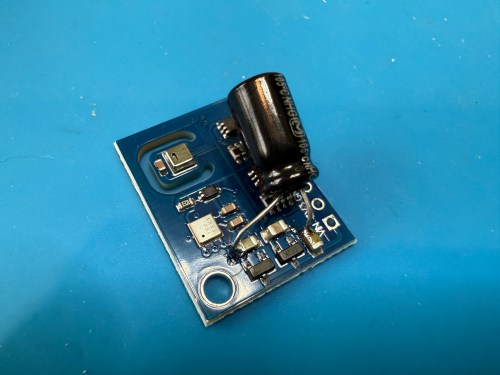
Update: I’ve had to make a small update by adding a 47uF capacitor to each ENS160 board, because they have power issues, causing the reading to stop for periods of time. My boards matched up with the right ones in the picture at that link. Here’s a picture of another ENS160 I modified, since it was a tight squeeze to made the modification on the devices I posted about here with everything already wired up. I also realized I was powering these through the 3V3 pin instead of VIN, so I fixed that.
I’ve also improved the display of the data on my dashboard by using mini-graph-card.


Modding a Star Wars LED Sign

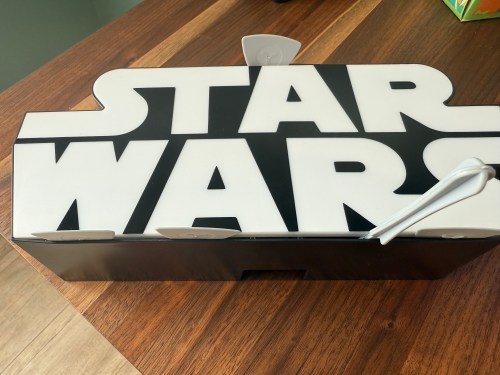
Several years ago I bought this sign from T.J.Maxx.

When I plugged it in, I was disappointed. By default it was off with a button on the side to toggle between bright, dim, and off.

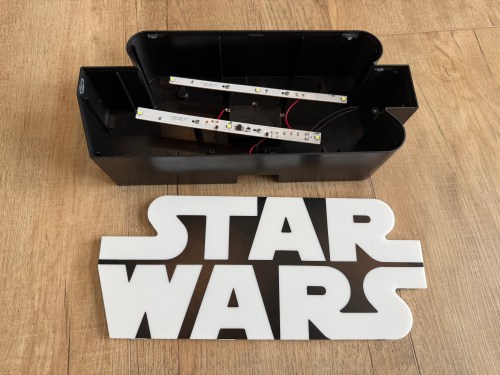
I put the sign in a display cabinet with all of the LEGO and I had wanted it to automatically turn on with the rest of the LEDs in the cabinet. I never got to it, so it sat on the shelf for years. Fast forward to setting up home automations at the new house and it was time to fix the problem. The only screw on the back was for opening a battery compartment, so I figured the front had to be snapped in. With a little careful persuasion I gained entry.

I figured the electronics were pretty basic and I was right. The quick fix was to connect the sides of the button/switch.

That worked, but I noticed how flimsy all the wiring was. I replaced the wires going from the USB connector to the board, which had been causing some flickering when bumped.

I was sad at the lack of LEDs though. I could do better, with minimal effort. I took out the circuit boards and found an old five volt LED strip.

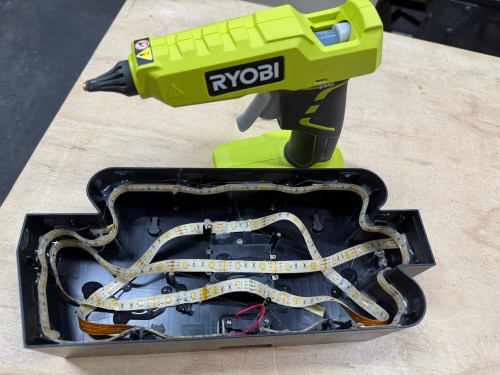
With the help of some double-sided tape, I wrapped the strip throughout the case and then also used hot glue.

Much better!

Riding a Ryobi Snow Blower Rollercoaster

Last month I was messaging my brother, who said he loved his 40V Ryobi snow blower and lawn mower. I’ve had an Ariens 520 two stage snow blower for over a decade, but haven’t used it much the last few years. It used up a lot of space in the garage, took a long time to get started for the winter season, was slow to use, and left me smelling like exhaust. The thought of getting away from gas yard tools was exciting and I have a large collection of Ryobi’s 18V power tools, so they’re a brand I trust.

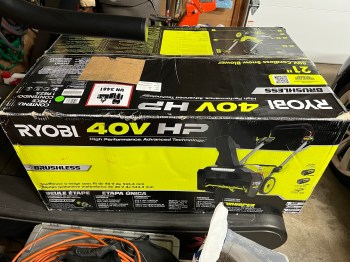
I jumped on Home Depot and ordered the 40V HP Brushless 21 in. Cordless Single Stage Snow Thrower with (2) 5.0 Ah Batteries since none of the local HDs had it in stock. It was $549.

The only steps involved in assembly were to twist on the chute, secure it with a screw, and tighten the handle. I immediately loved how compact it folded up.

We got snow the next day, so I put it to a test.

The snow blower was easy to start with the push of a button. It was very quiet, light, easy to maneuver, and has a bright LED light. Right away I noticed it didn’t have the power to throw the snow very far as you can see in the video. I would be throwing the snow right in to an upcoming path, so would be moving the same snow 2-3 times! Not a good start.

The triggers on the handle that need to be held in order to keep it running were awkward to use and I accidentally let go multiple times. Then after less than 10 minutes of use, I let go and the motor wouldn’t start again. Both batteries had about 75% charge left and the LED headlight was coming on without a problem. I could hear a bit of a clicking sound from the motor.

I loaded it in my car and returned it to Home Depot the next morning.

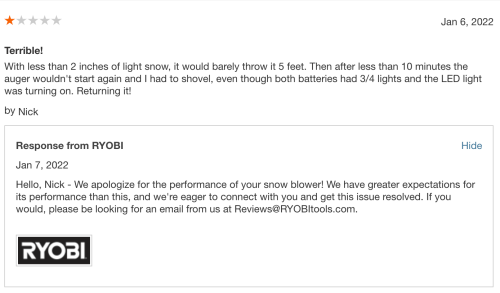
I was extremely disappointed in the machine and due to my positive experience with other Ryobi products, I felt the need to leave an online review, which I almost never do. To my surprise, I got a response the next day.

I also received the following email.

My name is Christian, and I am the Product Development Coordinator for RYOBI Snow Blowers.

We received your online review on the RYOBI 40V HP 21” Snow Blower. We understand you have had an issue with your RYOBI Snow Blower. It is our policy to make absolutely sure that 100% of our customers are pleased with their experience with RYOBI. Could you please call me at 864-642-8094? I would like to investigate this issue with you and make sure that your experience with our products moving forward is a positive experience and that you walk away understanding that our customer service is unmatched.

If you prefer you can reply to this email, and we can discuss your experience to find a solution that meets your needs.

I emailed back…

I returned it to Home Depot two days after it was delivered (the night after trying it). We had less than 2 inches of light snow and the unit was pretty terrible. It barely threw the snow 5-6 feet, so I would end up going over the same snow multiple times to do the driveway. Then after maybe 10 minutes of use, the auger wouldn’t start again. The LED light was on and both batteries had 3/4 charge. Maybe there was something wrong with the motor on this unit, but it seemed very under powered and I wasn’t confident it would be able to handle any real storm.
It was quite disappointing because I have a lot of Ryobi hand tools and they all work great. I was hoping to replace my gas snow blower and lawn mower with Ryobi units for ease of use, space saving, and not having to deal with gas, but I’ll be sticking with them now.

Their next reply…

This issue your snow blower experienced has become know and we have since corrected the issue with our units in inventory!

I would like to offer to upgrade you to our brand new RYOBI 40V HP 21″ Whisper Series Snow Blower as I see you were not impressed with the previous models performance. This kit has an upgraded controller and 2x 7.5Ah batteries for increased power and runtime.

Would this be something you are interested in? I want to make sure you are taken care of.

I look forward to hearing from you!

I was shocked. The 40V HP BRUSHLESS 21″ WHISPER SERIES SNOW BLOWER WITH (2) 7.5AH BATTERIES AND CHARGER is $699 and they sent me one for free!

The unit had some damage to the knob used to adjust the auger speed so I asked if they could send me a replacement part and I would fix it myself.

Apparently it’s not an easy fix, so they sent me another snow blower. FREE! Same model, fully complete with the batteries and charger. I was floored!

This new model is better in every way.

  • Build quality of the machine feels much sturdier.
  • Larger batteries provide more power and runtime.
  • The handle folds away in one step instead of two.
  • Triggers to keep it running were replaced with the more traditional bar you find on lawn mowers.

I’ve had the chance to use this snow blower during a few different sized Michigan snow storms and it did a great job. It throws the snow much better than the other model and it didn’t miss a beat. The machine maneuvers so much better than a heavy gas snow blower and is actually fun to use. There’s no worry about it starting up, so I can just throw in the batteries, push start, and be good to go.

I quickly sold my Ariens gas snow blower, gave the “broken” Ryobi to my brother, and am enjoying the extra space in the garage. Isaac had an older Ryobi model and said this one is awesome.

One minor negative is the snow blower doesn’t come with any kind of shovel tool to clear snow out of the chute or auger. I came up with my own solution though.

Before I purchase a lawn mower I’m waiting to see if Ryobi releases one in their Whisper series before spring. If they don’t, I’ll buy one of their current models. The mowers fold up better to save even more space, which will be great.

This whole experience with Ryobi’s customer service makes me happy I switched to Ryobi a few years ago. It even pushed me to buy their cordless nail guns to replace my pneumatic ones last week. One of my shop projects after the kitchen is finished will be to build a system to better organize and store all of my cordless tools, so I’ll share my Ryobi collection then.

A New Hobby Desk and Organization

When I was doing the wiring for the cabinet LED lighting, I remembered how much I hated the tall desk for that kind of work.

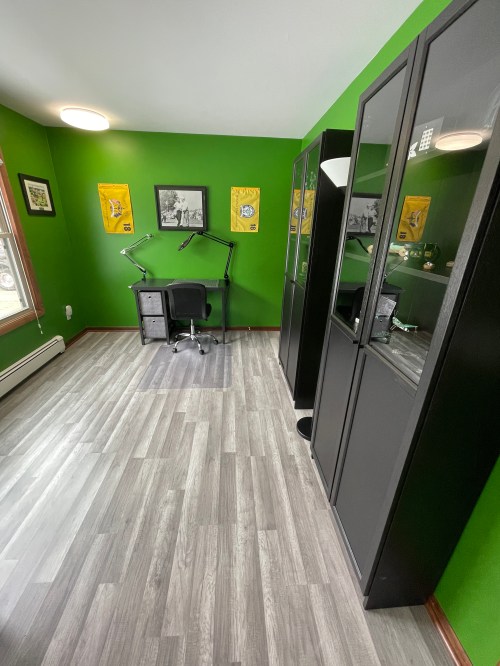
I woke up the next day and decided to get a new desk. I wanted something similar and I basically found the little brother; it’s almost identical. The old one was 4″ deeper, which I think I’ll miss.

When I was desk shopping I saw these storage bins and they sparked ideas for decluttering the area.

I had to make a modification to the desk, because the adjustable shelf couldn’t be placed in the middle. After measuring everything about five times, I made two risers to get the shelf where I wanted. You wouldn’t even notice if I didn’t point them out.

I was in the zone and decided to tackle another problem. A couple of years ago I made an overhead camera rig out of a swing arm desk lamp. The mount it came with was someone else’s mod and one wrong bump knocked it off the desk. This is what it looked like.

I made a mount to match the profile of my new desk, which hooks up and over the metal bar. This isn’t going anywhere!

Back to those storage bins. My goal was to get the hobby tools out of sight, while making them easy to access. On the bookshelf they were always piled up and I had to get off the chair to reach them. All I needed was some cardboard (from the desk’s box) and hot glue.

The second bin didn’t get dividers because everything in there is pretty big and doesn’t need dedicated space. I can always update it later if necessary. In fact I probably don’t even need the cardboard liner, but it was already made. The small bookshelf, where my tools had been, moved inside the closet. I love the cleaner look the room has.

Ab Wheel Modification

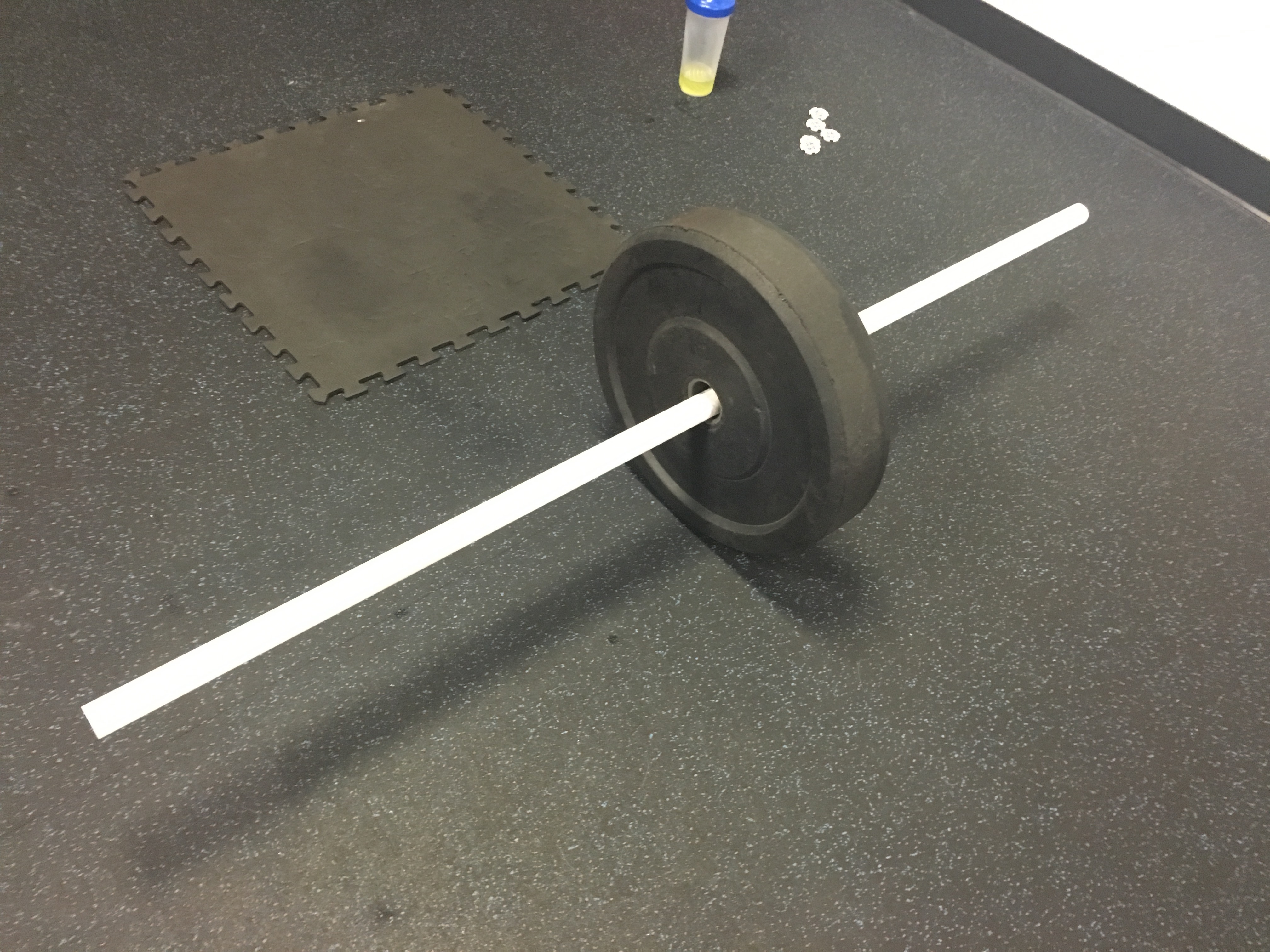
When I do Evil Wheels (aka Ab Rollouts), I prefer to use a PVC pipe through the middle of a large bumper plate instead of loading plates on a barbell.

Only having one point of contact with the floor creates more instability, making me recruit more muscles. I’ve always worried the PVC will snap though. Today I ran in to a new problem while trying a hip abducted version of the movement, which is a game changer by the way! I lost my balance and the plate started to fall over before I was able to catch myself and avoid a face plant. The large bumper plate isn’t great on an uneven garage floor.

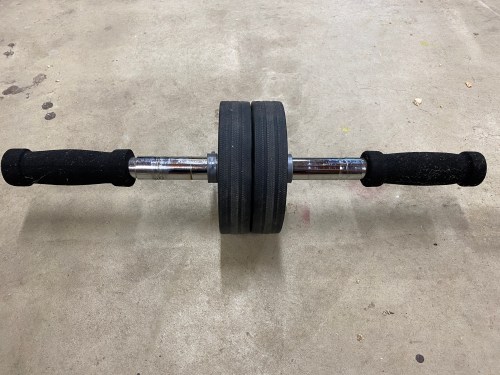
I had some wheels from an old vacuum cleaner and thought about creating my own ab wheel. Then I remembered this old thing was sitting on the shelf in my garage gym.

I don’t like it because the base of support is too wide and it has internal springs that “wind up” as you roll out and help you back in. Think of those toy cars you pull back and then they take off when you let go. This is basically a cheater ab wheel.

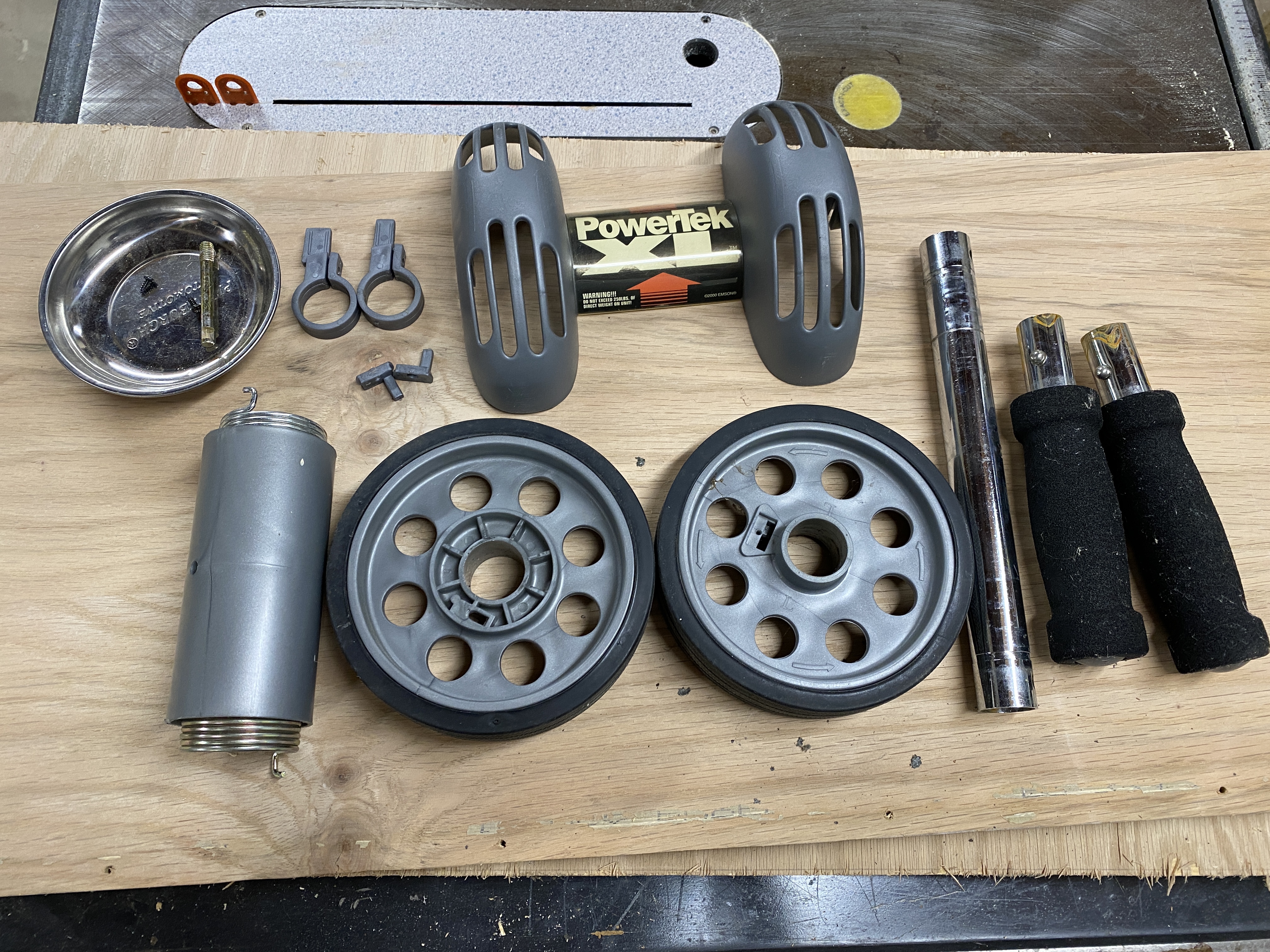
Could I modify it? I took it completely apart.

I put it back together without the springs or guard and I was in business!