Code with Microsoft for Beginners and Makers

It’s been quite some time since I’ve used any Microsoft products. They are really stepping up their game when it comes to makers and creating tools to teach people how to code.

Makecode (by Microsoft) is a site similar to Scratch. Both are great way for kids (or adults) to get started with programming. The powerful part is the drag and drop interface which simplifies coding. Instead of having to remember the syntax of a for statement, in the block editor you drag over a for block and fill in a couple of fields with the values for the variables. You don’t even need to buy a board to get started because the site has an emulator built right in.

makecode-circuit-playground-light-rotate.gif

Makecode has support for a bunch of microcontrollers aimed at beginners. Currently it works with micro:bit, Circuit Playground Express, Minecraft, Sparkfun Inventors Kit, and Chibi Chip. I selected the Circuit Playground Express for my example above.

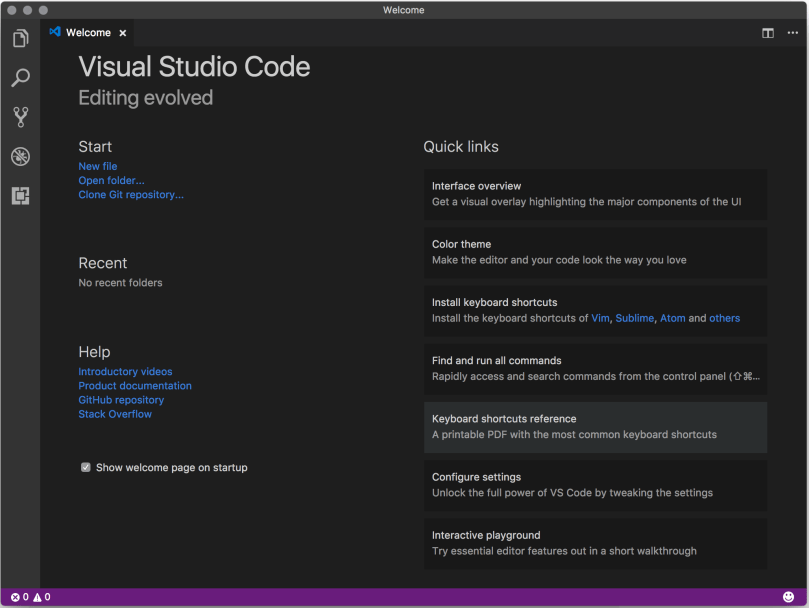
They’ve also built a Visual Studio Code extension for Arduino, which is now open sourced. I downloaded VSC and installed the extension. I didn’t play with it very long, but it looks like it’ll be my new editor for Adruino projects. It does things that every programming IDE should do, like code completion, which the Arduino IDE still does not do. I also installed some Python extensions, so I’ll have to see how it compares to the Atom editor, which is what I’ve been using for Python programming.
visual-studio-code

Microsoft Windows Media Center Edition and Xbox 360

Over the past few days I installed Windows Media Center Edition on my PC and configured it to connect to my Xbox 360. Let me tell you, this is one slick system for streaming media to your TV. The Xbox 360 works as an extender for the Media Center and can be set to access any of the pictures, music, or videos you have on your computer.

When I started looking into this, I was surprised to find out that Microsoft doesn’t even sell Windows Media Center Edition. The only legal way to get it is by purchasing a new computer which has it installed. I think this is a huge marketing mistake by Microsoft.

I think another mistake is the fact that the Xbox 360 only supports a few video types. Transcode 360 is a free piece of software you can download to get around this limitation though. It allows you to stream a wide range of video formats from MCE to the Xbox 360 by converting a file on-the-fly as you watch it. The speed and quality is excellent.

I did have some trouble installing the Xbox 360 Media Center Extender software on my computer, but that’s probably because of the way I installed MCE in the first place. In order to get the software installed, I had to extract all of the files out of the installation exe, then extract again out of one of the update files. From there I tried to install updates one by one until I found the errors and could download the missing updates. It was a real pain in the ass, but it’s working great now.