Replacing a Rigid Shop Vacuum Switch

I’ve had this Rigid shop vacuum, from Home Depot, for about 20 years.

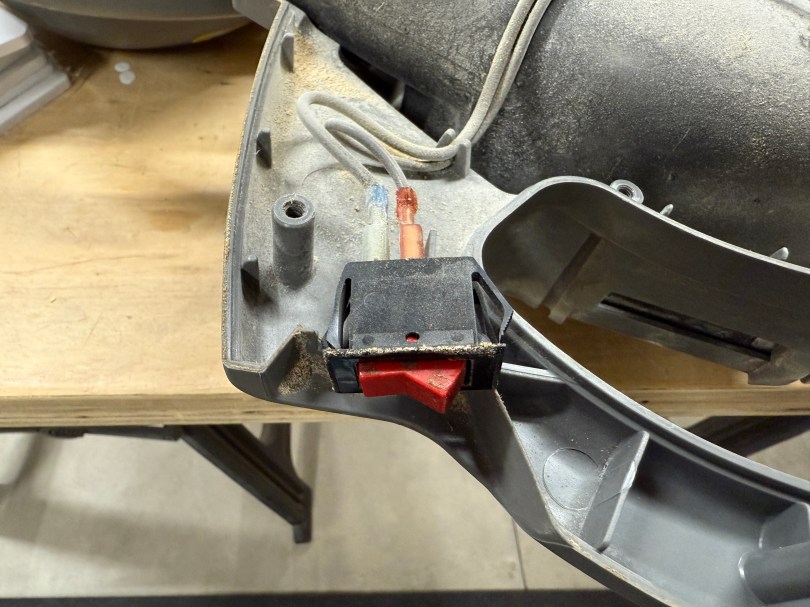
At some point in the last year, the switch started having issues. The vacuum would only turn on if the switch was actually pressed in, instead of toggled. I’ve never seen that happen, but I’m guessing it was from the accumulation of dirt and dust getting inside the switch body. Then the switch wouldn’t even push in, so the vacuum wouldn’t run.

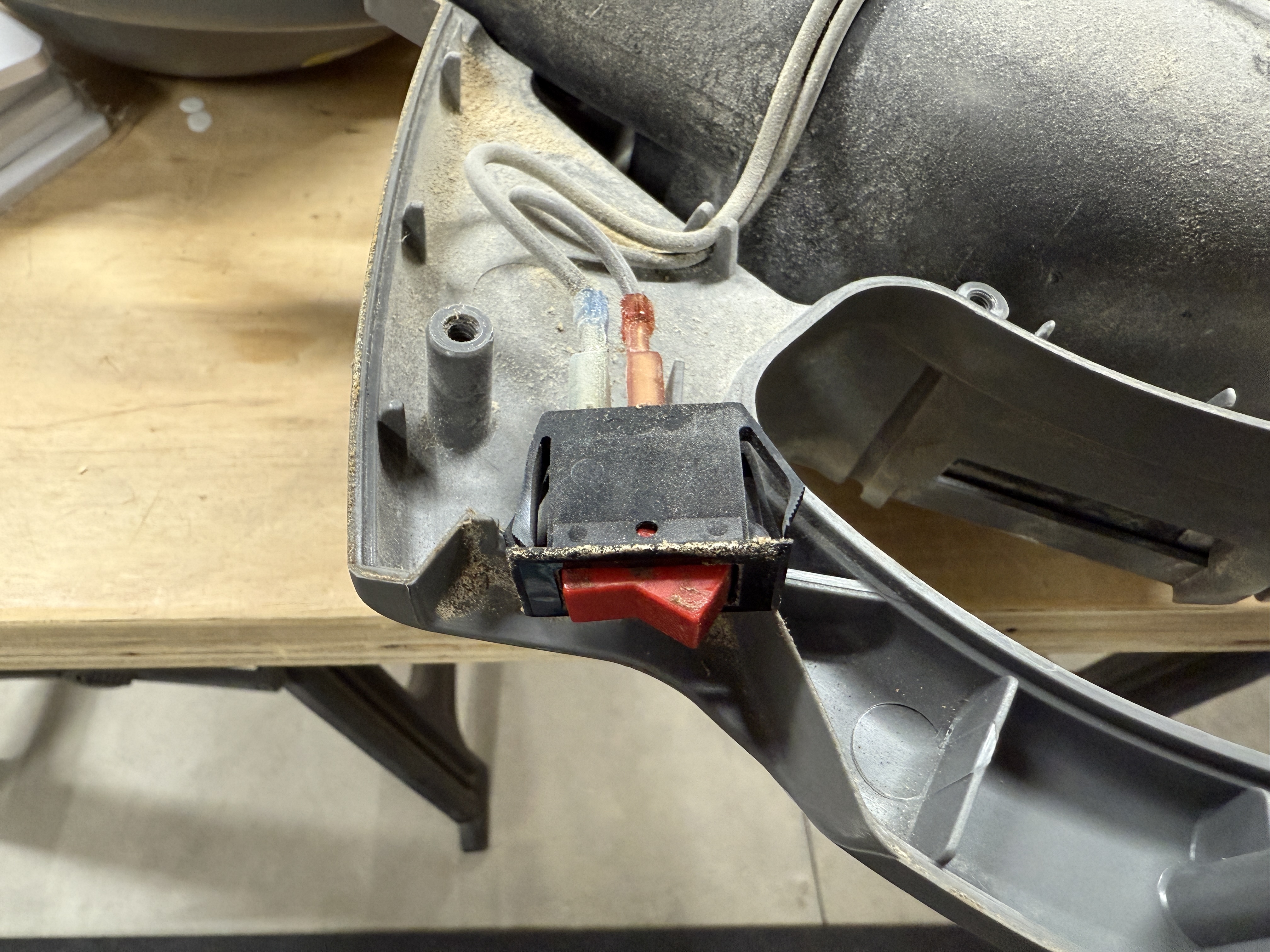
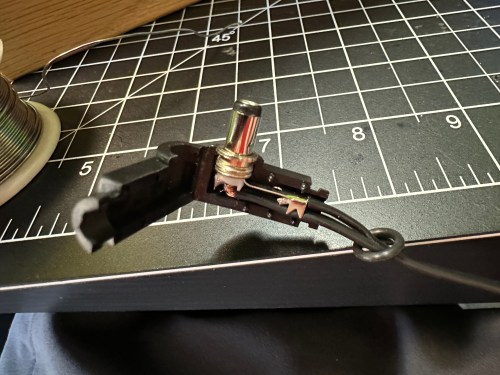
I figured it would be an easy switch replacement, so I removed a bunch of screws to take off the cover. Sure enough, the switch had two wires clipped on to it, and was held in place by the case.

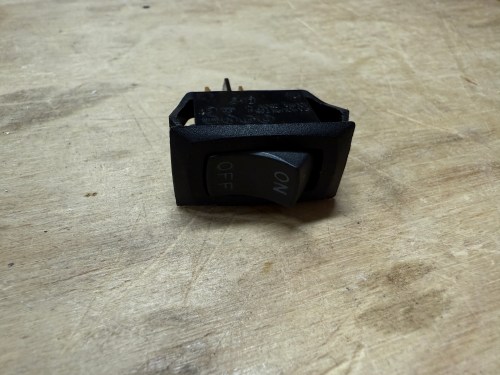
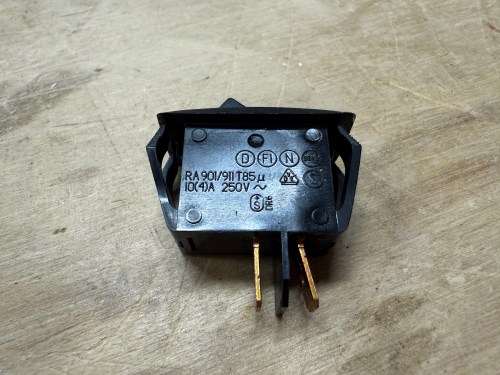
I had a perfect replacement, salvaged from some device I don’t remember, in my collection of electronics parts.

It fit like a glove and the vacuum turned on as if it was brand new. I screwed the case back together and called it done.

Attempting to Revive Knockoff Ryobi Batteries

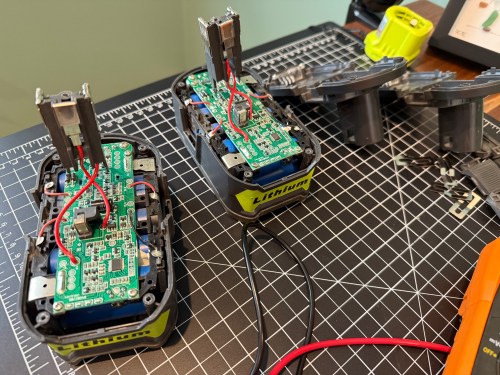
I have a couple of 5 Ah batteries and both of them stopped charging. They knockoffs from Amazon, with a brand name of Biswaye on them.

One was completely dead and wouldn’t even register on a usual charger. The other showed a defective status. When I put the multimeter on, it read about 15 volts.

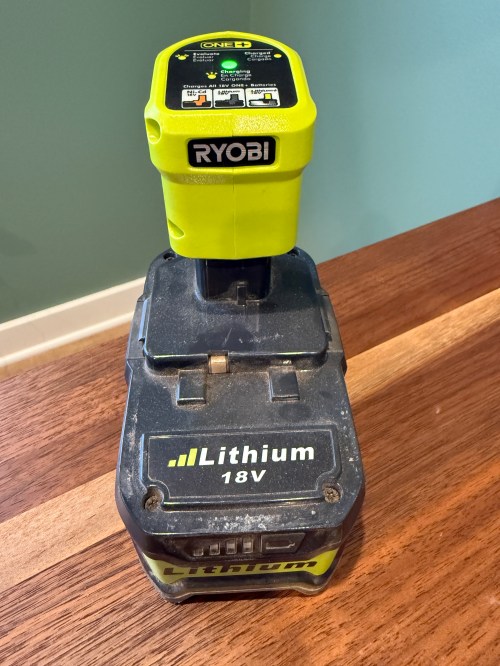
This often means some of the individual cells are bad. Before opening it up, I threw it on a Ryobi P119 slow charger, which can sometimes revive cells that are too low for the more complex battery chargers.

After a couple of hours I tried the battery on a regular charger again, but it still showed as defective. So I tore into both batteries, hoping I might be able to get one working battery out of the two.

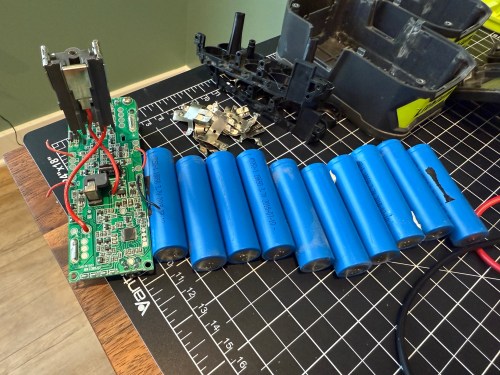
On the dead battery all 10 cells read zero volts on the multimeter. I wouldn’t be swapping any of those in to the other battery. It’s not safe to try pumping anything into cells depleted that much, so I recycled them at Batteries Plus.

Two of the cells on the defective battery read very low voltages. I don’t have any spare 18650 lithium ion cells and it’s not worth it to buy some since I have enough working Ryobi batteries in my rotation. As a last resort, I put the battery on the little charger to see if it would slowly charge the depleted cells. I had nothing to lose.

I let it go over 6 hours and unfortunately the voltage didn’t jump up on those bad cells, so I still can’t use the battery pack.

Attempts like this don’t always end in success, but it’s a fun opportunity to learn. This battery pack has plenty of good cells, so I’ll save it in case another battery needs replacement cells.

Repairing a Ryobi P117 Intelliport Charger

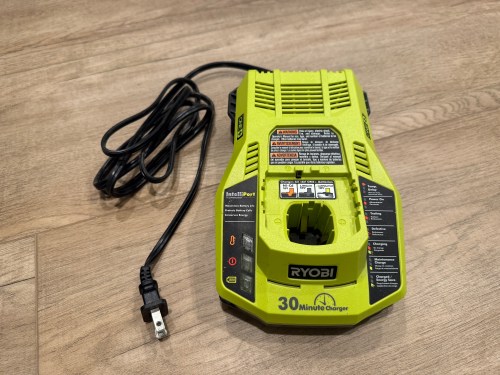
Last week while cutting some walnut with my Ryobi track saw, it kept stalling on me. Turns out the battery was nearly dead because the charger stopped working and the status LEDs weren’t lighting up at all when plugged in.

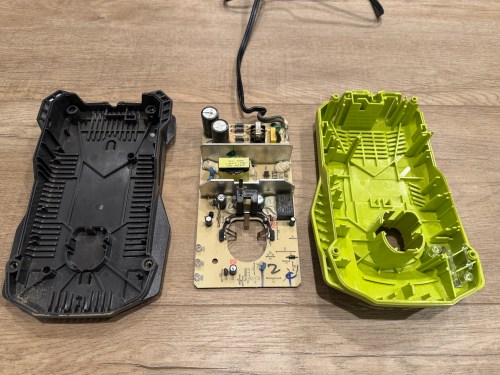
I opened up the charger and didn’t see burn marks or swollen capacitors anywhere.

Then I found a video on YouTube and sure enough, the resistor at R71 was wide open, reading 152 kΞ© on the multimeter.

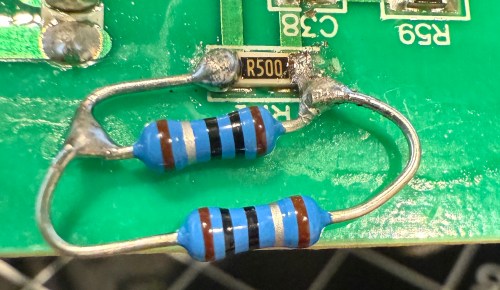
It’s a surface mount resistor labeled R500, which means 0.5 Ξ©. I don’t have any resistors that size, so I soldered in a couple of 1 Ξ© resistors in parallel.

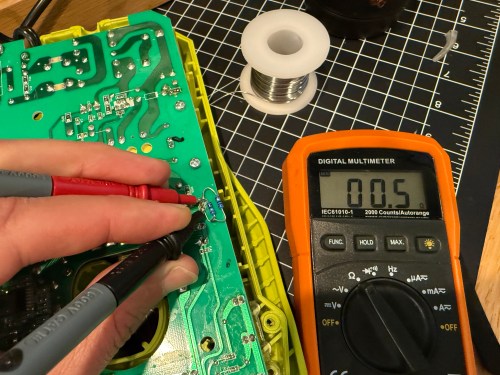
It’s not pretty, but it properly read 0.5 Ξ© on the multimeter.

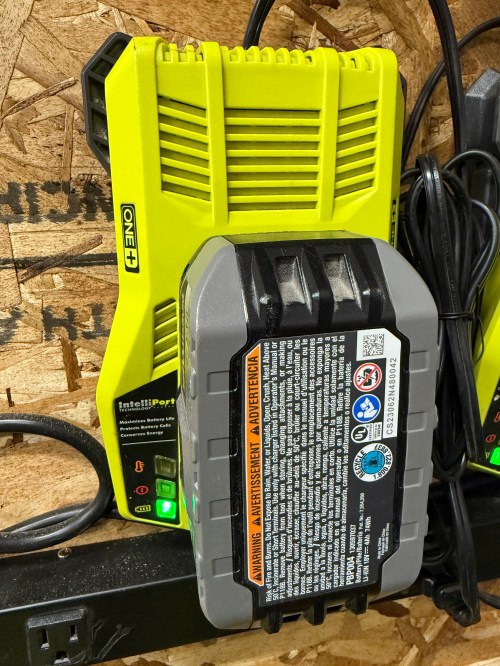
I put it back together, plugged it in, and the red LED lit up. Took it down to the shop, put a battery in, and the charger is back in the rotation!

Table Saw Motor Wire Slack

Yesterday I went to make some 45Β° cuts on the table saw and couldn’t get it past 30Β°. After a few minutes of tinkering around, I realized there wasn’t enough slack on the wire going to the motor. I guess I wasn’t thinking about when I installed the new switch several years ago.

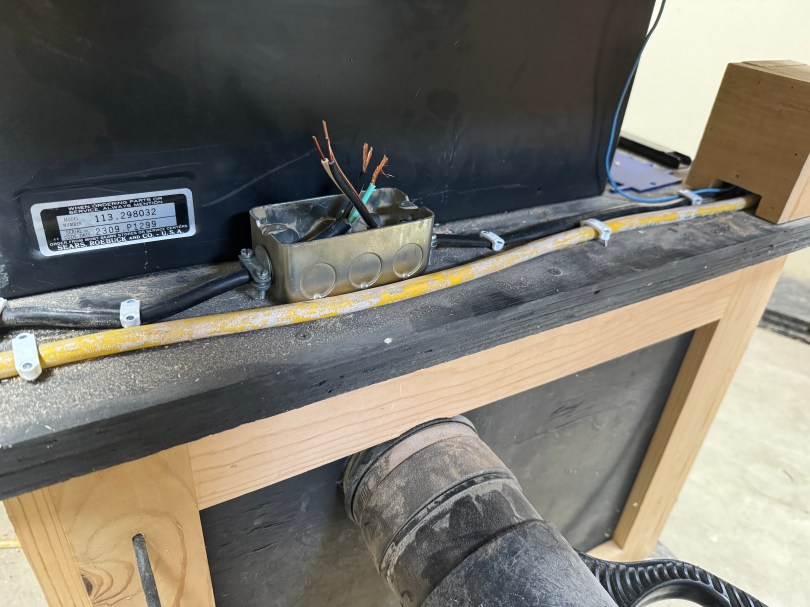
Instead of replacing the entire wire all the way back to the motor, I added a junction box and an extension to the switch.

The saw still wouldn’t get to 45Β° though, because I had another issue. I guess I’d never done that much of an angle, so the threaded rod to guide the tilting mechanism was caked with saw dust. After some WD-40, a wire brush, and cranking it back and forth, it was moving well.

Swapping an AC Adapter Cable

I was given a replacement AC adapter for an Acer laptop, which isn’t compatible with the Dell Optiplex micro PC I wanted to use it with. The output is close enough to work, so I looked for an adapter to convert from the 5.5×1.7mm connector used by the Acer to 4.5x3mm used by the Dell. I couldn’t find an adapter anywhere! I did however find a pigtail adapter on Amazon for about $8 I could wire in. Here’s the original connector and the new cable.

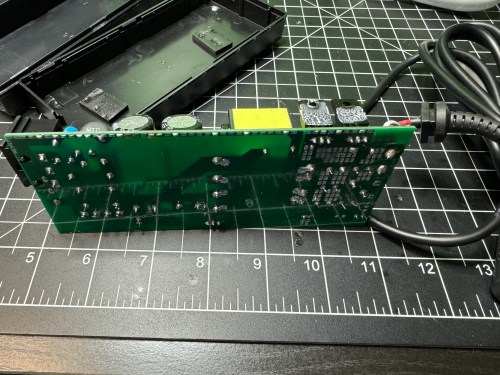
I opened up the power brick.

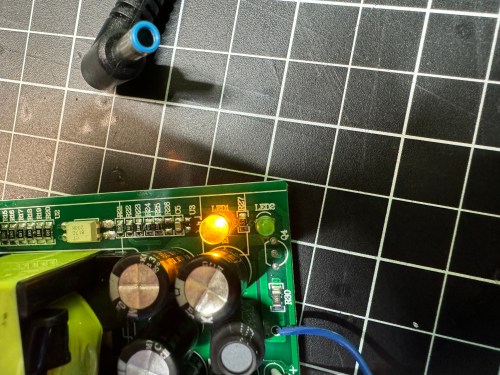
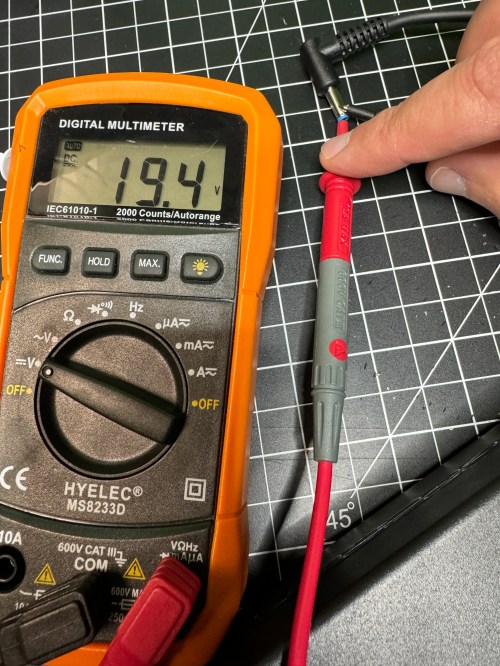
Then I made sure to test the output voltage and the polarity of the wires and connector with a multimeter. I noticed an unused spot for LED1 on the circuit board, so I figured I’d see if connecting a second LED would provide some other status indicator.

All it seemed to do was take over and disable LED2. So I removed it and left the original green LED. I desoldered the original cable, which only had positive and ground wires. The board had a spot with an S, which I assume means “signal,” so when connecting the pigtail, I soldered the blue wire there.

I checked the voltage on the new connector and it was as expected.

I plugged in the Dell and everything seemed to work. I cleaned the old thermal paste off the 3 components that screwed to a big metal heat sink and put on new paste. When I went to close everything I realized the black wire was too short, preventing the cable from reaching the hole in the power brick. I had to solder on a short extension and cover it with shrink tube.

Tucked everything back in the power brick, snapped it together, and it’s good to go.

Network Rack Supports

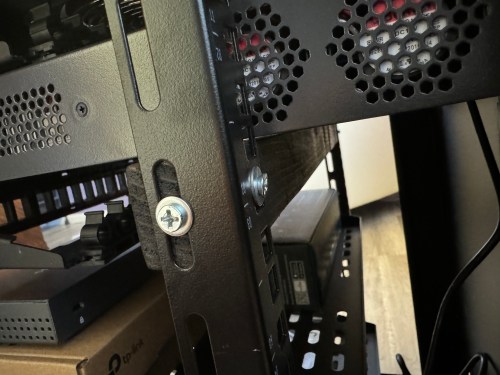
We’re having a house built next year and it’ll have ethernet ports all over. I’ve already started gathering equipment and setting up a network rack cabinet (from Amazon), so I can start playing around with the stuff in our current house over the winter. The rack will do the job fine, but it’s not super high quality. Since the components usually only mount to the front rails, the heavy equipment can sag quite a bit in the rear. I cut and stained a couple of pieces of scrap wood.

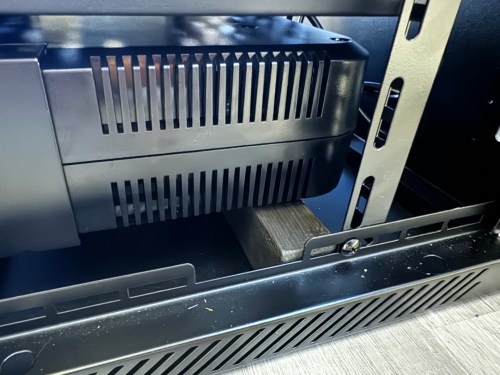
The UPS is the heaviest piece of gear, so it’s mounted at the bottom of the rack. I used a couple of pieces of VHB tape to stick the support beam to the rack floor. The rear of the UPS simply rests on that piece of wood.

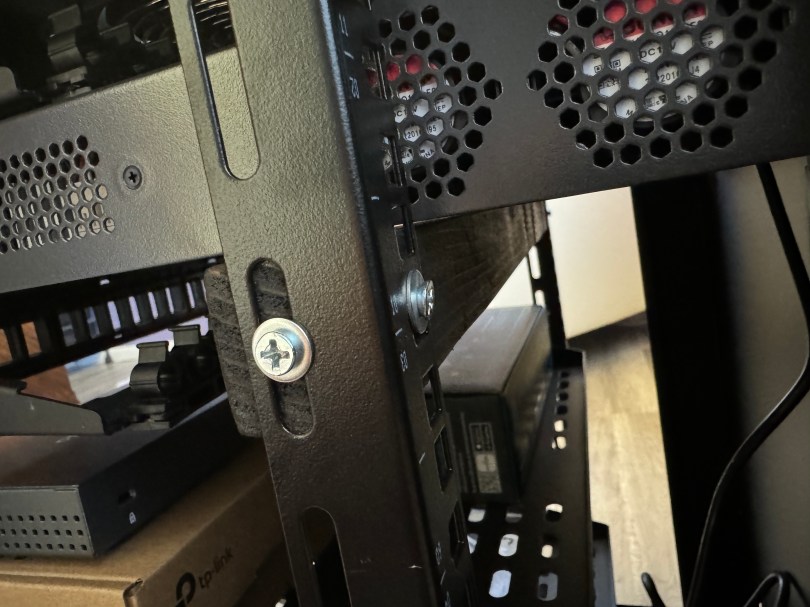
The other support piece mounts to the rear rails with washers and screws, propping up the back end of the switch.

Simple and effective improvements.

Update on the Milwaukee M12 Heated Jacket Fix

Last month I wrote about some failures with Brandi’s Milwaukee M12 Heated Jacket and the higher capacity battery they sent is working great for her. I ended that post with sort of a prediction…

I might end up getting a right angle jack to help with the strain relief. We’ll see how this holds up.

Yeah…

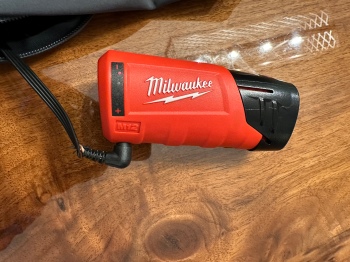
It hadn’t failed, but was heading that way. I didn’t help that I don’t have any heat shrink large enough to go over the end of that barrel jack. I ordered a pack of right angle barrel jacks from Amazon and soldered the wires in.

Didn’t work. The jack wasn’t long enough or the wrong size to make a good connection to the power source. I wish I had checked connections before soldering the wires on. I ordered a different style of jack in two sizes, 5.5 x 2.1 mm and 5.5 x 2.5 mm.

The 5.5 x 2.5, on the left, turned out to be the correct size. After confirming (multiple times) the positive and negative sides of each connection I slipped on some heat shrink, soldered the wires to the jacket, and blasted flames at the heat shrink.

The right angle is a much better connection because of how the battery sits in the jacket pocket and the extra length will help with strain relief. I feel better about having a soldered connection as well. It’s a win all around.

Milwaukee M12 Heated Jacket Failures

B got a Milwaukee M12 heated jacket over Thanksgiving to wear in the coolers when she’s at work.

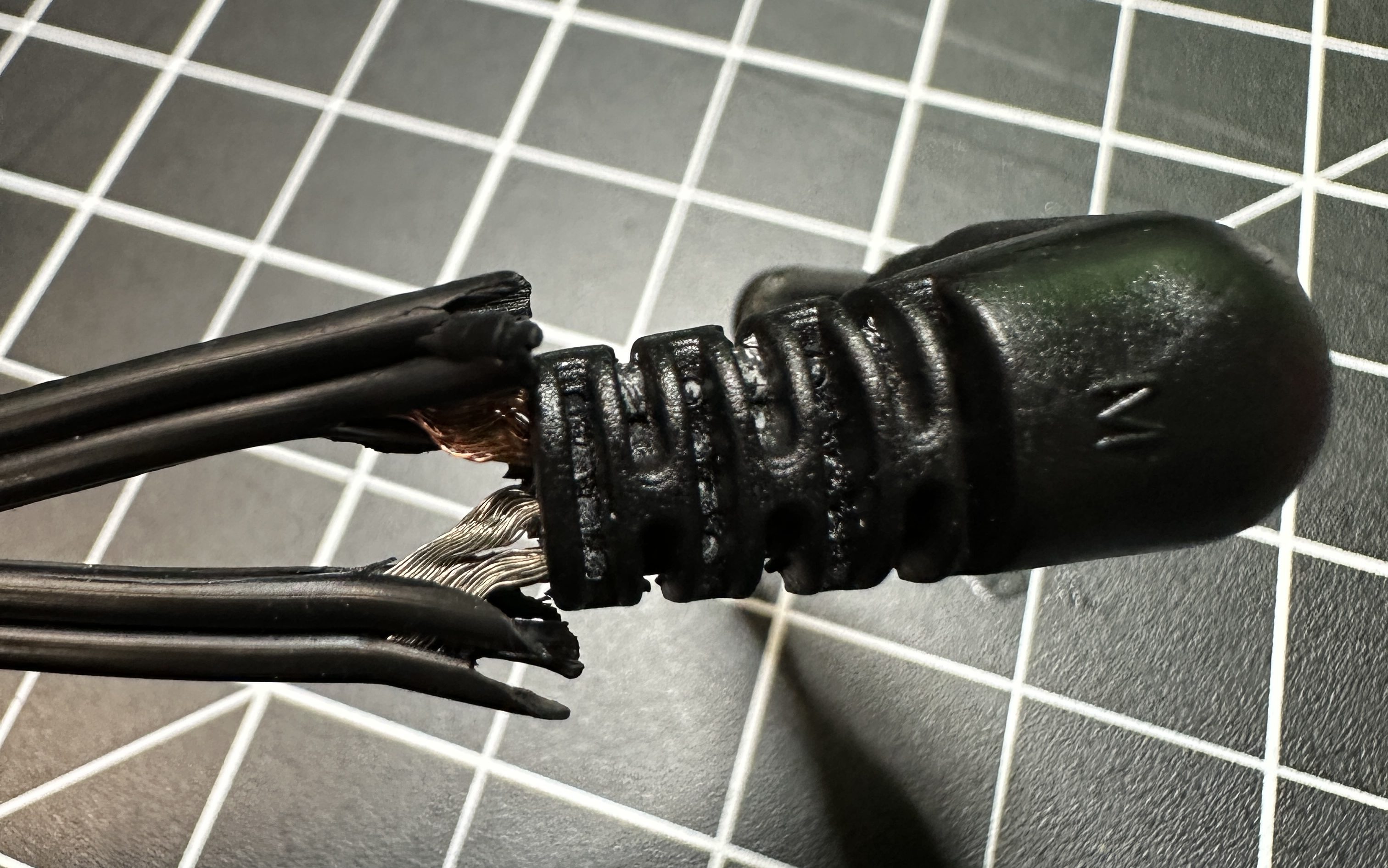
The pocket where you connect the batter is on the back left, which is an awkward position. In less than two months the wire frayed by the barrel jack.

The exposed wires caused a short in the M12 Power Source, which is the red plastic shell that connects the battery.

The part was dead in the water and gives an error status. What terrible designs in the jacket’s wiring and the power source. Luckily, the battery does have fault protection and still worked. I checked the item on Milwaukee’s web site and other people had the same problems. After leaving a review, it looked like Milwaukee reached out to them. So I left my own review with a picture of the wire…

My partner got the jacket less than 2 months ago. The wire frayed by the connector causing a short, which appears to have killed the power source. I read 12.5v out of the battery just fine, but nothing from the power source. Terrible design in the jacket and with no protection in the power source. I can fix the connection and barrel jack on the jacket without an issue, but not much we can do about the power source.

Their social media team sent me an email the next day…

We are sorry to hear you are experiencing some issue with your M12β„’ Power Source! As a one-time courtesy, our team would like to assist with a replacement!

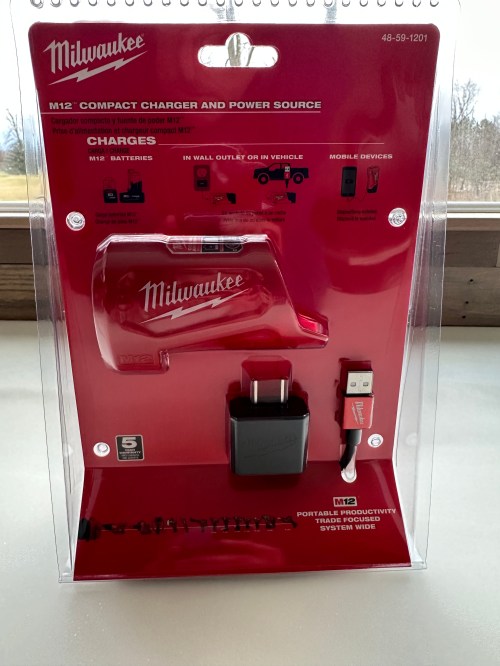
About a week later they emailed me again, with a return label to send them both the battery and the power source and they sent us replacements. Kudos to Milwaukee for sending the new version of the power source and a 3.0 Ah battery when the previous one was 2.0 Ah. B will be happy about the extra battery life.

By the time we got both items it was exactly three weeks after I had left my review. I isolated the wires with some cardboard between them so I could make sure the jacket worked with the replacements. It was a success, so I separated the two sides of the wire, tested which side came from which part of the jack, and then cut it off.

I stripped back insulation, put shrink tube around each wire, connected a new jack, put shrink tube around both wires, and gave it a couple wraps of electrical tape.

I might end up getting a right angle jack to help with the strain relief. We’ll see how this holds up.

Simple Kitchen Storage Improvements

I needed a few easy things to tackle over the weekend and since we’ll be losing a little bit of storage space (though gaining some new space) as part of the kitchen remodel, I wanted to make better use of wasted space in some areas.

First up was a small cabinet between the range and dishwasher where we store our baking sheets, cutting boards, and other similar size items. The top 1/3 or so of it was dead space, so I added a couple of shelves made from scrap wood.

Now we have a spot for aluminum foil, wax paper, plastic wrap, parchment paper, and ziplock bags. This freed up two entire drawers in the island.

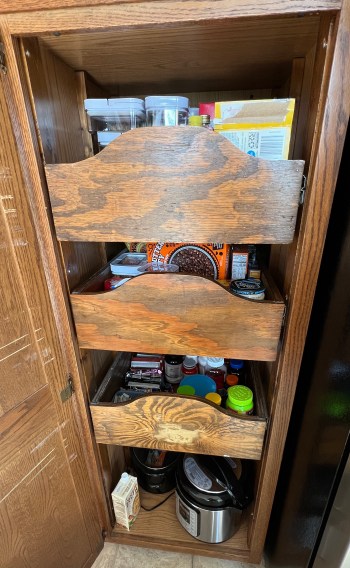
The second task has been on my ideas list for at least six months. The pantry cabinet in our kitchen had three large drawers, spaced way too far apart. There simply are not that many tall food items, at least not the stuff we buy.

With the cabinet being so tall it’s hard to get a feel for the space in this picture, but you can see the top drawer, with our tallest items, had quite a bit of wasted space above it. I decided to leave it where it was for flexibility and because it’s already hard to see what’s in there. I moved the second drawer up 2-1/4 inches and the third drawer up 7-1/8 inches.

This gave me plenty of space to add a fourth drawer. I still had this one with slides sitting in the basement after taking apart a tower of drawers four years ago.

Unfortunately it was too wide, so I had to take it apart and make it narrower. I decided to make it shorter as well to match the others. By chance it was already the same depth.

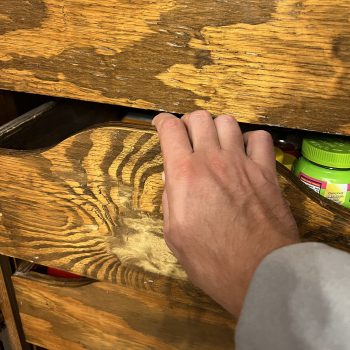
Something I wasn’t thinking about when I moved the drawers was the areas meant to be handles were now really close to the bottom of the drawer above, begging for smashed fingers and an F-bomb.

I always thought it was an odd design for a drawer pull to be honest. I made a template for the drawer fronts and cut the other drawers to match. I also used a roundover bit on those front edges.

I measured out the placement, installed the drawer slides, and slid in the “new” drawer. Who doesn’t love more storage space? Especially for food!

I’ll paint the drawer fronts when all of the cupboards get painted. A third bonus improvement was a quick fix for this utensils drawer, which has been busted for years. I’m surprised it hadn’t fallen apart completely.

I cut a piece of wood for the corner, added glue and brad nails, and called it good.

All fairly quick and easy projects that improved our kitchen organization.
Unclog a Bissell Carpet Cleaner

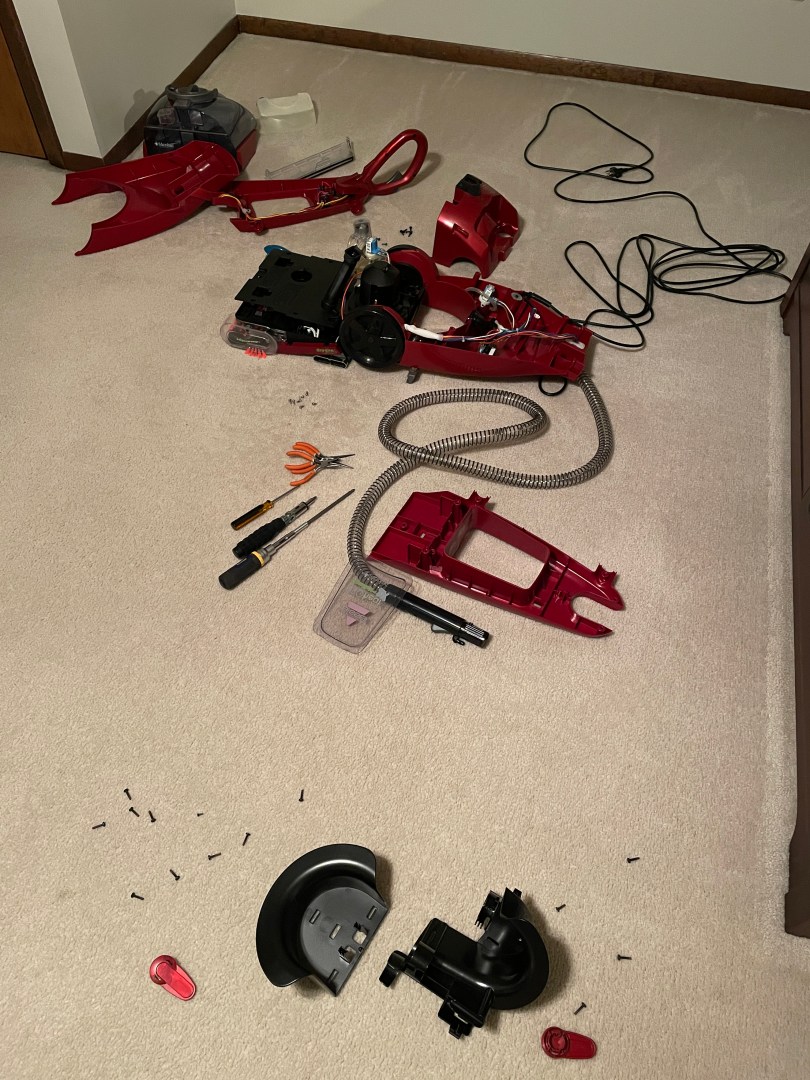
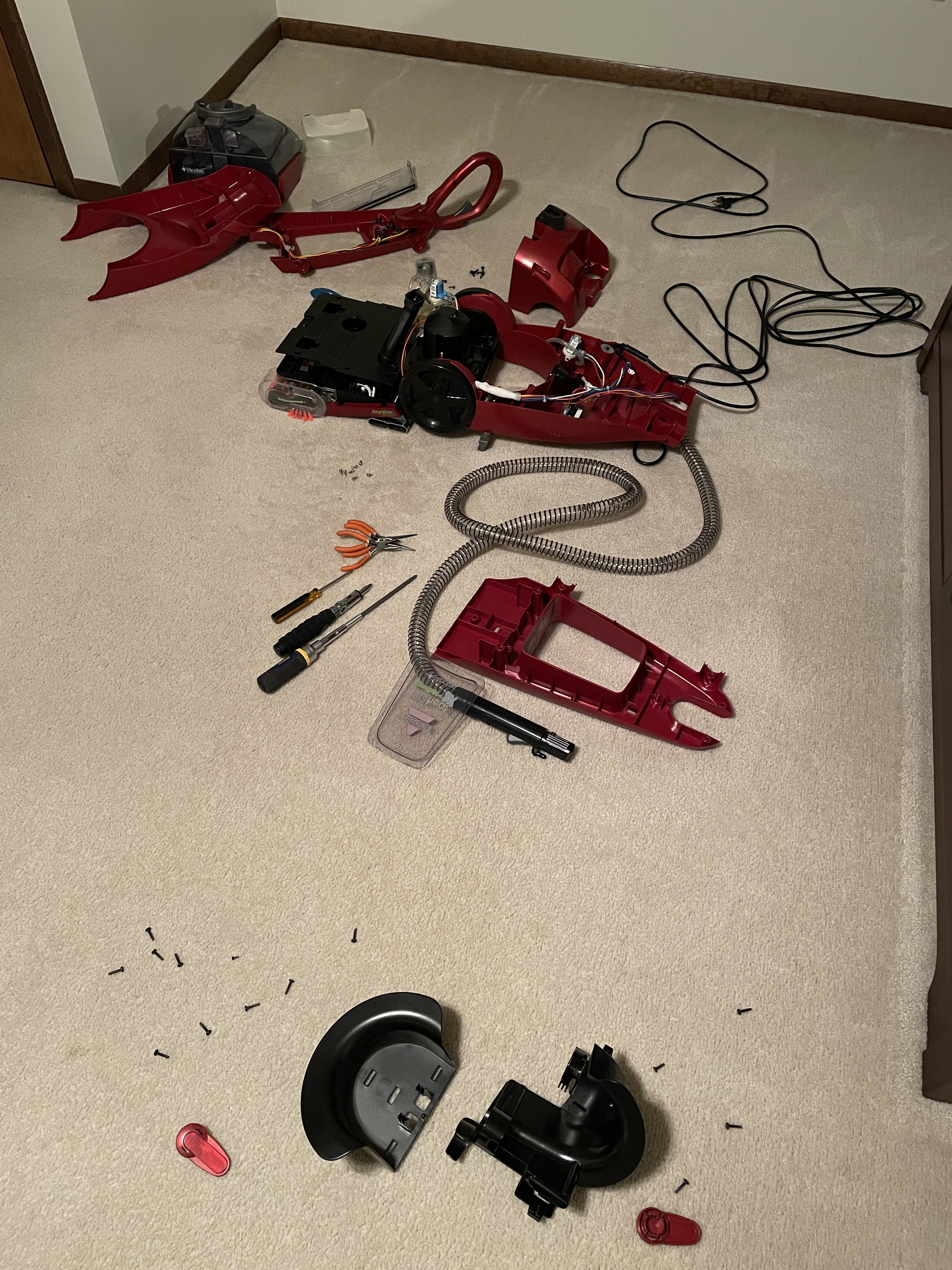
If you have a Bissell carpet cleaner that won’t spray, the heater core might be clogged up. Start removing screws and parts (you can probably find a video on YouTube for your model) until you find a rectangular metal part with wires and hoses connected. For this model it turned out I didn’t need to take the handle pieces apart.
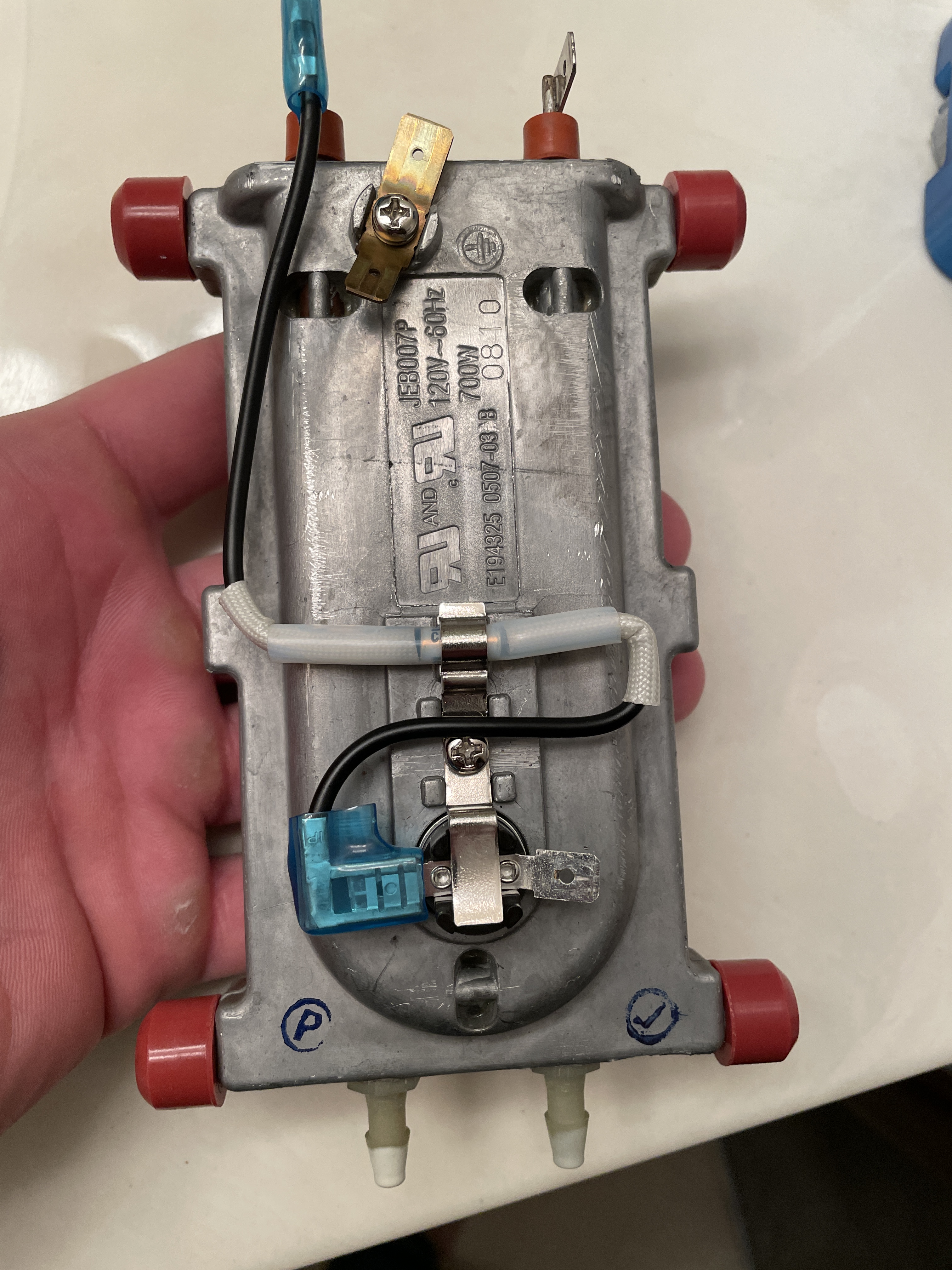
After you remove the wires and hoses, you should be able to pull the heater core out.

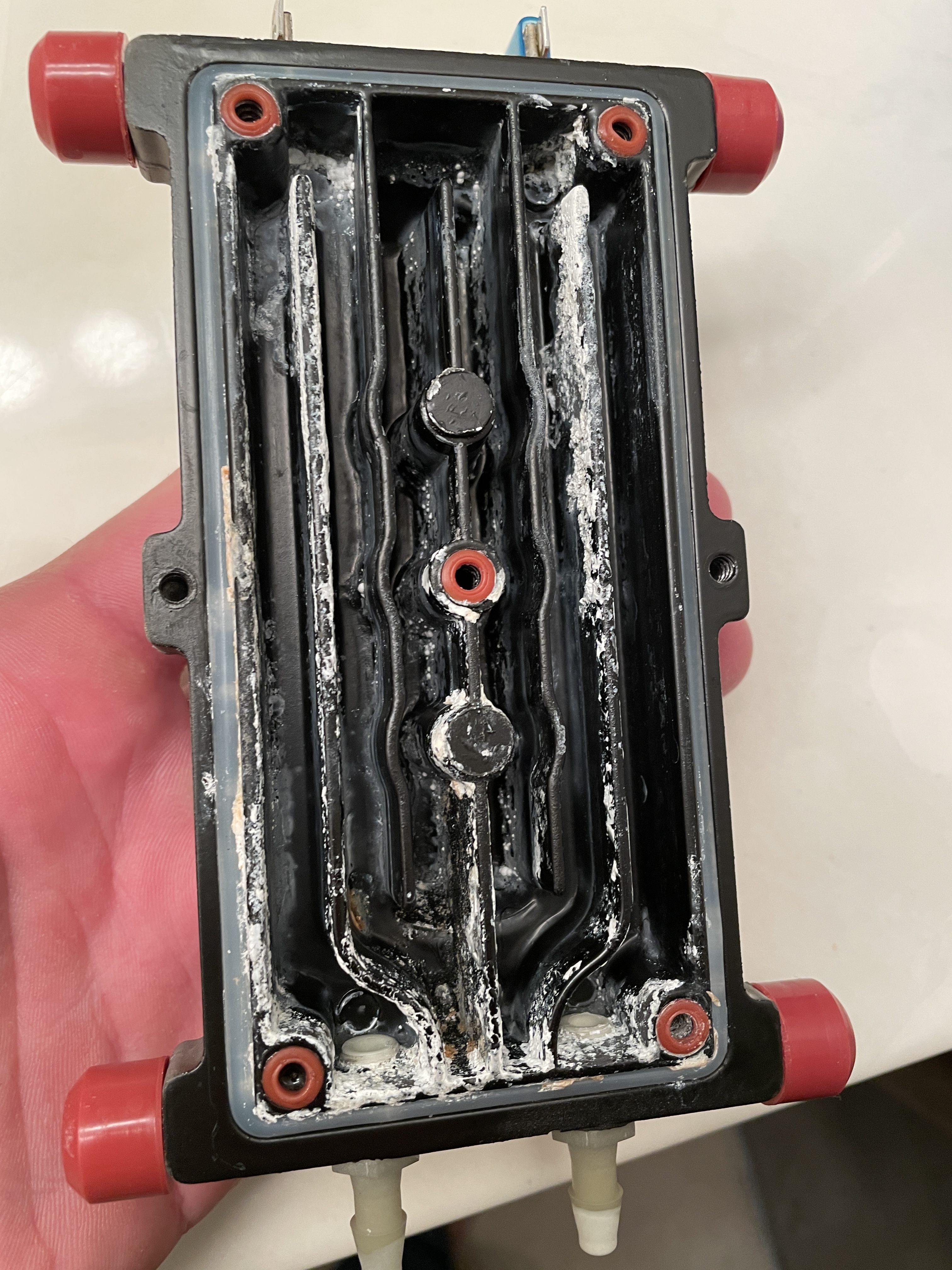
Then you can pop off the cover and clean out the inside. I should have taken a picture of the junk that was caked in the channels, but this is what it looked like after I did a quick cleaning.

Then comes the fun part of trying to fit everything back together. πŸ™‚ I had to do it twice because I didn’t route some of the hoses properly. The unit works again though!